Security Profiles
Use Security Profiles to perform security configurations, such as URL filtering, file filtering, content filtering, email filtering, anti-virus, and setting Security Service policies, etc.
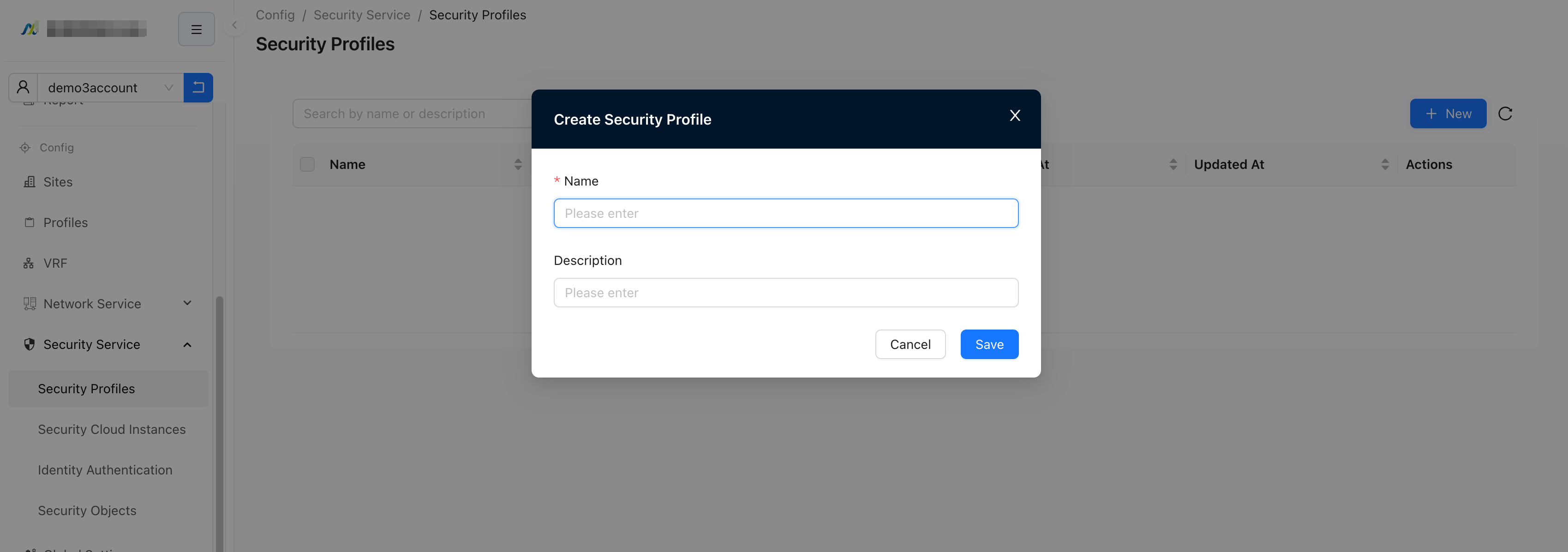
Create a Security Profile
"Tenant"→"Config"→"Security Service"→"Security Profiles"→"New"→【New Security Profile】
Edit a Security Profile
After creating a new Security Profile, you will automatically jump to the edit Security Profile page. You can also click to enter the editing interface.
There are three actions during the configuration process:
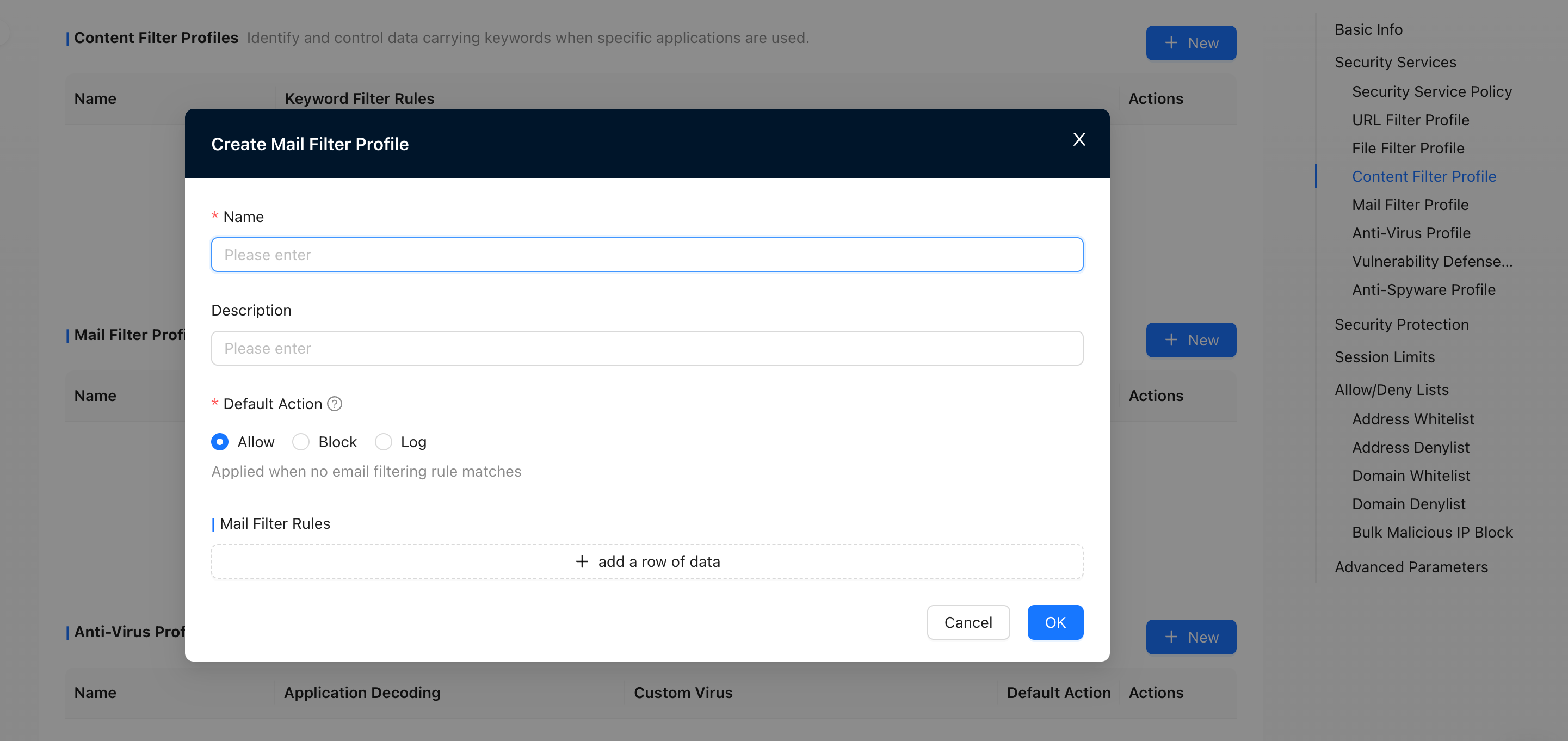
- Allow: Allow to pass without logging
- Block: Not allowed and logged
- Log: Allow and log
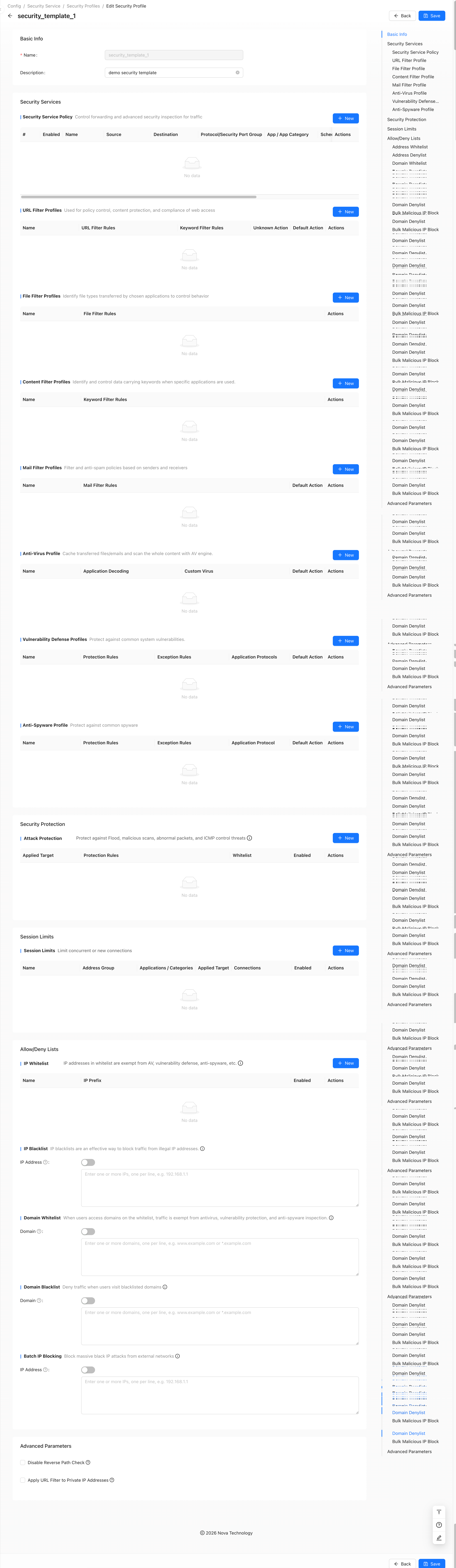
Security Service
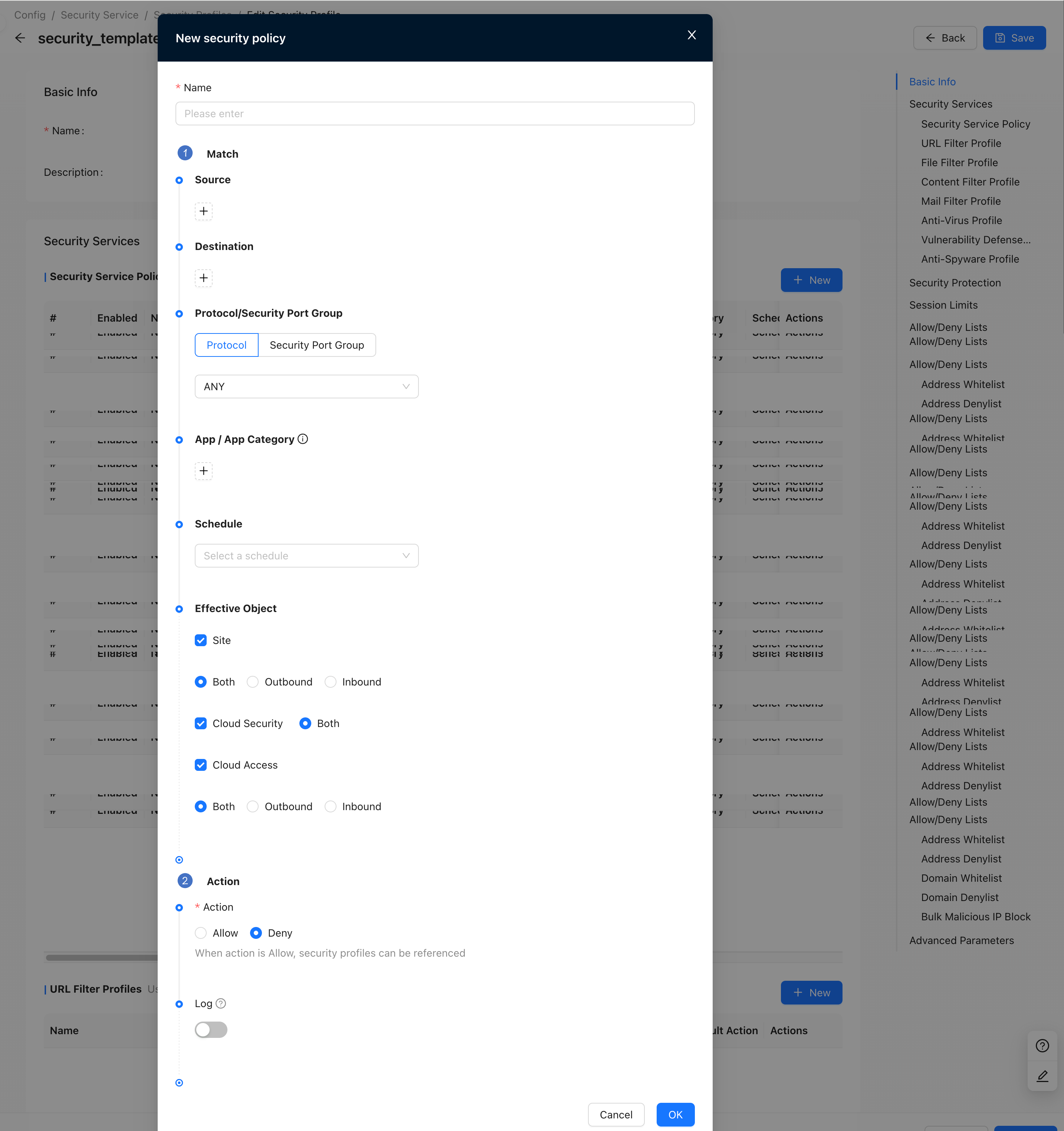
Security Service Policy
Forwarding control and advanced security feature inspection of traffic
If the logging is turned on, the matching rules will be recorded in the form of a log.
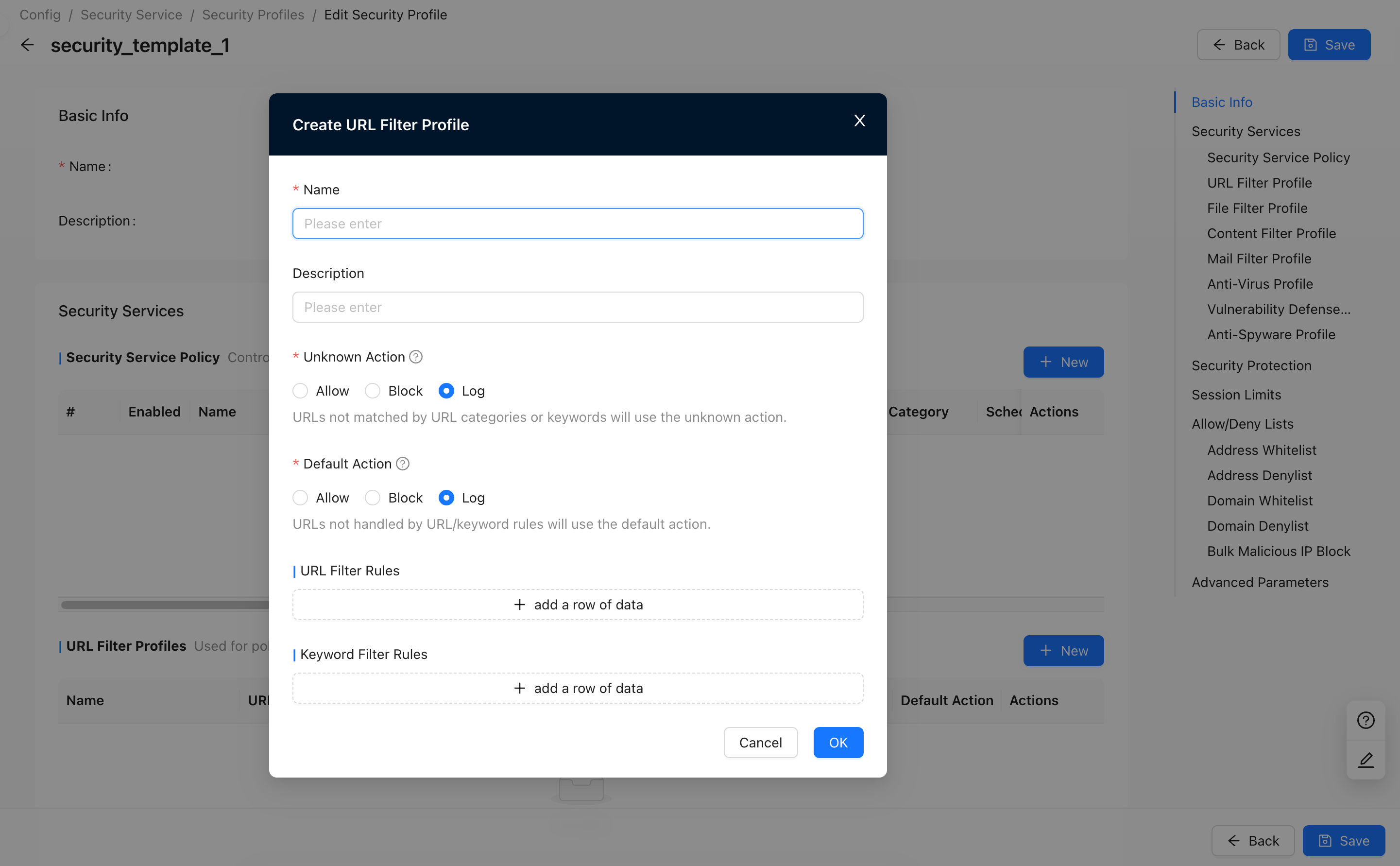
URL Filtering Profile
Scenarios for policy control, content protection and compliance requirements for web access
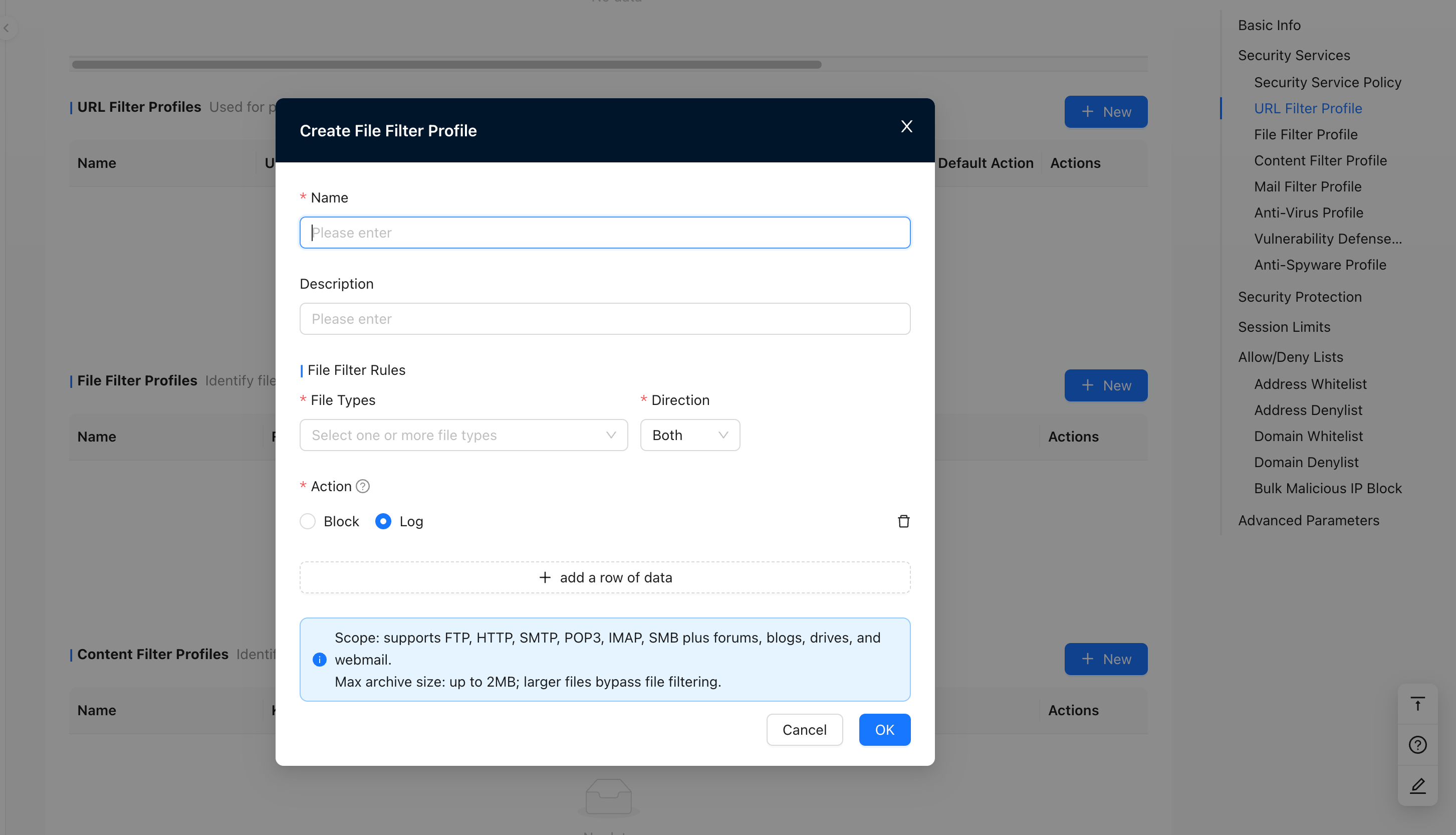
File Filtering Profile
Perform file type identification on files transferred using specific applications and control file transfer behavior
- Application scope: By default, it supports FTP, HTTP, SMTP, POP3, IMAP, SMB protocols, as well as various forums, blogs, network disks and web mailboxes.
- Maximum decompressed file size: The maximum supported decompressed file size is 2MB. Files exceeding the maximum decompressed file size will be directly released without file filtering.
Content Filtering Profile
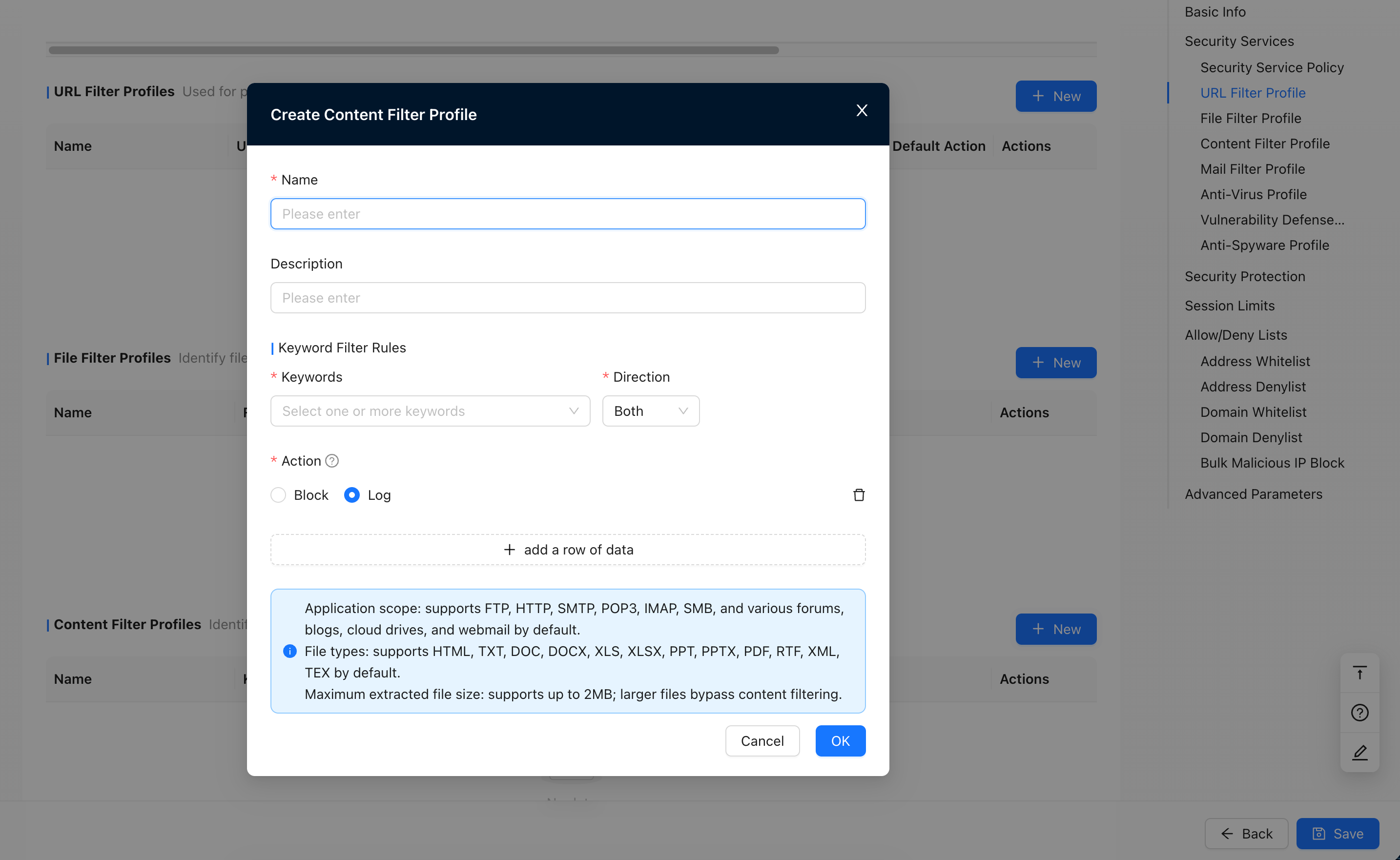
Effectively identify and control behavior of data transmitted using specific applications and containing keyword information
- Application scope: By default, it supports FTP, HTTP, SMTP, POP3, IMAP, SMB protocols, as well as various forums, blogs, network disks and web mailboxes.
- File type: Default supports HTML, TXT, DOC, DOCX, XLS, XLSX, PPT, PPTX, PDF, RTF, XML, TEX
- Maximum decompressed file size: The maximum supported decompressed file size is 2MB. Files exceeding the maximum decompressed file size will be directly released without content filtering.
Email Filtering Profile
Sender-based email filtering and anti-spam filtering
Antivirus Profile
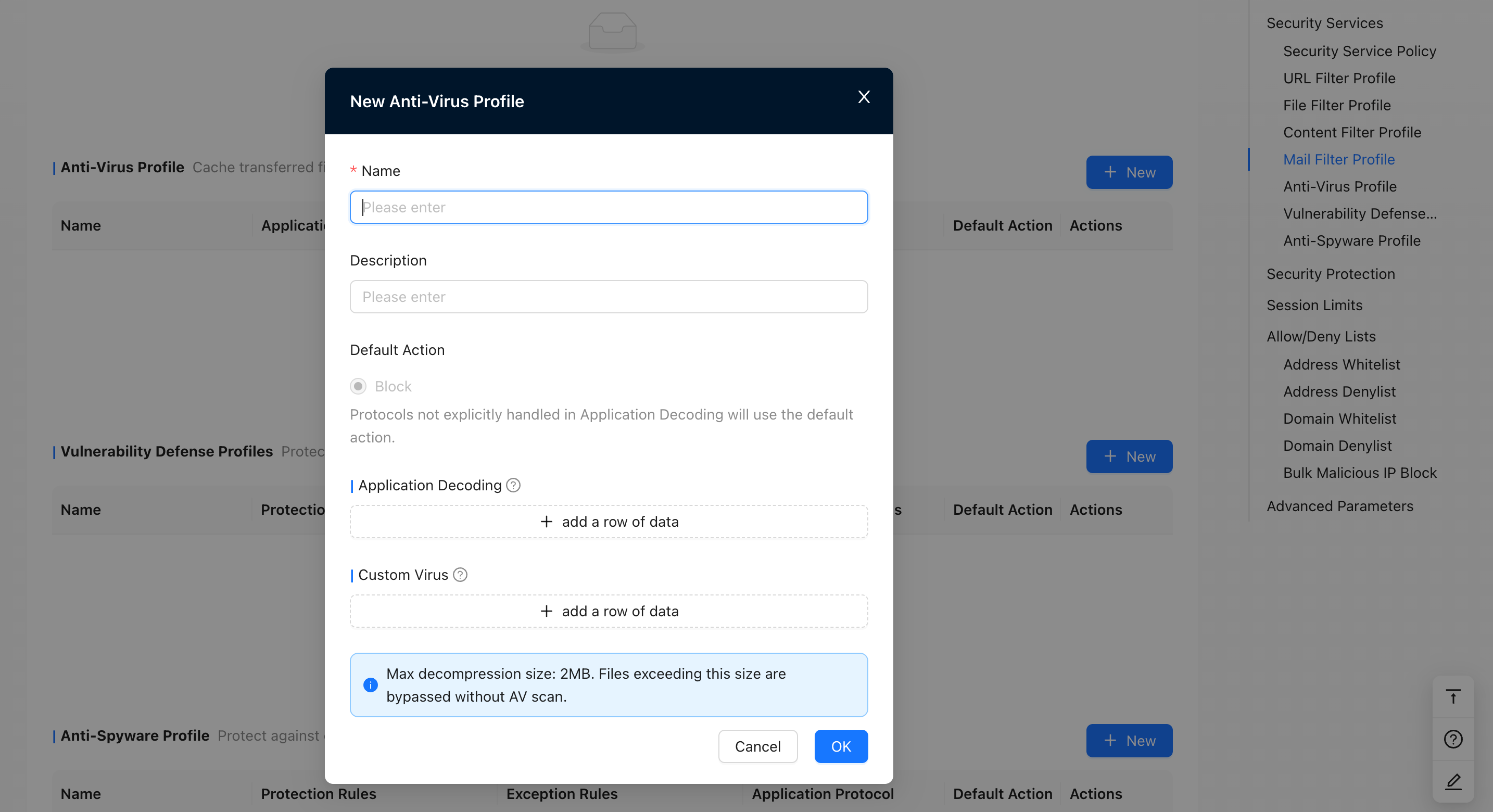
After the transferred files or emails are cached by the anti-virus engine, virus detection is performed on the entire file or email content.
- Application decoding: Upload and download files through HTTP, SMB and FTP, or electronic files sent via SMTP, POP3, IMAP protocols Emails and attachments are scanned for viruses, and corresponding processing can be performed based on the scan results.
- Custom viruses: an addition to the AV virus database. Custom viruses have a higher priority than those in the virus database. When doing AV detection, match custom viruses first
- The maximum supported decompressed file size is 2MB. Files exceeding the maximum decompressed file size will be directly released without virus detection.
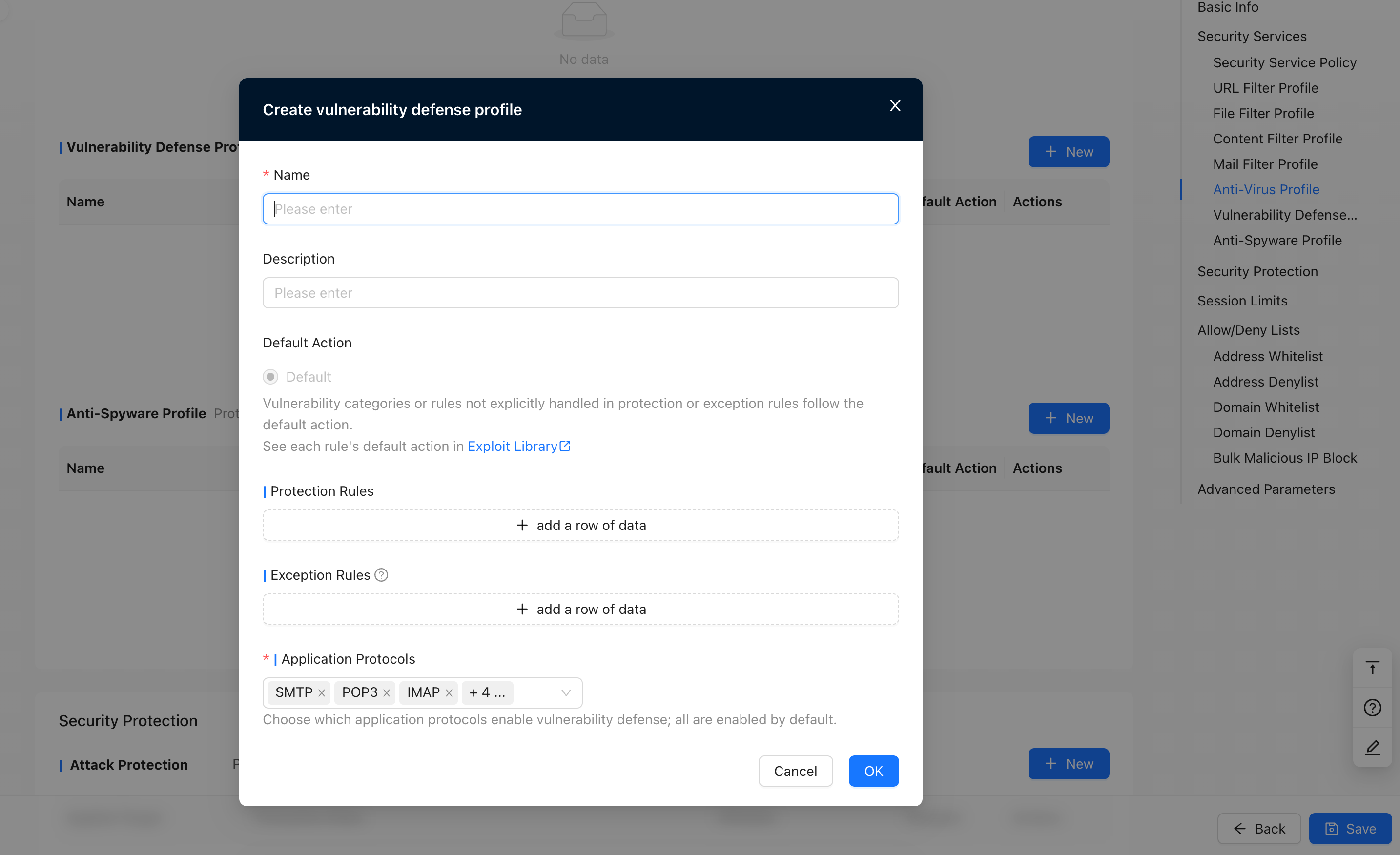
Vulnerability Protection Profile
Protect against common system vulnerabilities
Exception rules: Only 128 exception rules are supported
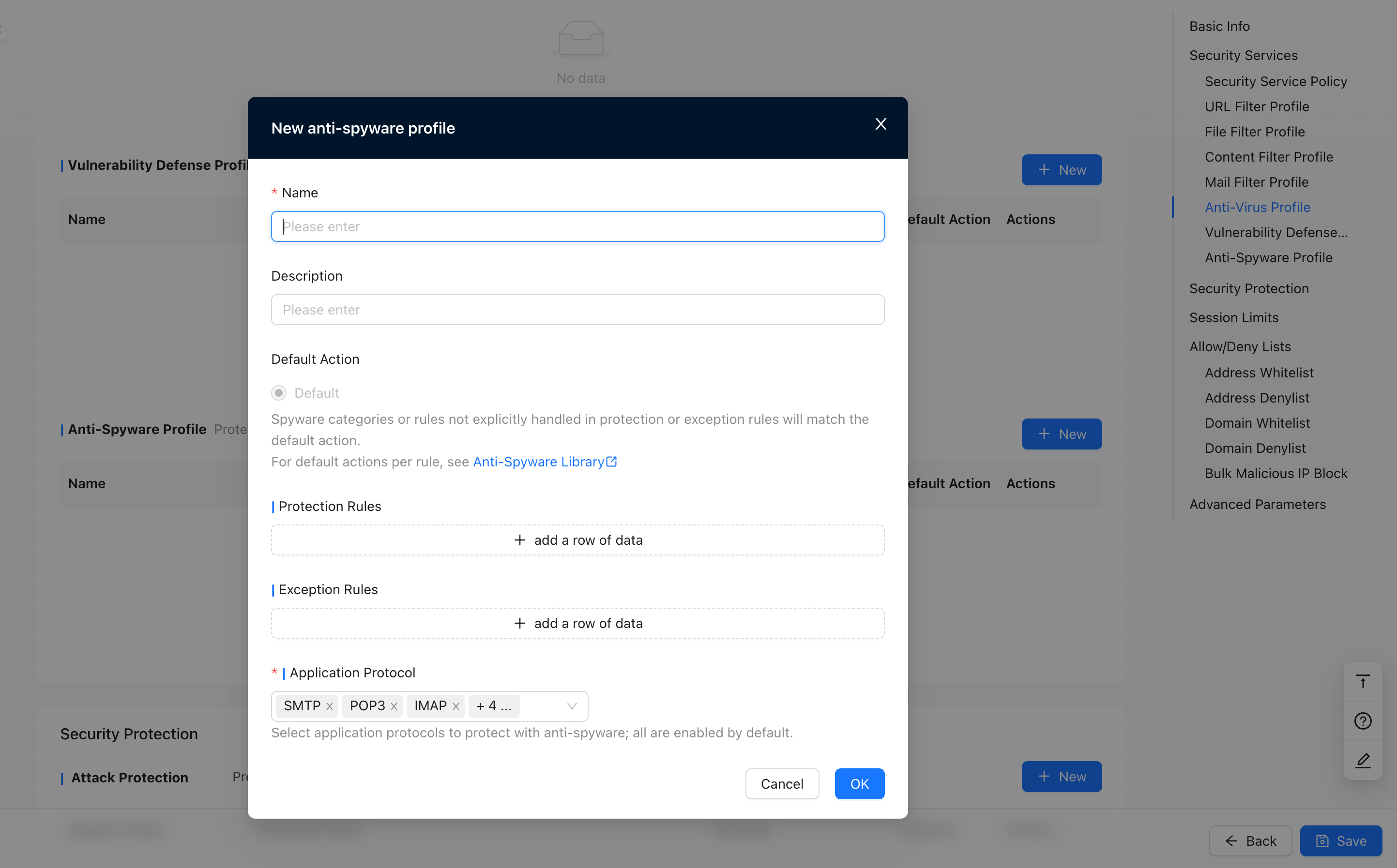
Anti-Spyware Profile
Protect against common spyware
Security Protection
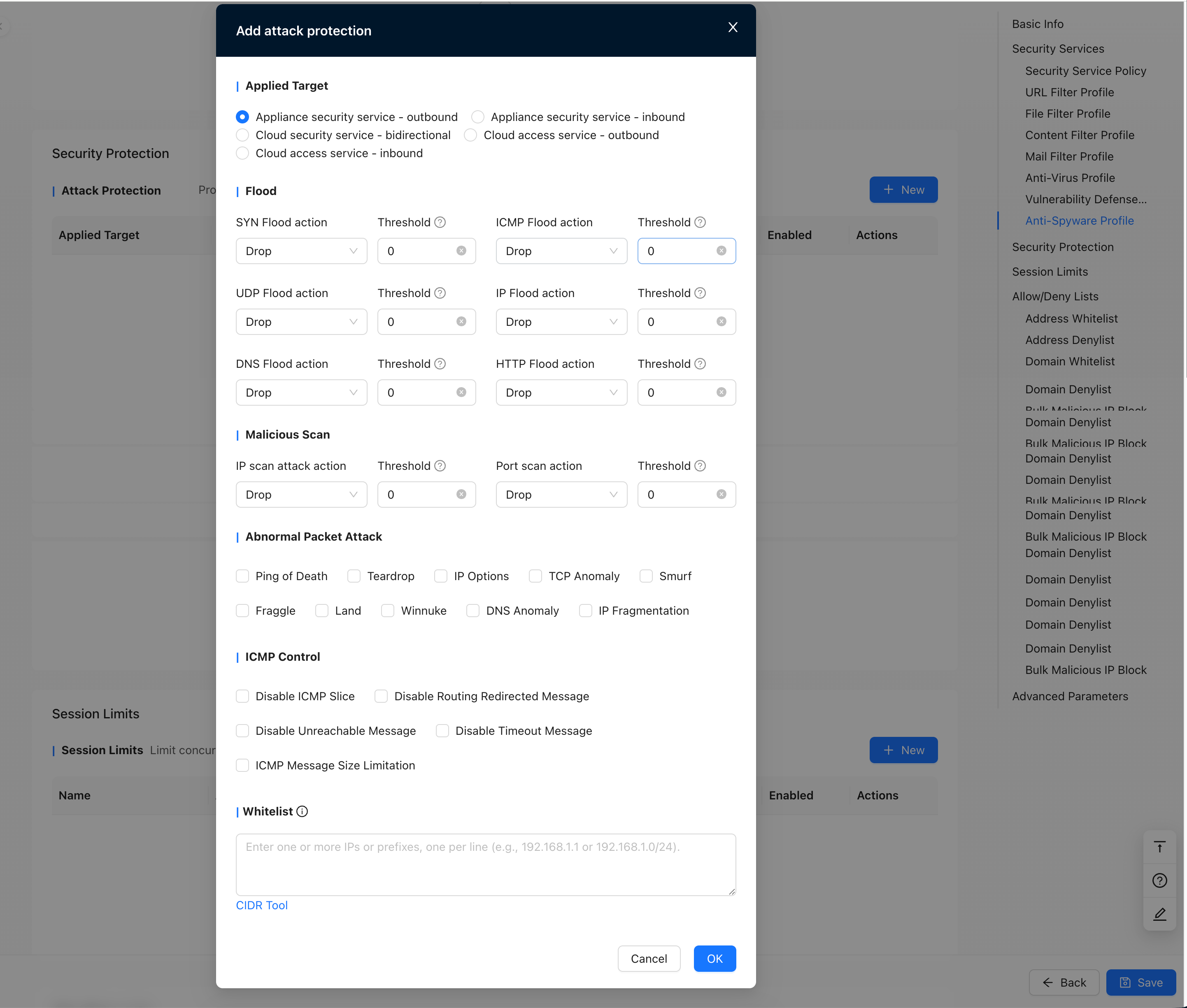
Attack Protection
Provide attack protection against flood, malicious scanning, abnormal packet attacks, ICM control, etc. For addresses added to the attack protection whitelist, the traffic is directly allowed without attack protection detection.
Alert value: 0-50000 packets/second, 0 means not enabled
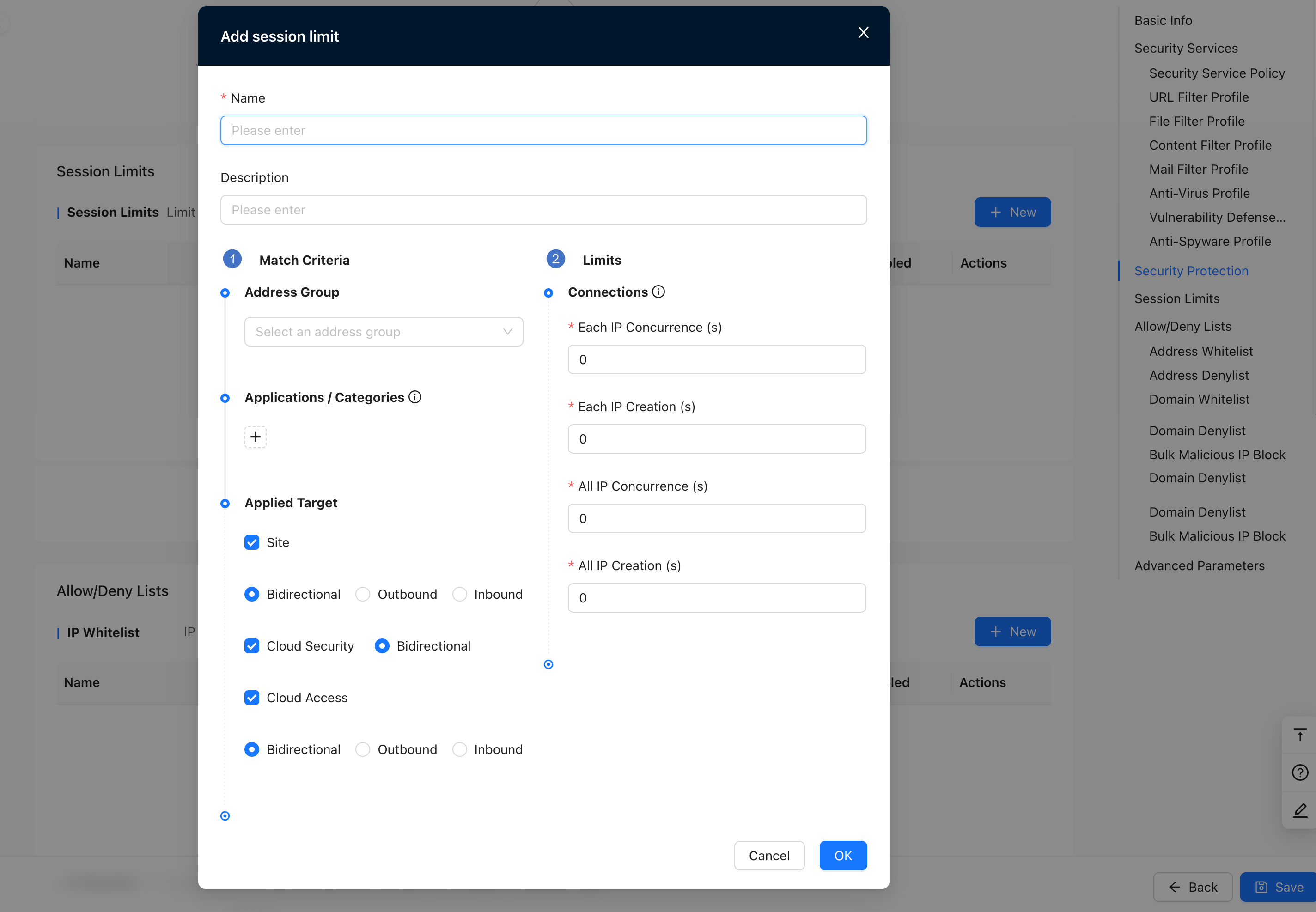
Session Limit
Limit the number of concurrent connections or new connections, 0-3000000, 0 does not mean limit, the default is no limit
Blacklist / Whitelist
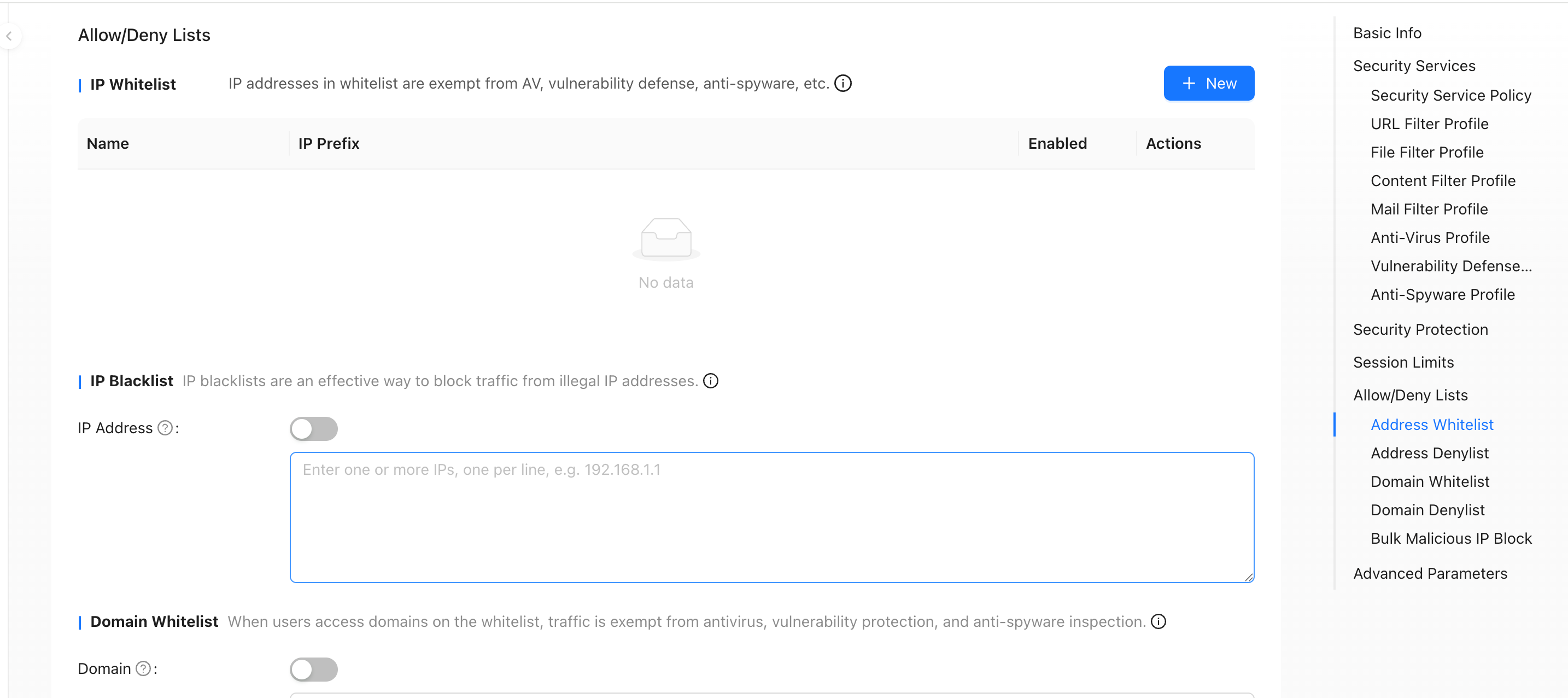
Address Whitelist
IP addresses added to the whitelist will be exempted from detection by file filtering, content filtering, email filtering, anti-virus, vulnerability protection, anti-spyware, session limiting, threat intelligence, Disposal Center and other functions. The address whitelist only takes effect on the source IP of the traffic and has a higher priority than the blacklist.
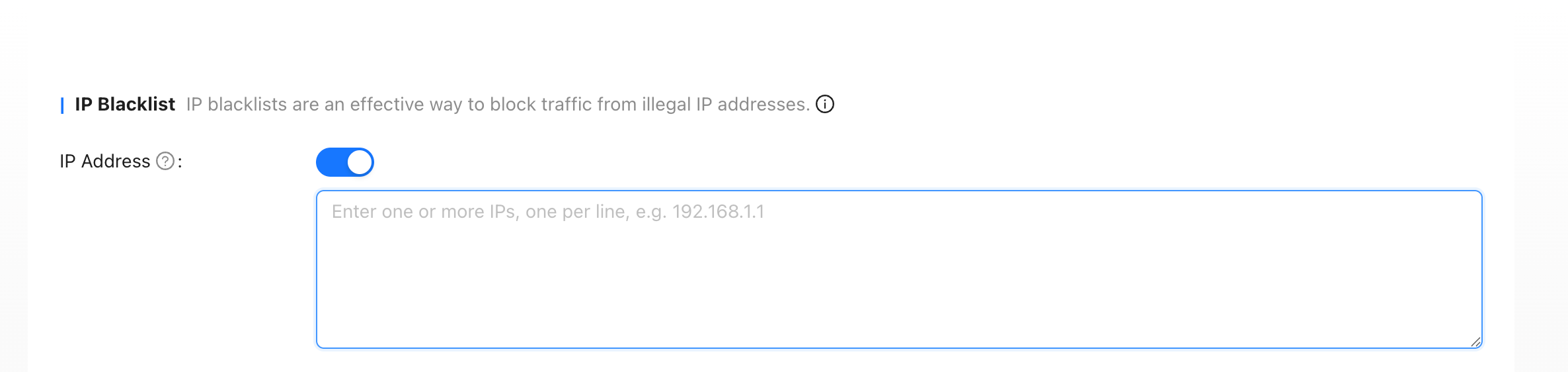
Address Blacklist
Address blacklisting is an effective means of denying traffic to certain illegal IP addresses. The address blacklist only takes effect on the source IP of the traffic, and its priority is higher than the priority of functions such as security policies.
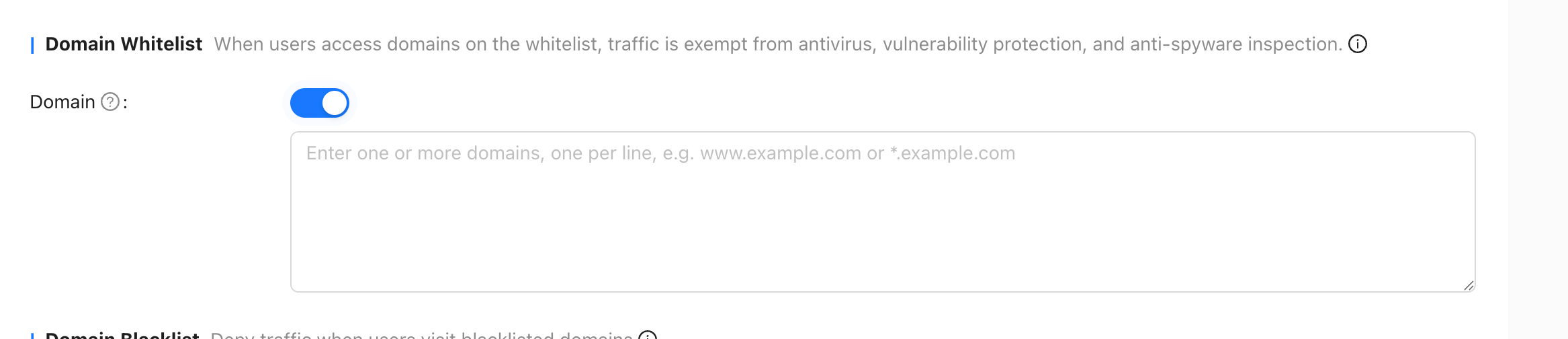
Domain Whitelist
When users access domain names added to the whitelist, they will be exempted from detection by anti-virus, vulnerability protection, anti-spyware, threat intelligence and other functions. The domain name whitelist has a higher priority than the domain name blacklist.
Domain Blacklist
When a user accesses a blacklisted domain name, the traffic will be directly denied.

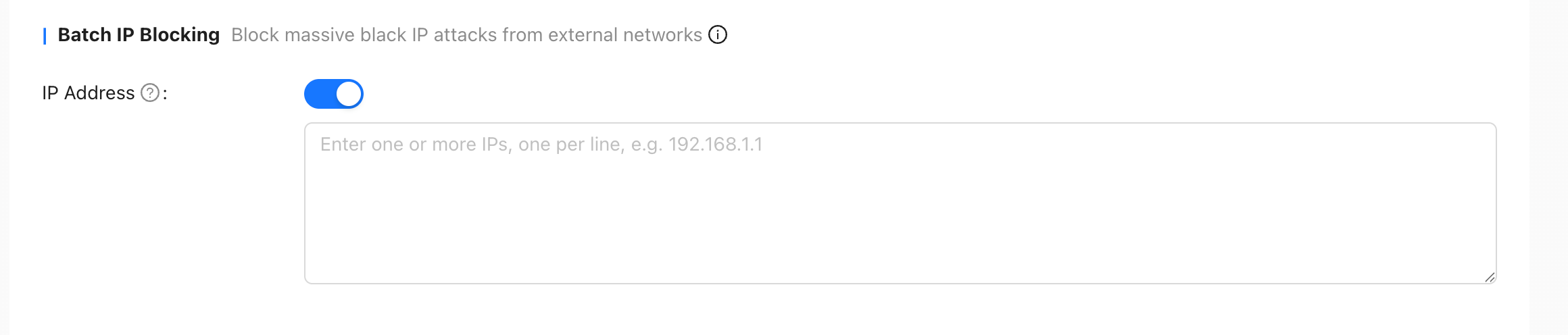
Batch Black-IP Blocking
Prevent a large number of black IPs from the external network from attacking internal network hosts.
Advanced Parameters
- Allow asymmetric paths: By default, asymmetric paths are not allowed. When checked, asymmetric paths will be allowed
- URL filtering for private IP addresses: By default, when the IP address corresponding to the URL is a private address, URL filtering is not performed. When checked, URL filtering will be performed.
