Topology
"Tenant"→"Config"→"Network Service"→"Topology"
The topology of each VRF needs to be configured separately.
Topologies are divided into two types: single-layer and hierarchical:
Single-layer topology: Backbone mode, hub-spoke mode, hybrid mode.
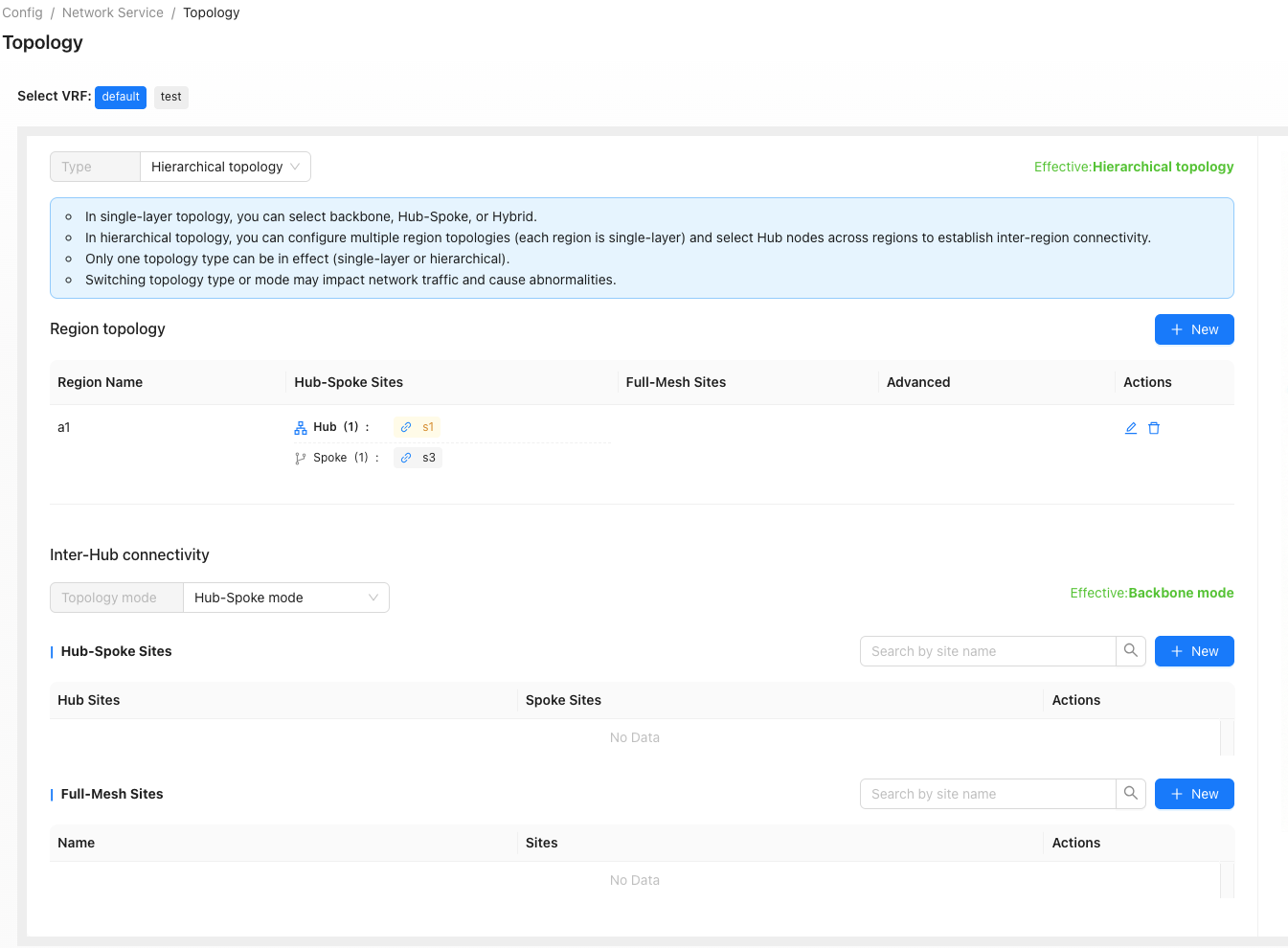
Hierarchical topology: Consisting of multiple regional topologies. Each region is a backbone mode network, optionally with gateway links. Hubs of each region form another layer of backbone or hub-spoke network.
Corresponding transport must be enabled on WAN interfaces in the site configuration, otherwise tunnels won't be established!
Single-Layer Topology
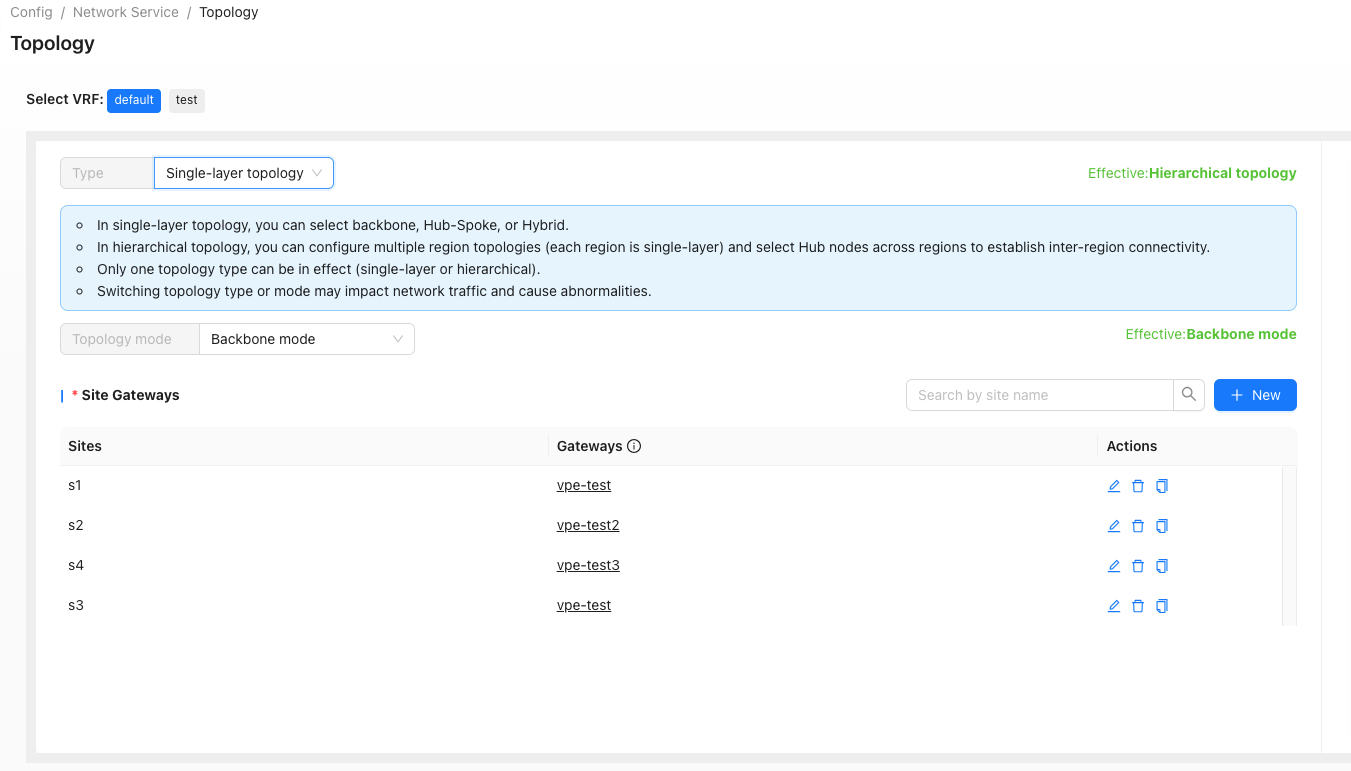
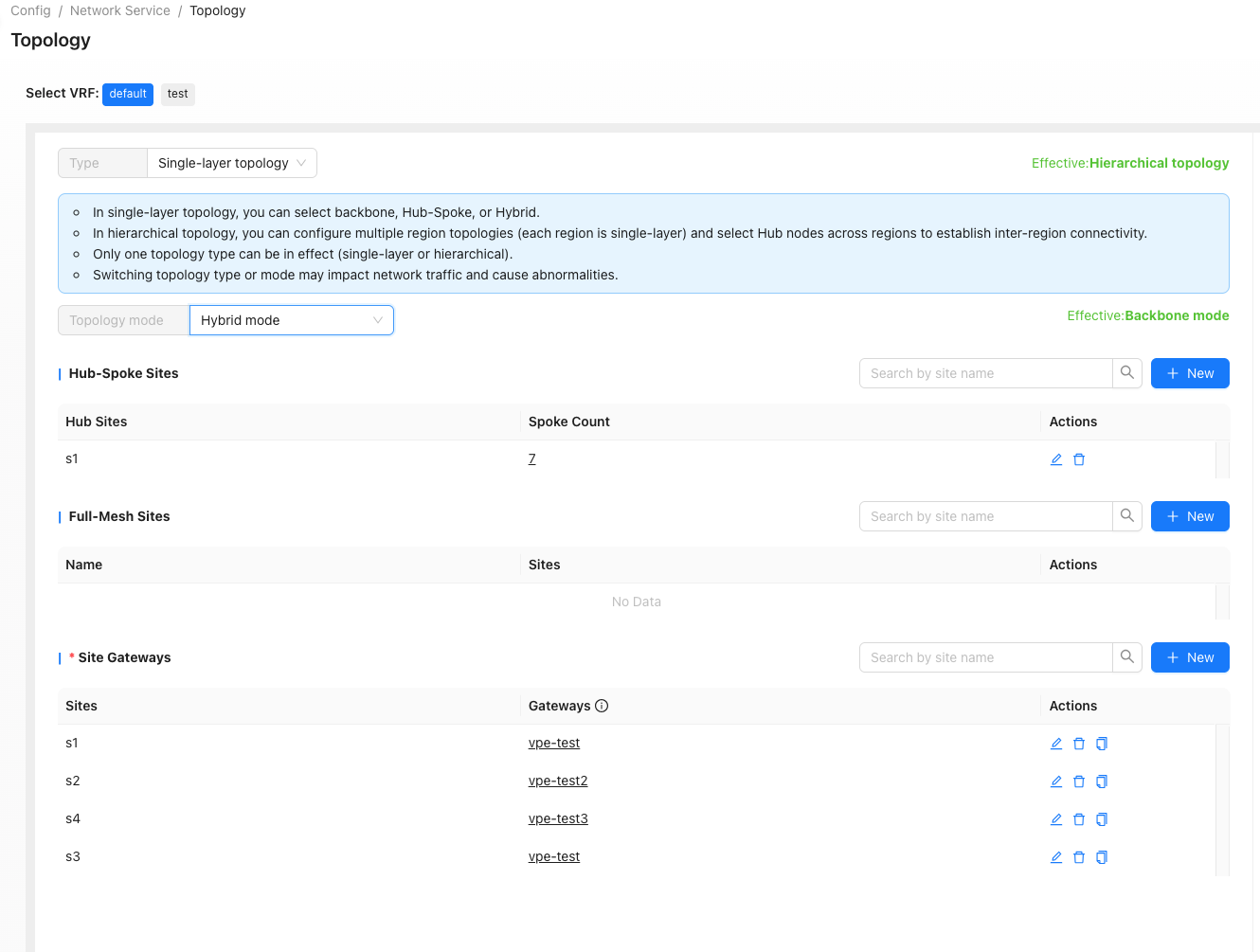
Select one mode in: backbone, hub-spoke or hybrid.
In backbone mode site can connect to one or more gateways, with priorities assigned in order.
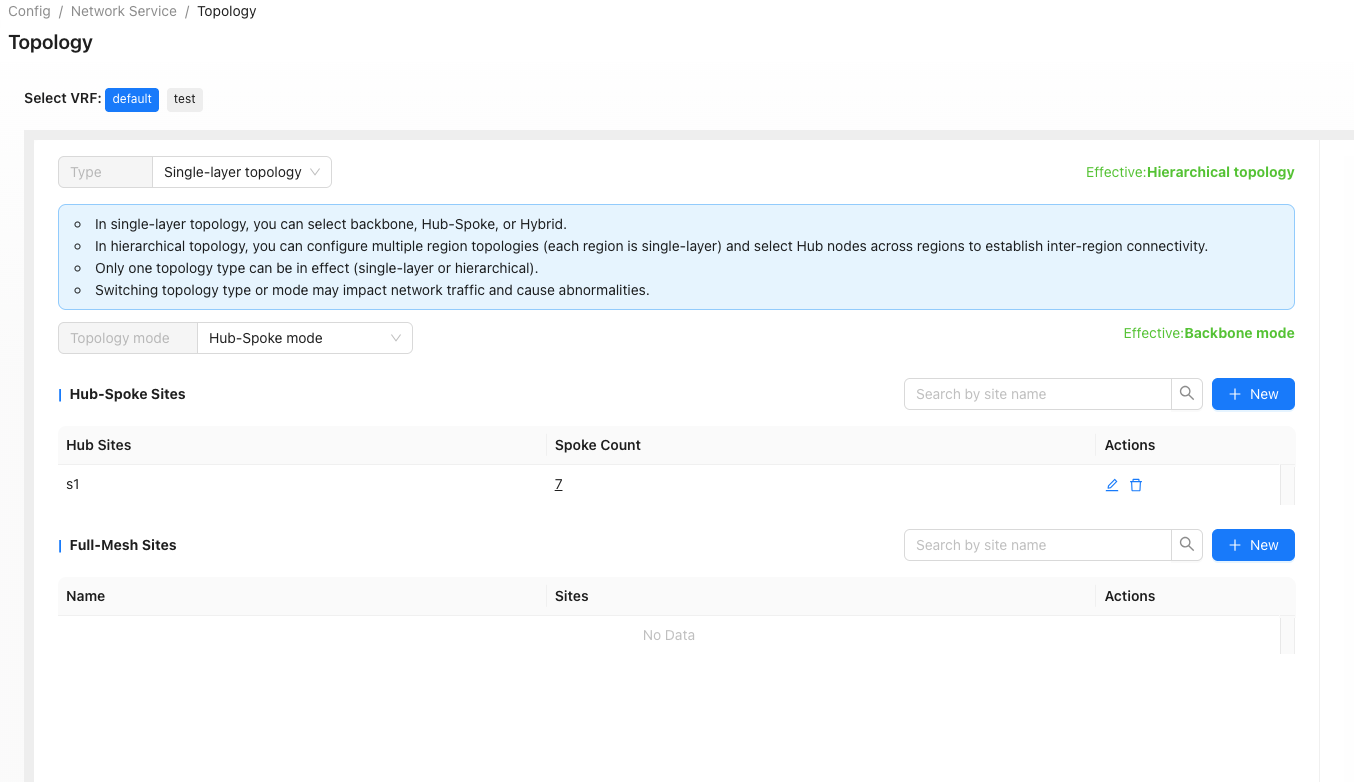
In hub-spoke mode, select hubs and configure priorities. Other sites are spokes.
In hub-spoke mode, hubs and at least one side of full-mesh link must have tunnel endpoint address configured on WAN interface, for the tunnel to be established.
Backbone Mode
Hub-Spoke Mode
Hybrid Mode
Hierarchical Topology
"Tenant"→"Config"→"Network Service"→"Topology"→ [Hierarchical Topology] → New
Regional sites can optionally connect to gateways.
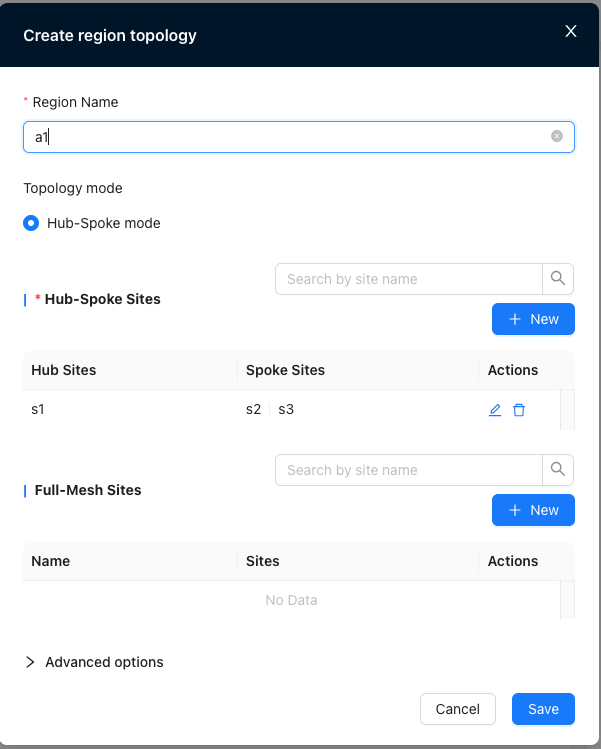
Hubs of regions form another layer of backbone/hub-spoke/hybrid network.
Backbone Mode
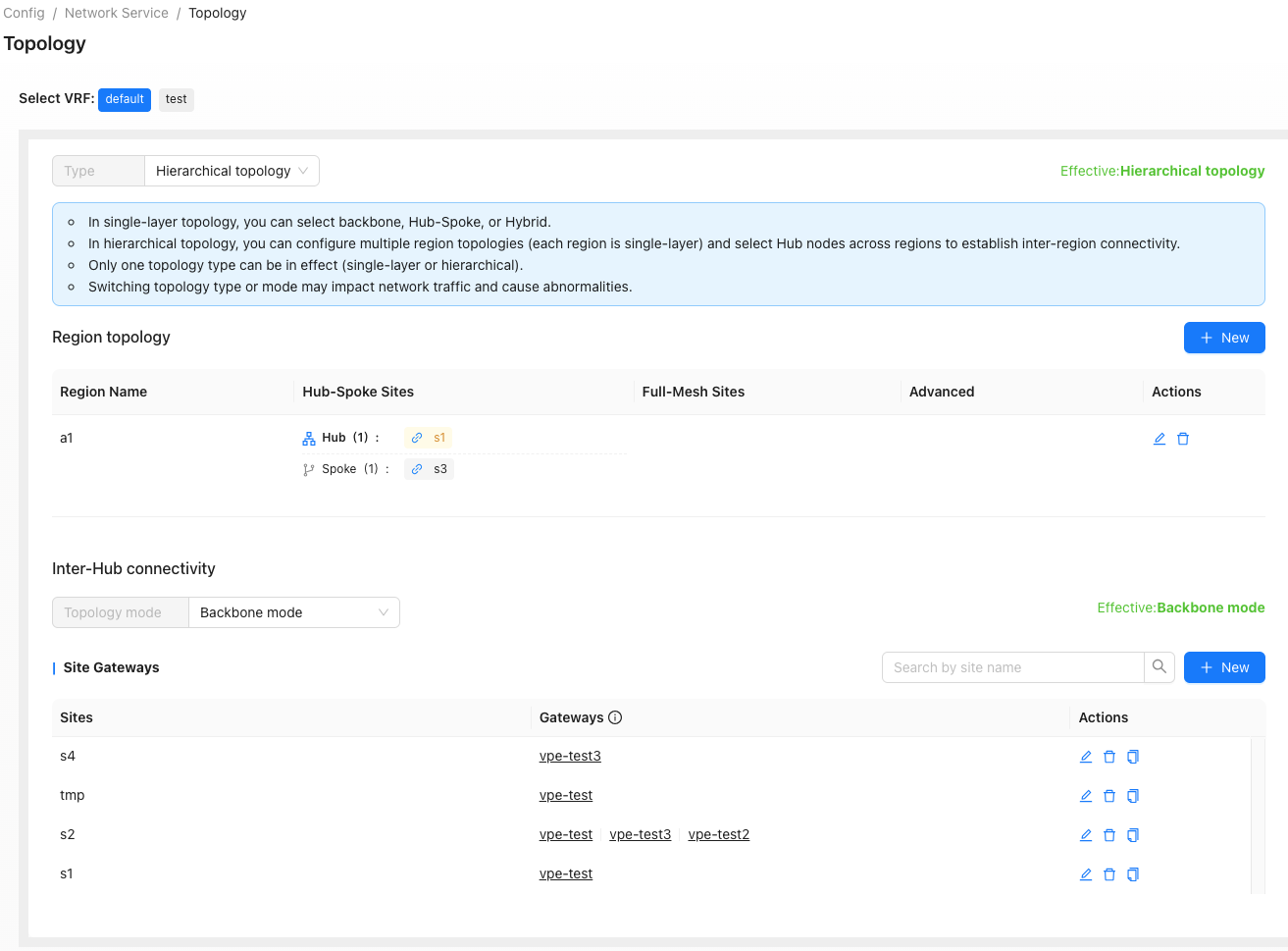
Hub-Spoke Mode