High-Speed Tunnels
High-Speed Tunnels can be managed at "Tenant"→"Config"→"Network Service"→"High-Speed Tunnels".
info
High-Speed Tunnel access notes:
- The ingress gateway where the client connects to.
- The egress gateway is where traffic forwarded to server.
- Add IP address pool at Provider -> Resource -> Gateways -> IP Address Pool
- For shared address pool, egress public IP address is randomly selected.
- For dedicated address pool, egress public IP address is configured.
Client Access
The creation form for client access to a High-Speed Tunnel is shown in Figure 1.
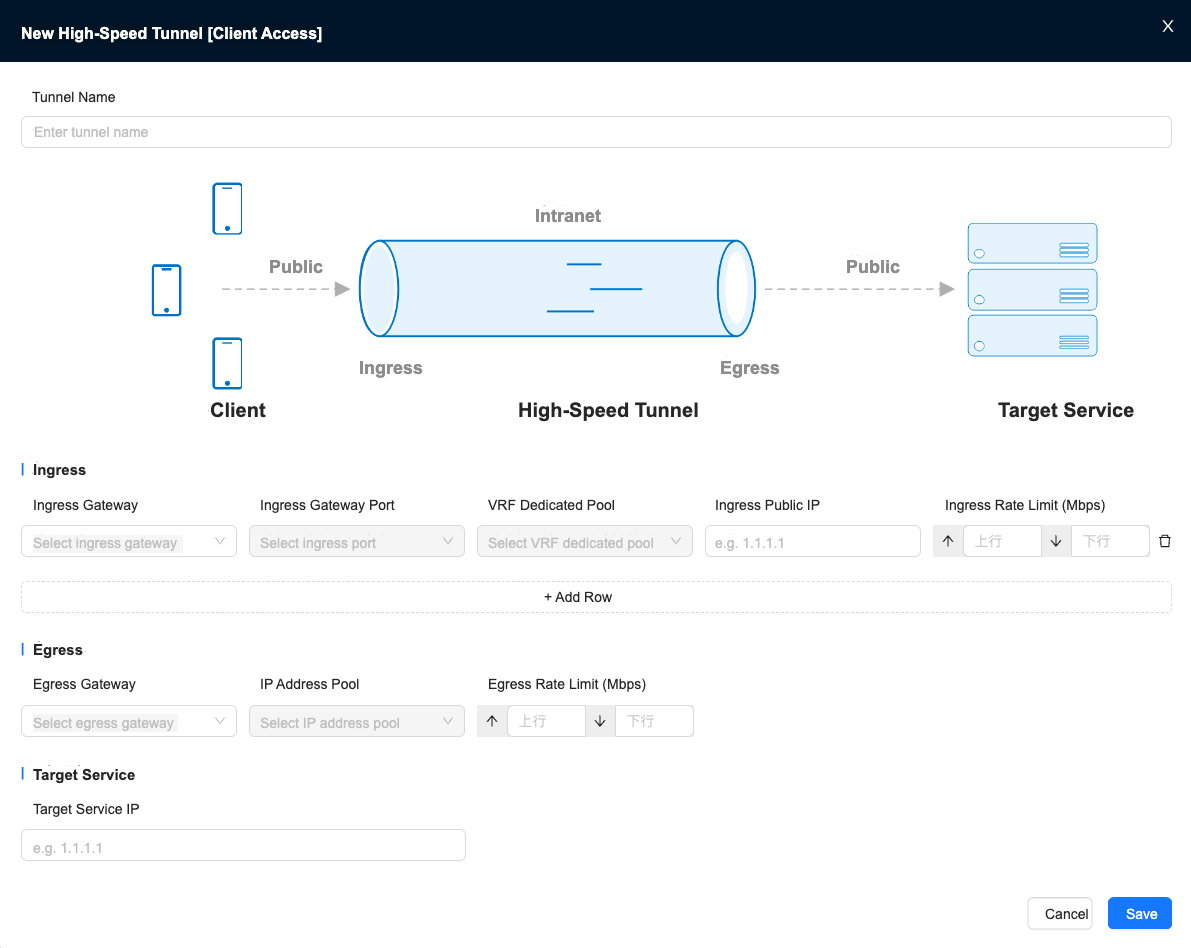
Figure 1 Client access to a High-Speed Tunnel
Tunnel Access (Public Network)
The creation form for tunnel access to a High-Speed Tunnel (public network) is shown in Figure 2.
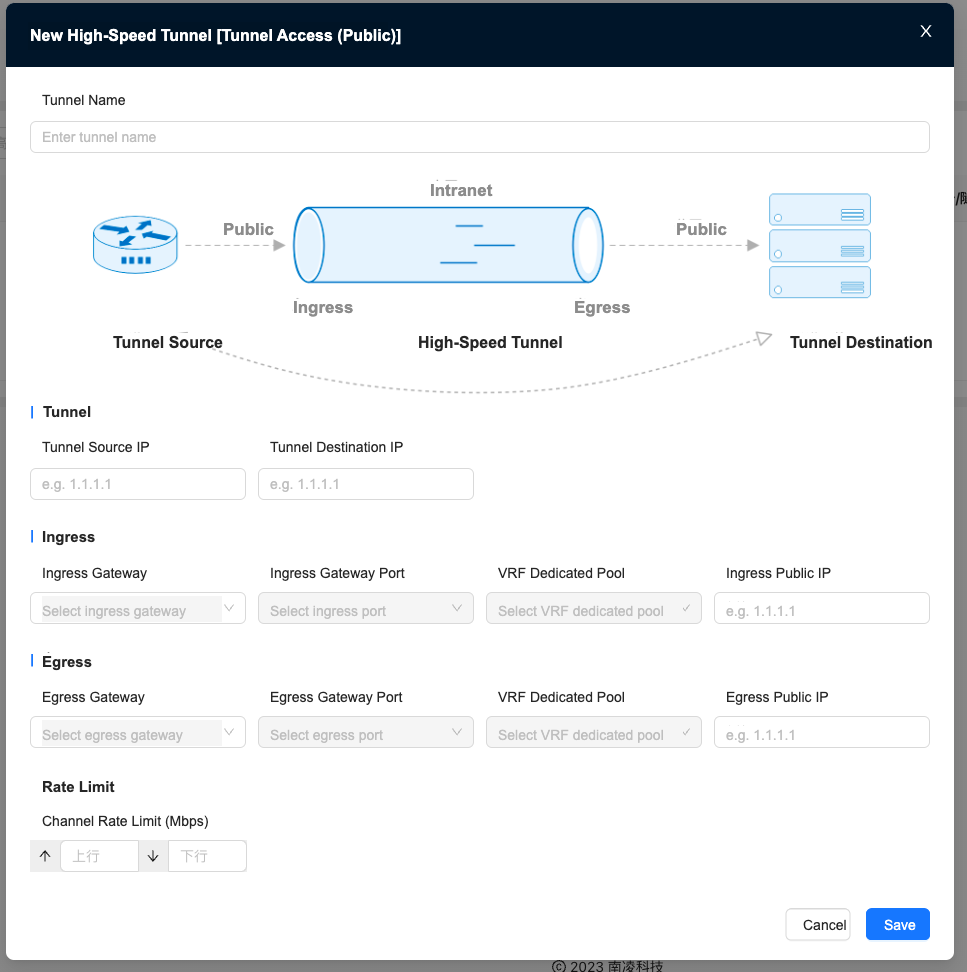
Figure 2 Tunnel access to a High-Speed Tunnel (public network)
Tunnel Access (Private Network)
The creation form for tunnel access to a High-Speed Tunnel (private network) is shown in Figure 3.
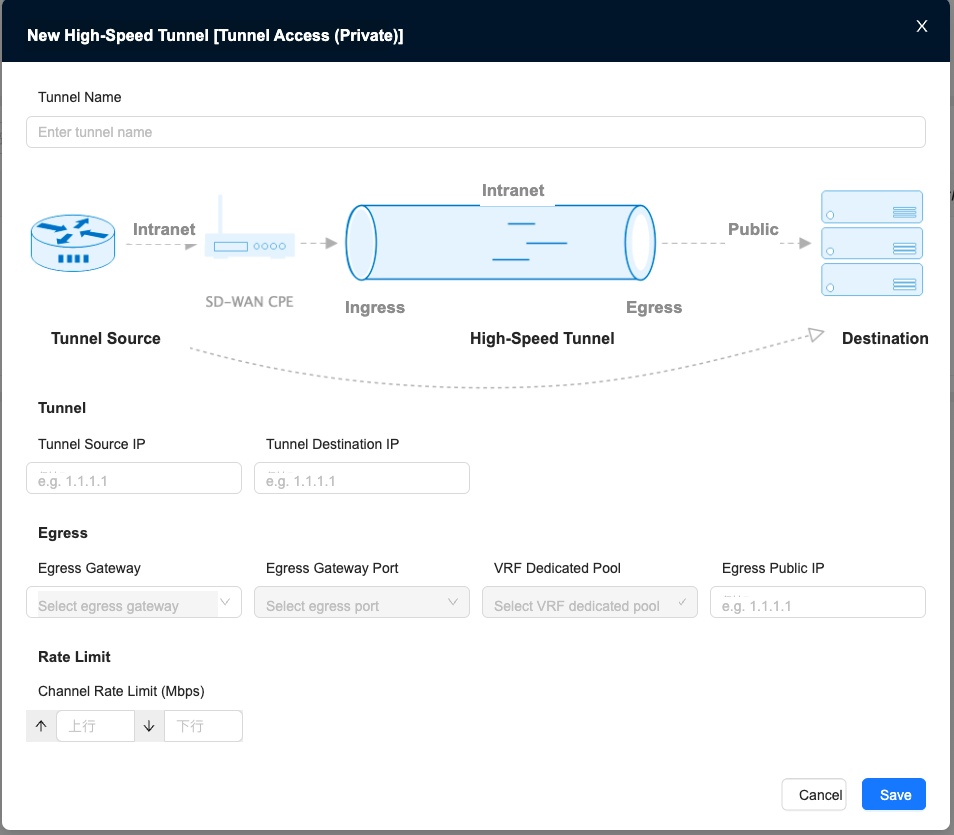
Figure 3 Tunnel access to a High-Speed Tunnel (intranet)