Network Traffic
info
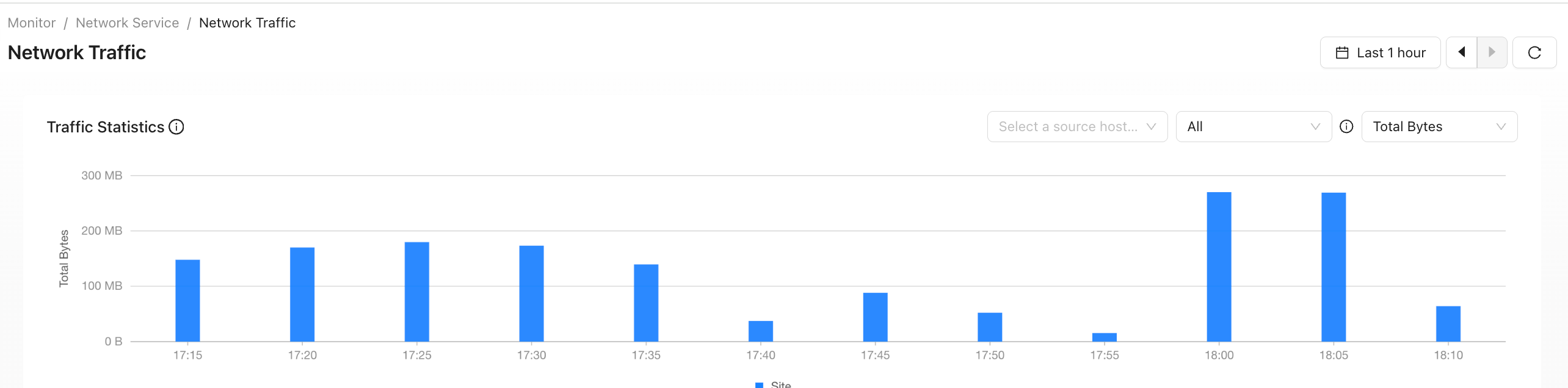
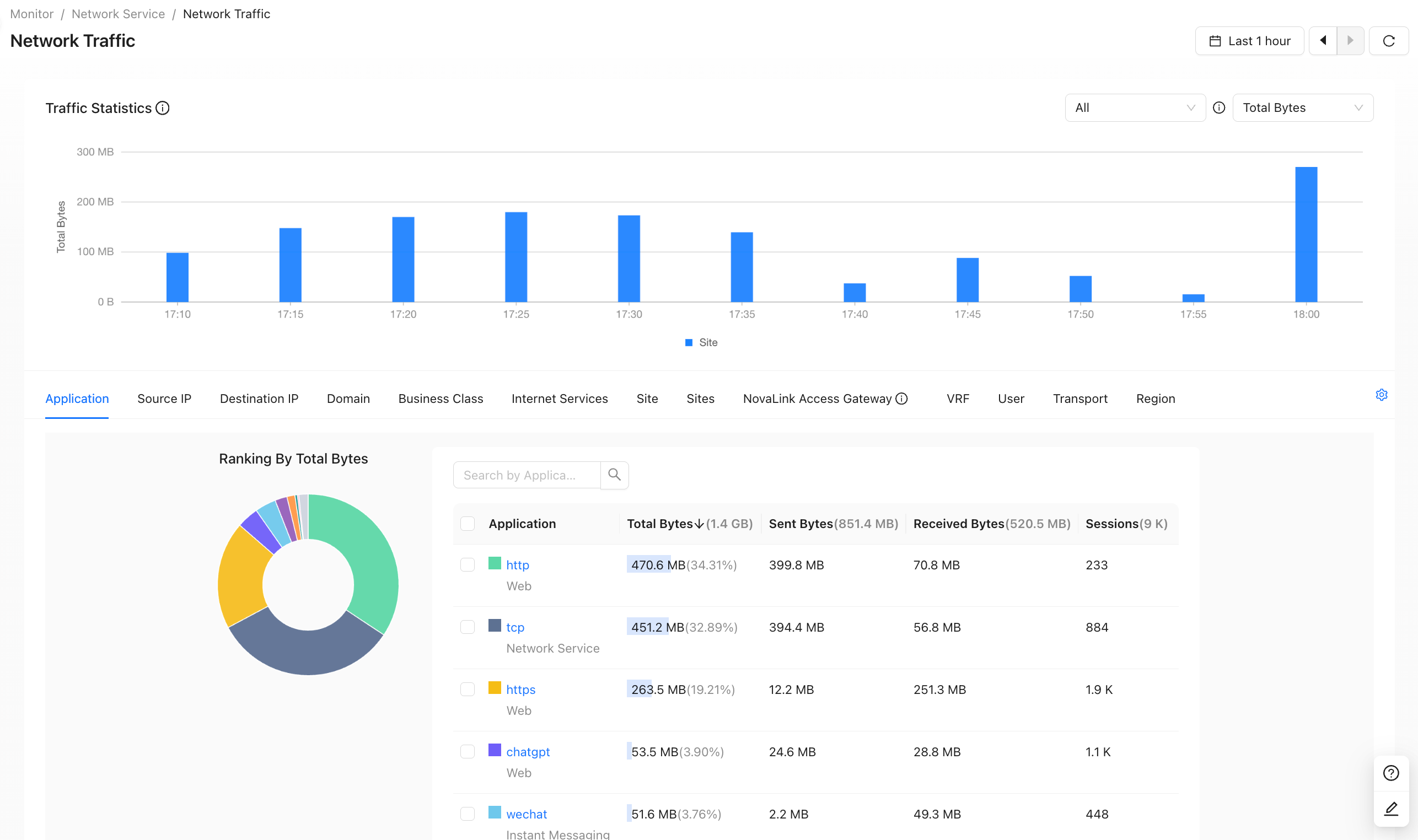
This page provides more detailed statistics for tenant-wide traffic. Network Traffic can also be viewed from the following pages:
Network Traffic
info
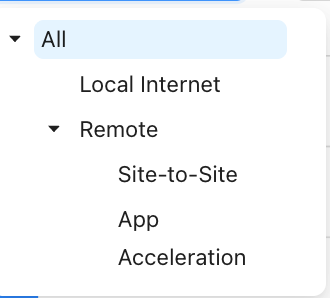
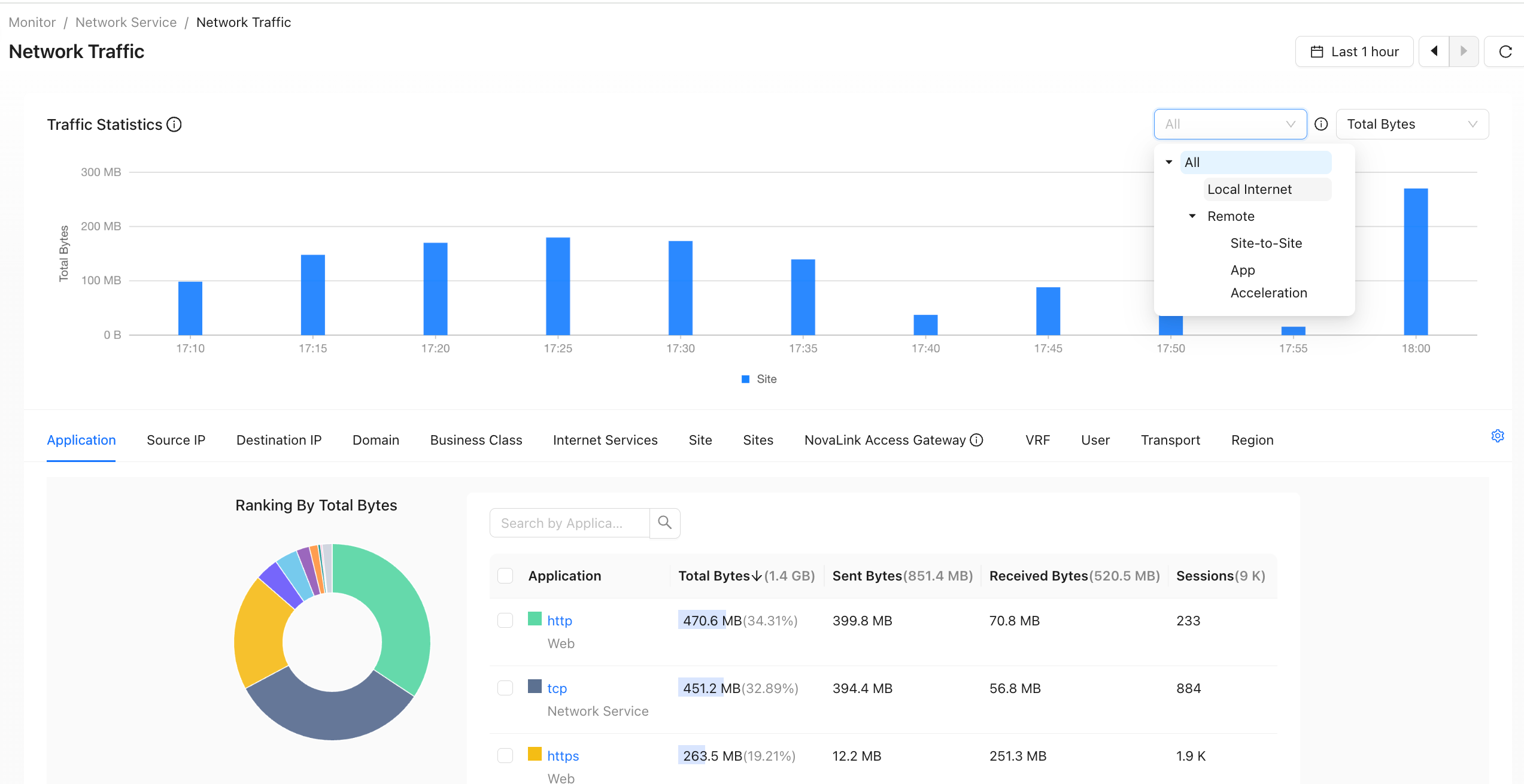
- Global traffic includes local Internet traffic and remote site traffic.
- Local Internet traffic: north-south traffic that directly accesses the Internet.
- Remote site traffic: east-west traffic, including inter-site traffic and application-accelerated traffic through acceleration gateways.
- Filter by traffic type, as shown below.
Application
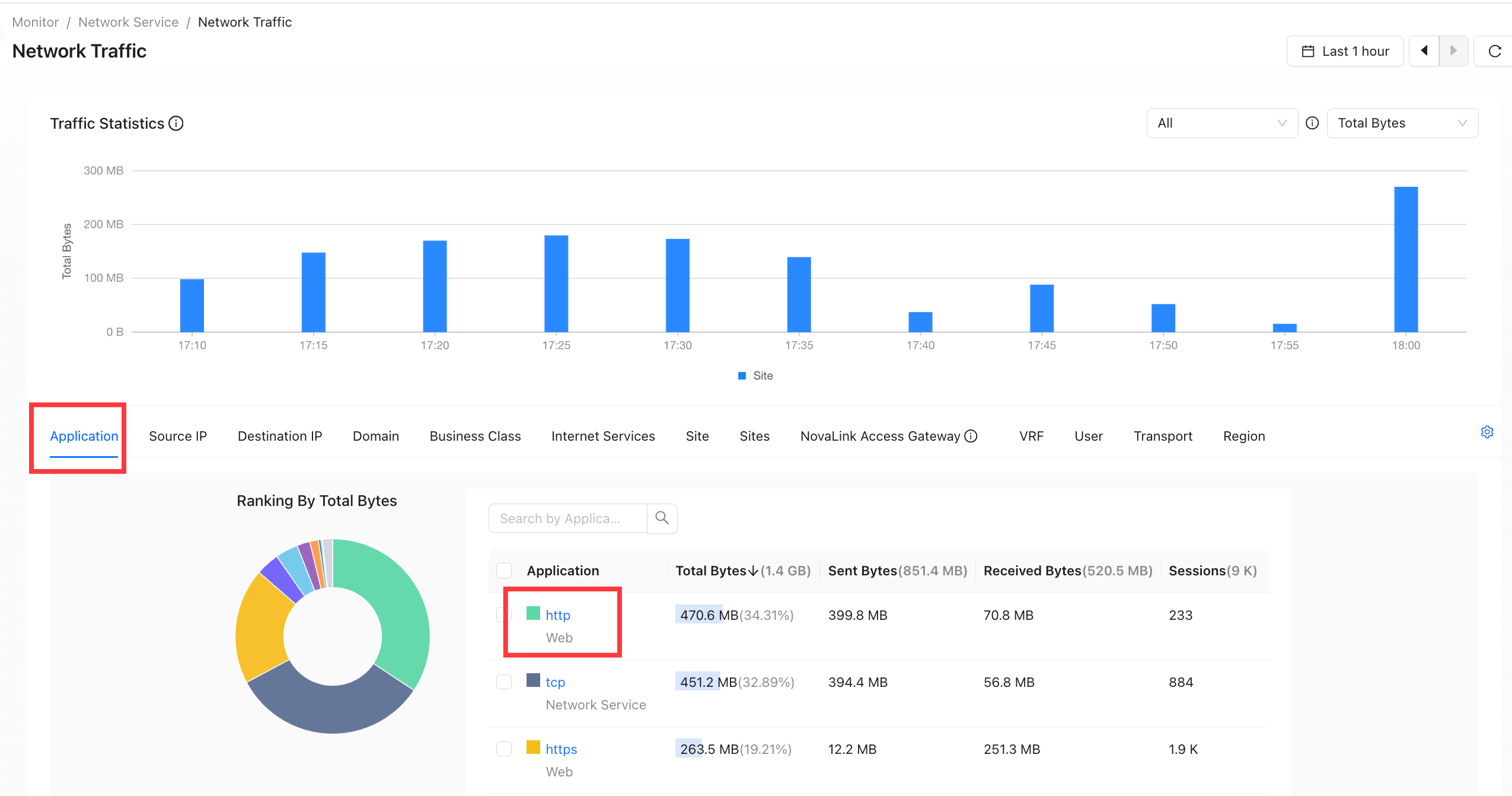
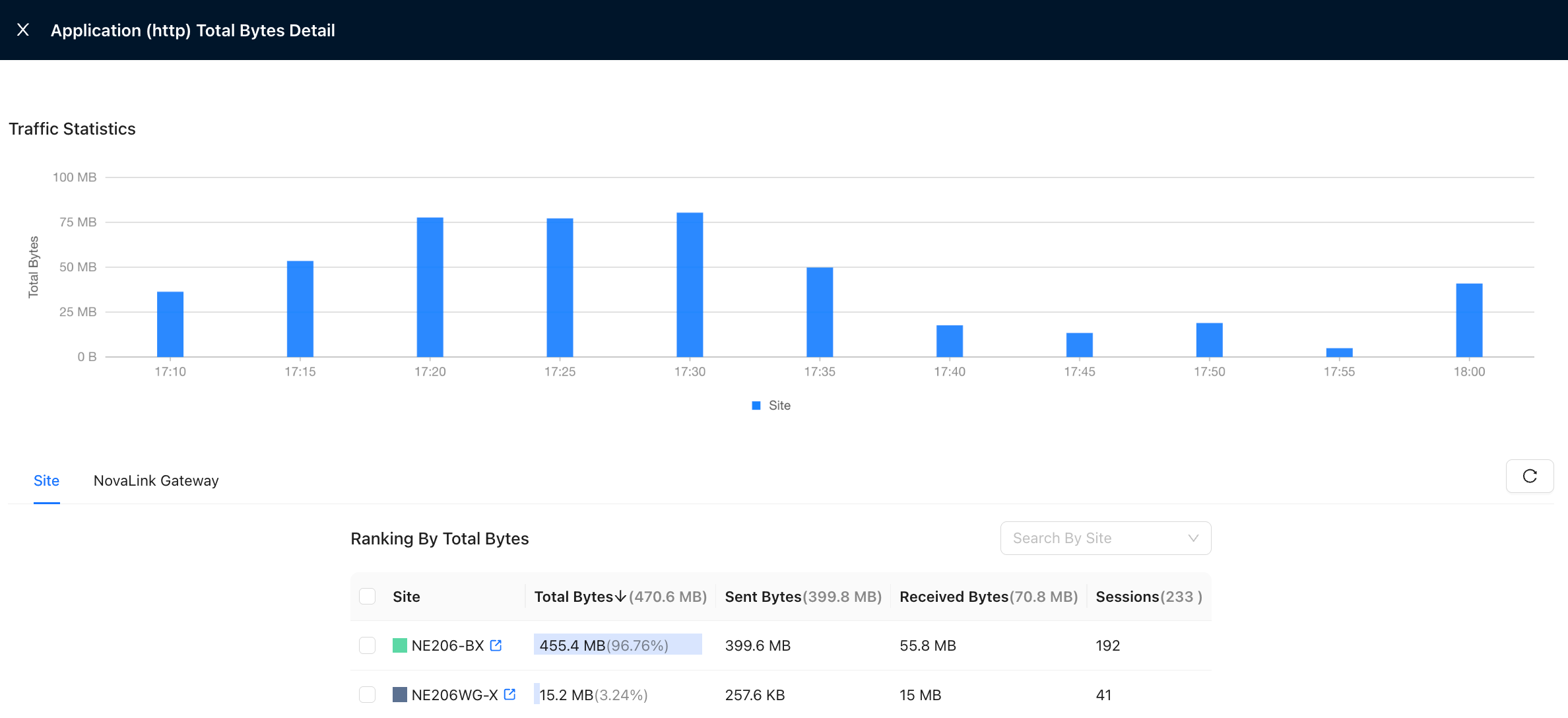
Click an application name to view:
- Traffic generated by each site
- Traffic generated by each NovaLink Access Gateway
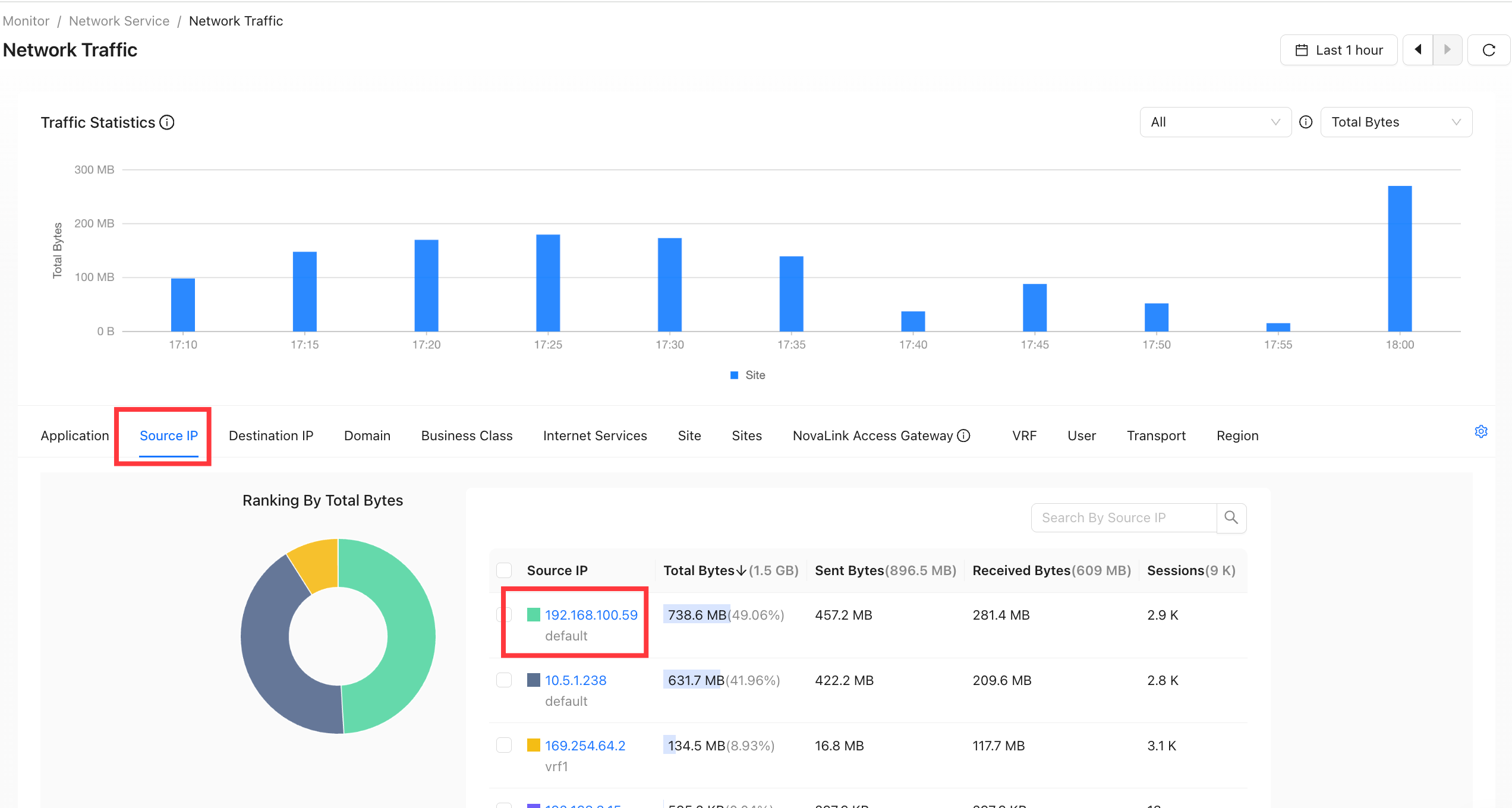
Source IP (Network Traffic)
- The source IP represents the source host. This page counts traffic by source host and shows traffic information for each connected host.
The source IP information includes the site, host name, and employee name (optional).
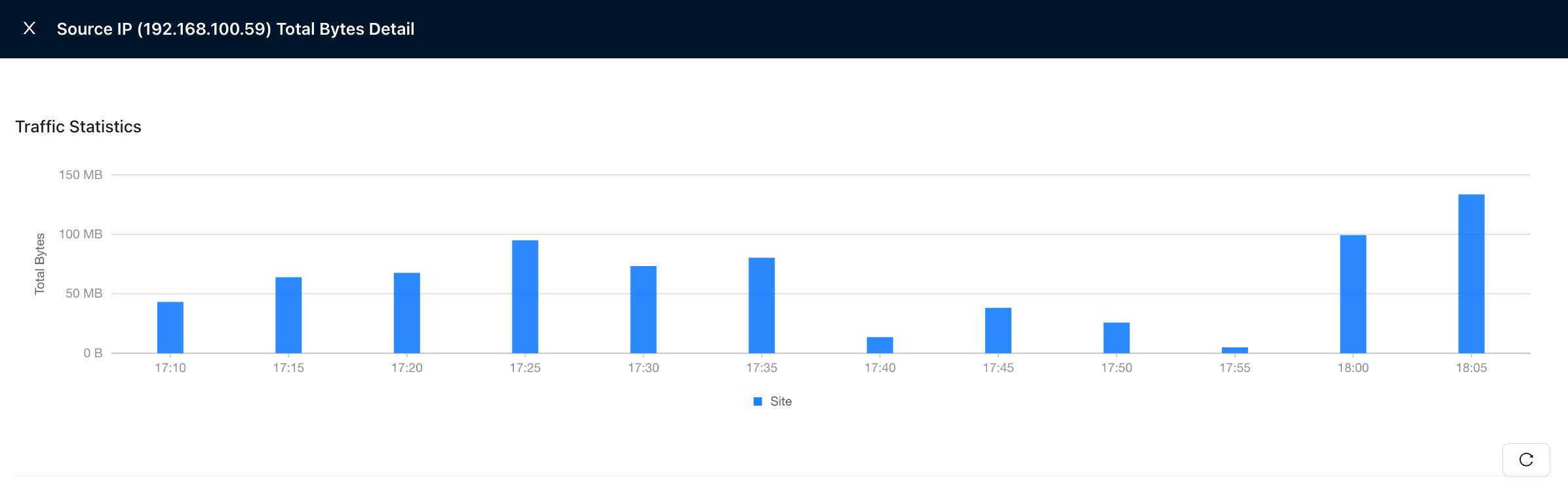
- Click an IP address to view its Network Traffic across different time periods.
tip
- Network Traffic details support queries for the last 12 hours at most.
Source Host Range
Configure a set of IP address ranges and display throughput and traffic information by range. The configuration and selection buttons are shown below:
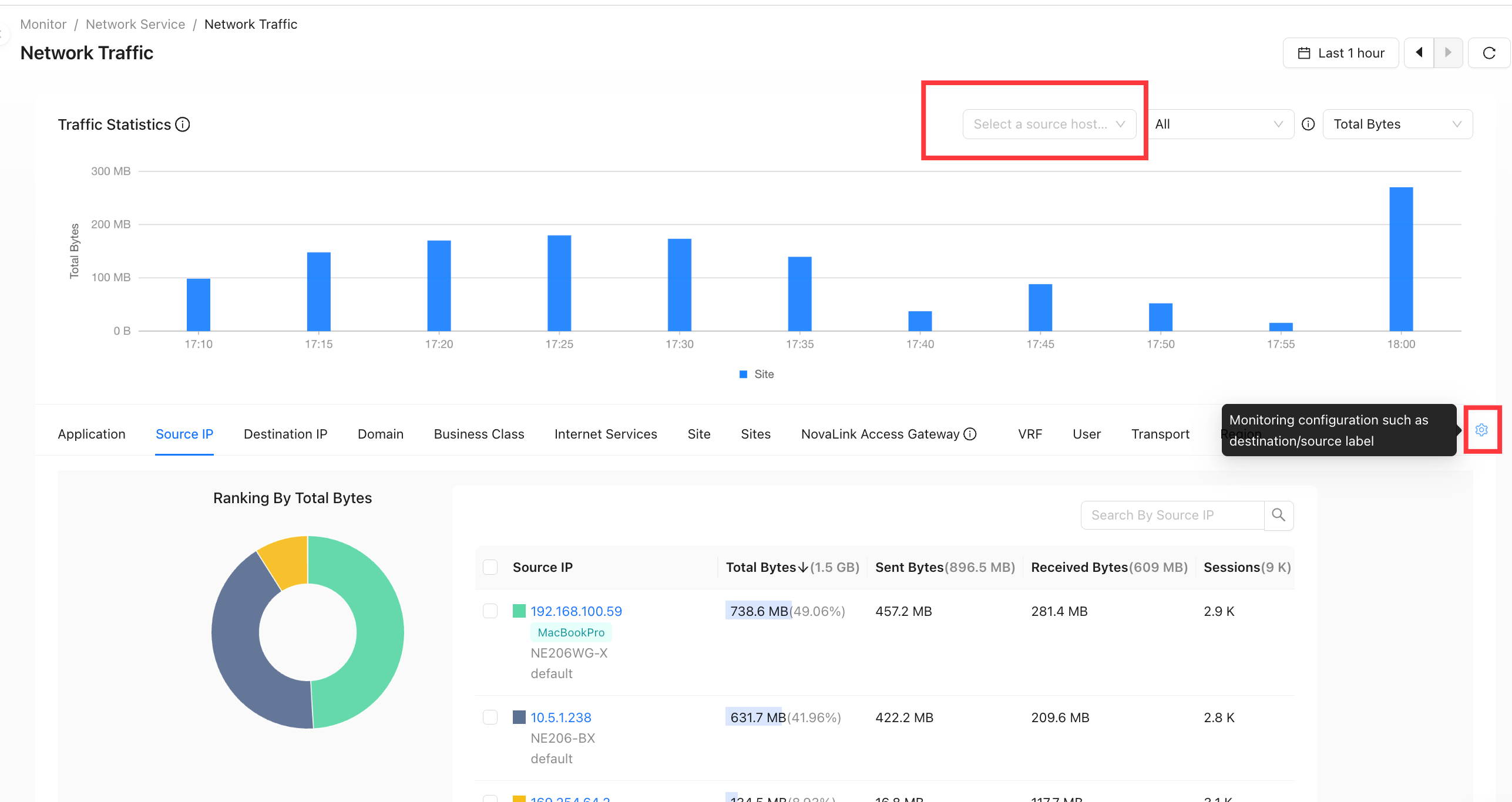
Source Host Range configuration and selection buttons
Configure Source Host Range Tags
The button circled in red above is used to configure Source Host Ranges. Click it to open the Label Configuration page, as shown below:
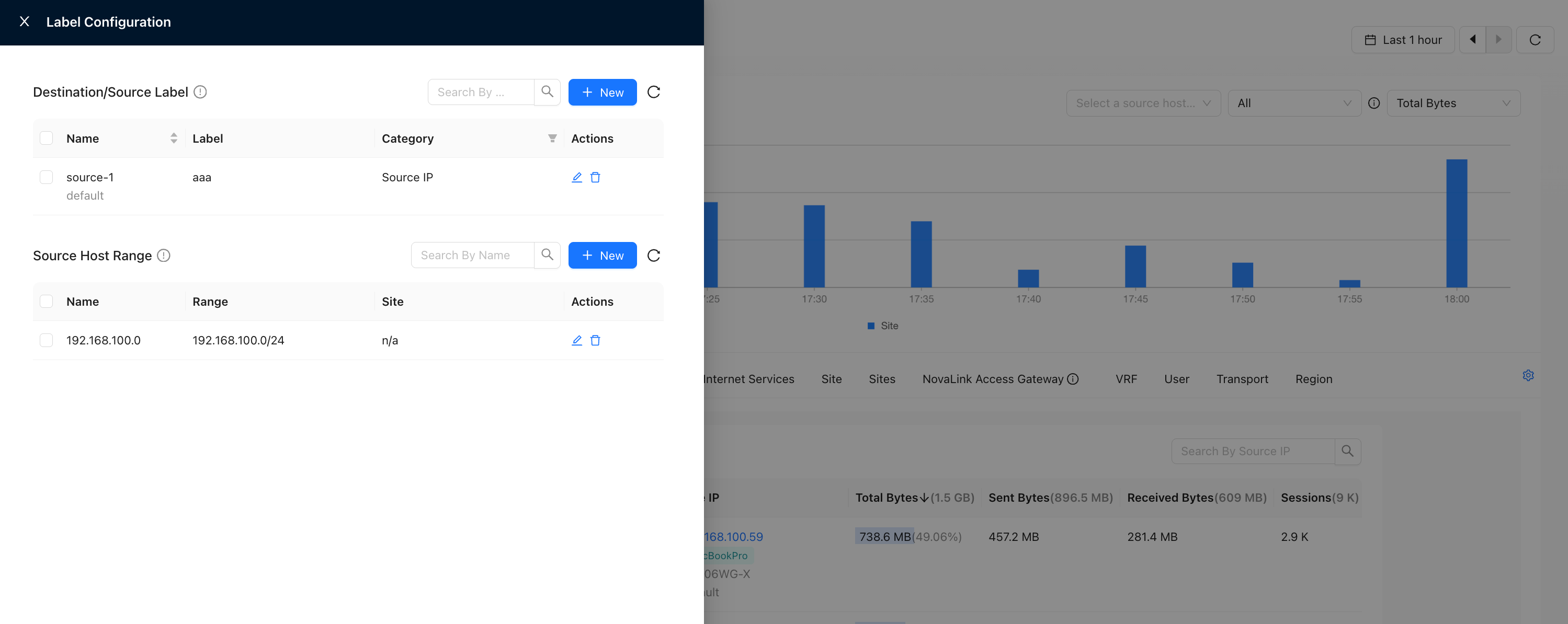
Label Configuration page
This page supports the following actions:
- Tag source hosts, destination domains, and destination IPs.
- Tag Source Host Ranges to distinguish different companies, departments, or project groups.
- Tag source hosts, destination domains, and destination IPs:
Click New to open the new tag form.
- If the type is destination domain or destination IP, enter the corresponding IP/MAC address and label value.
- If the type is host name, select a VRF. The IP address or MAC address must be reachable through the selected VRF. Then enter the label value to display, as shown below:
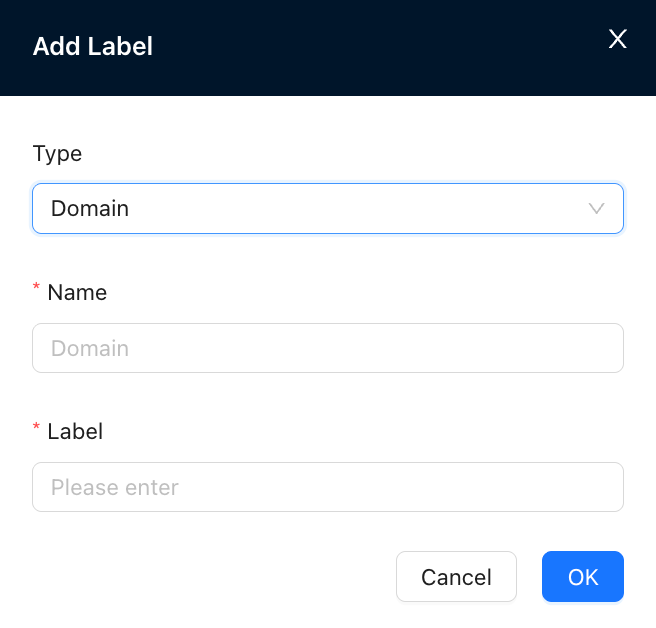
New tag
Tag result
2. Tag Source Host Ranges:Click New to open the Create Source Host Range form. Select a site and enter the prefix for that site.
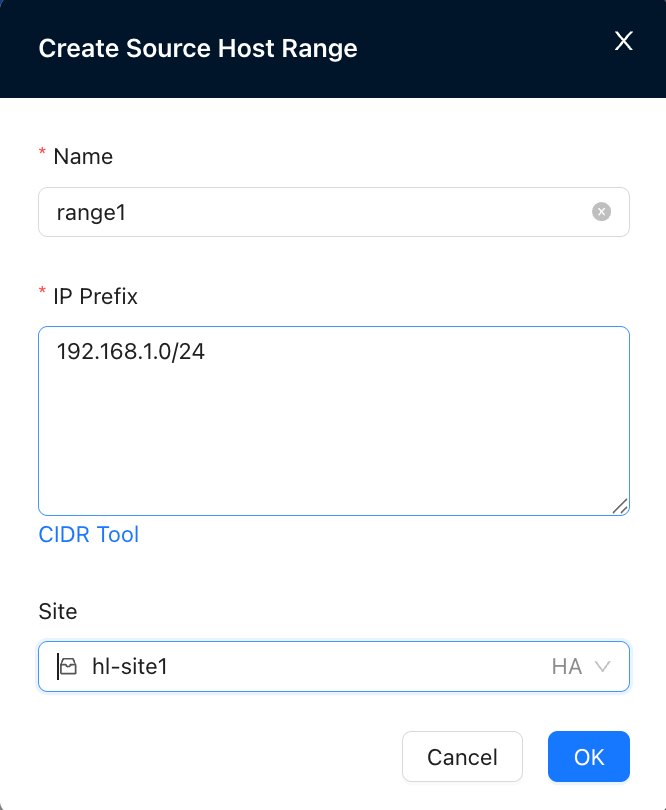
Create Source Host Range
Control Time Precision
Control time precision by dragging: