High-Speed Tunnels
Tenant > Monitor > Network Service > High-Speed Tunnels
This page monitors traffic information for the High-Speed Tunnels configured by the tenant.
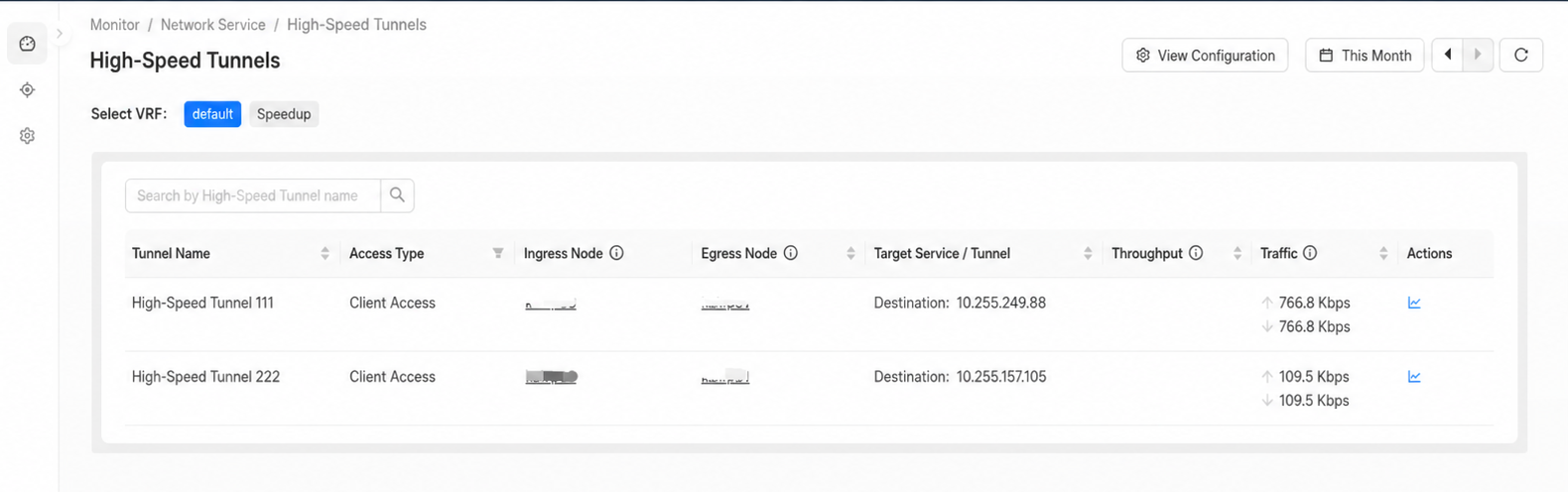
High-Speed Tunnel monitoring
Monitoring Indicators
- Ingress node: the High-Speed Tunnel ingress, usually a node in or near the client region.
- Egress node: the High-Speed Tunnel egress, usually a node in or near the target server region.
- Throughput: real-time rate within the current 30 minutes.
- Traffic: traffic sent and received within the specified time range. The default is 12 hours.
info
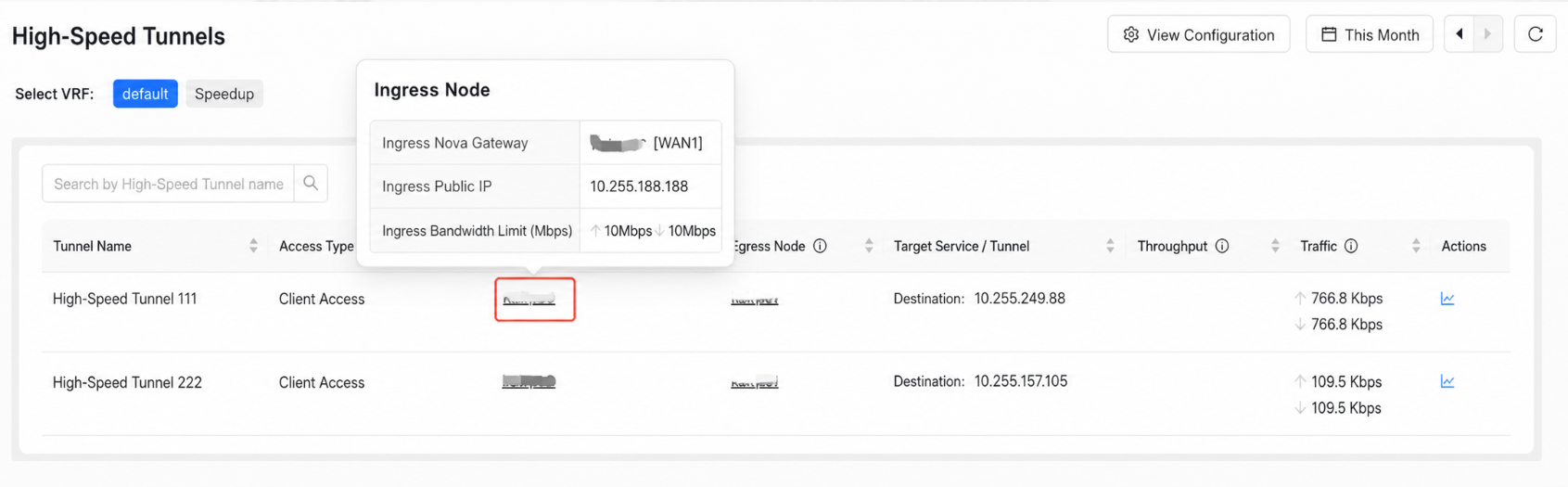
Hover over an ingress or egress node row to view the node's Nova Gateway, public IP, and bandwidth limit.
Historical Traffic
In the Actions column, click View Historical Traffic.
View historical traffic
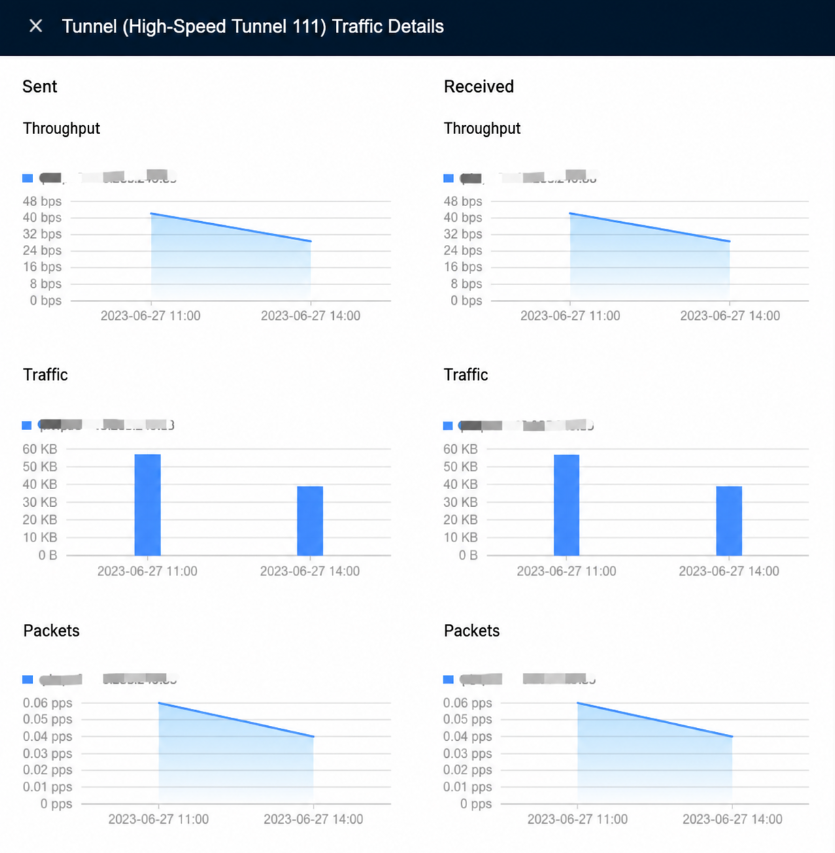
Historical traffic information
View Configuration
Click View Configuration to go to Tenant > Config > Network Service > High-Speed Tunnels.
