Nova Gateways
Nova Gateways
Tenant > Monitor > Network Service > Nova Gateways
This page monitors traffic information for the Nova Gateways configured by the tenant.
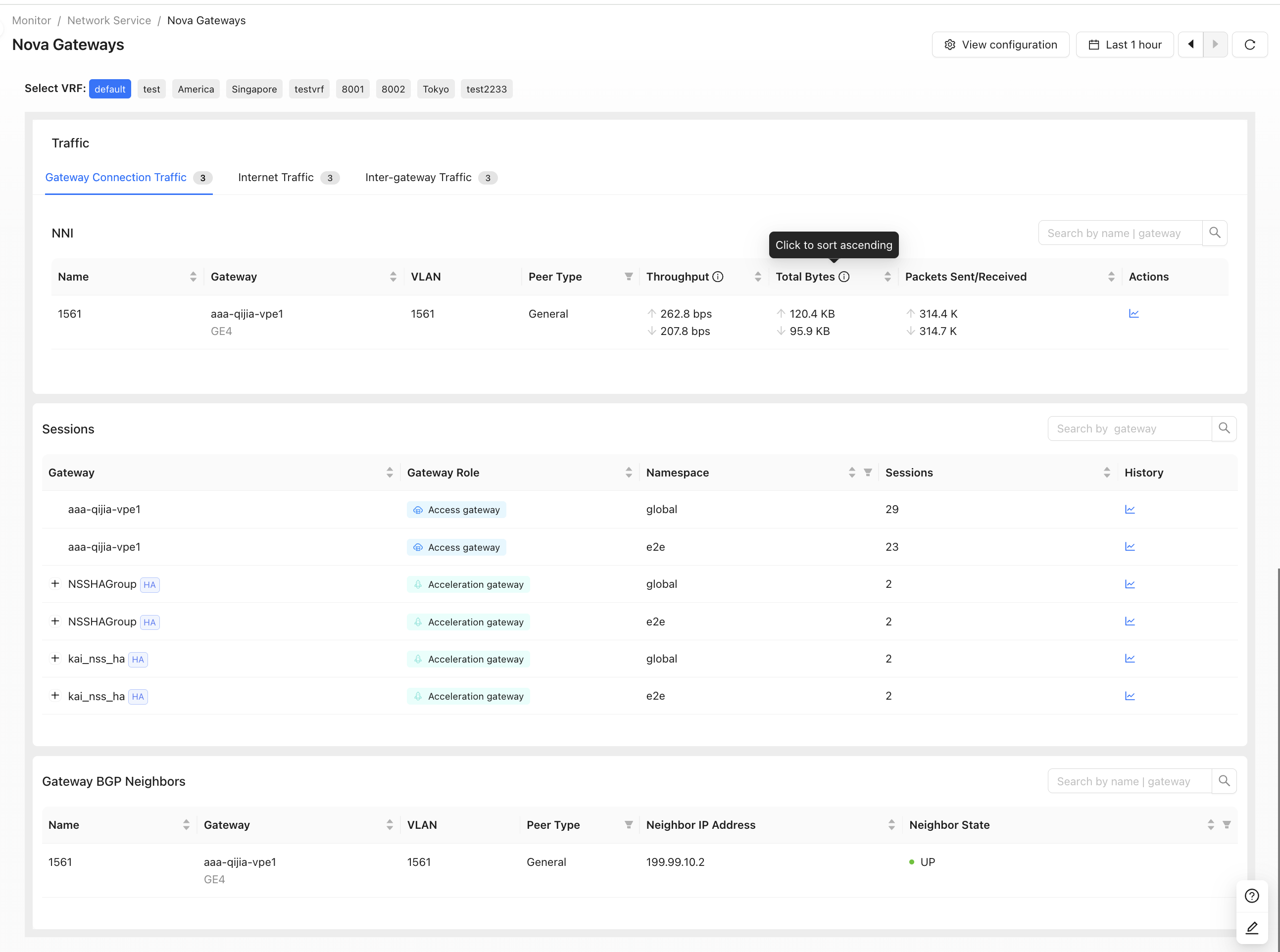
Monitoring Indicators
- Gateway Connection Traffic
Displays real-time traffic on each WAN interface, including subinterfaces, of the tenant Nova Gateway. Metrics such as throughput and rate help show traffic distribution and actual load across different egresses.
- Gateway BGP Neighbor
Displays BGP neighbor information between the Nova Gateway and the upstream network, including neighbor IP and neighbor status. This helps monitor each egress BGP session and determine link and route reachability.
- The following traffic metrics require
MONITOR_ADMIN_Rpermission.
- Internet and Inter-gateway Traffic
Displays upstream and downstream traffic between the Nova Gateway and the Internet or other gateways. It distinguishes gateway roles, such as access gateways, and helps evaluate real-time bandwidth usage for tenant Internet access.
- Sessions
Displays the number of sessions currently carried by the Nova Gateway. Statistics can be grouped by namespace, such as global or e2e, to evaluate current connection scale and gateway workload.
Nova Gateway High Availability Group
Tenant > Monitor > Network Service > Nova Gateways > Internet Traffic/Inter-gateway Traffic
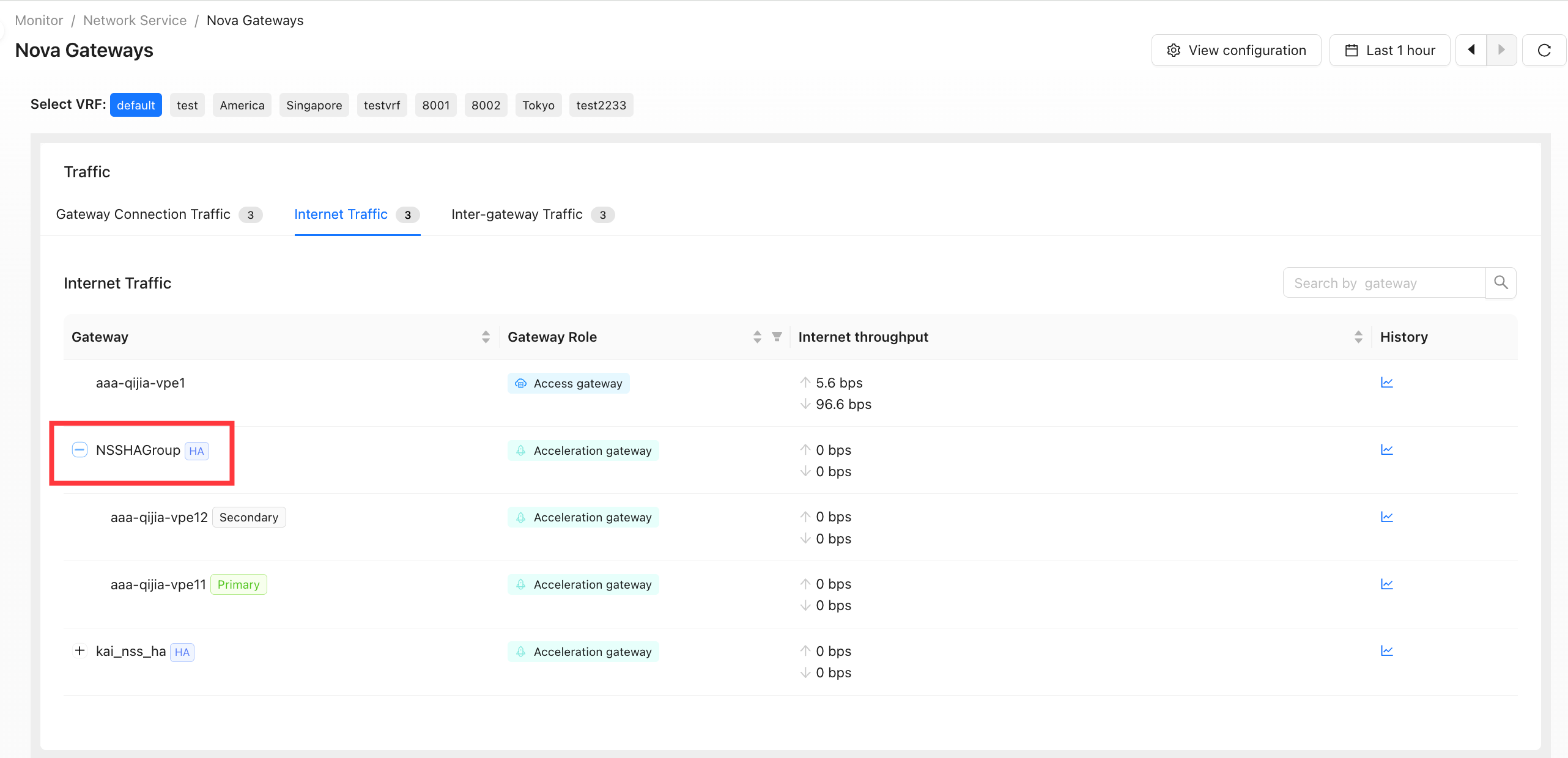
- View send/receive throughput, traffic, and packet rate for all address pools (summary) or a single address pool.
- Summarize traffic by source site, source/destination IP, or country/region.
- View the effective status of primary/secondary gateway configuration and traffic information for each gateway dimension.
- Enable traffic collection📖
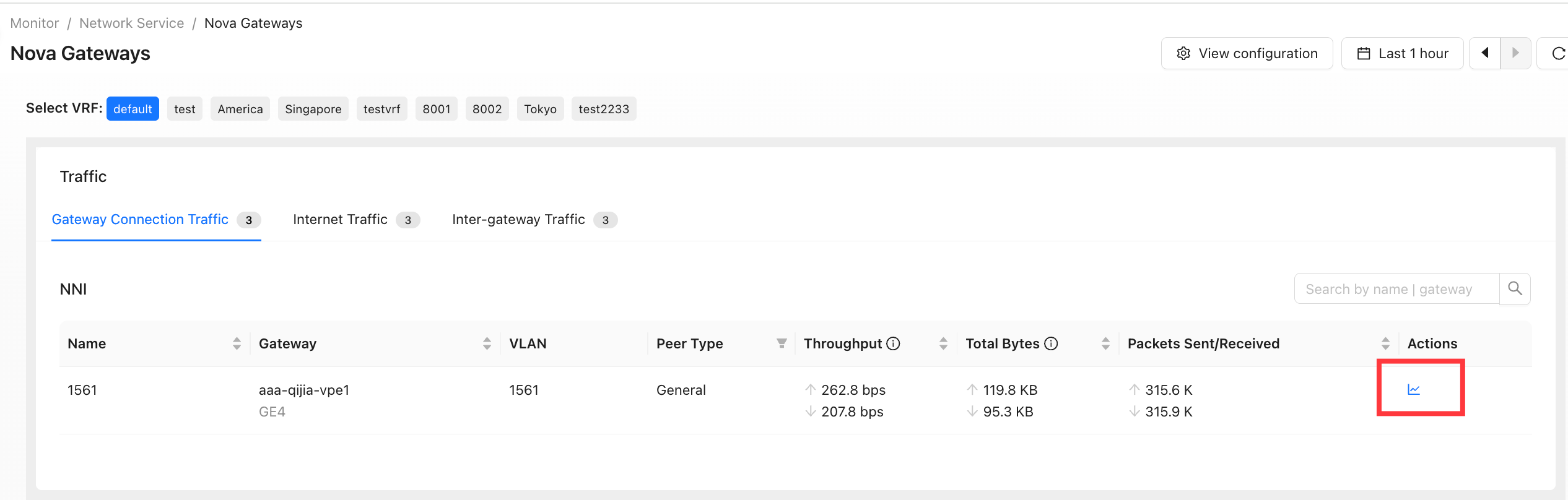
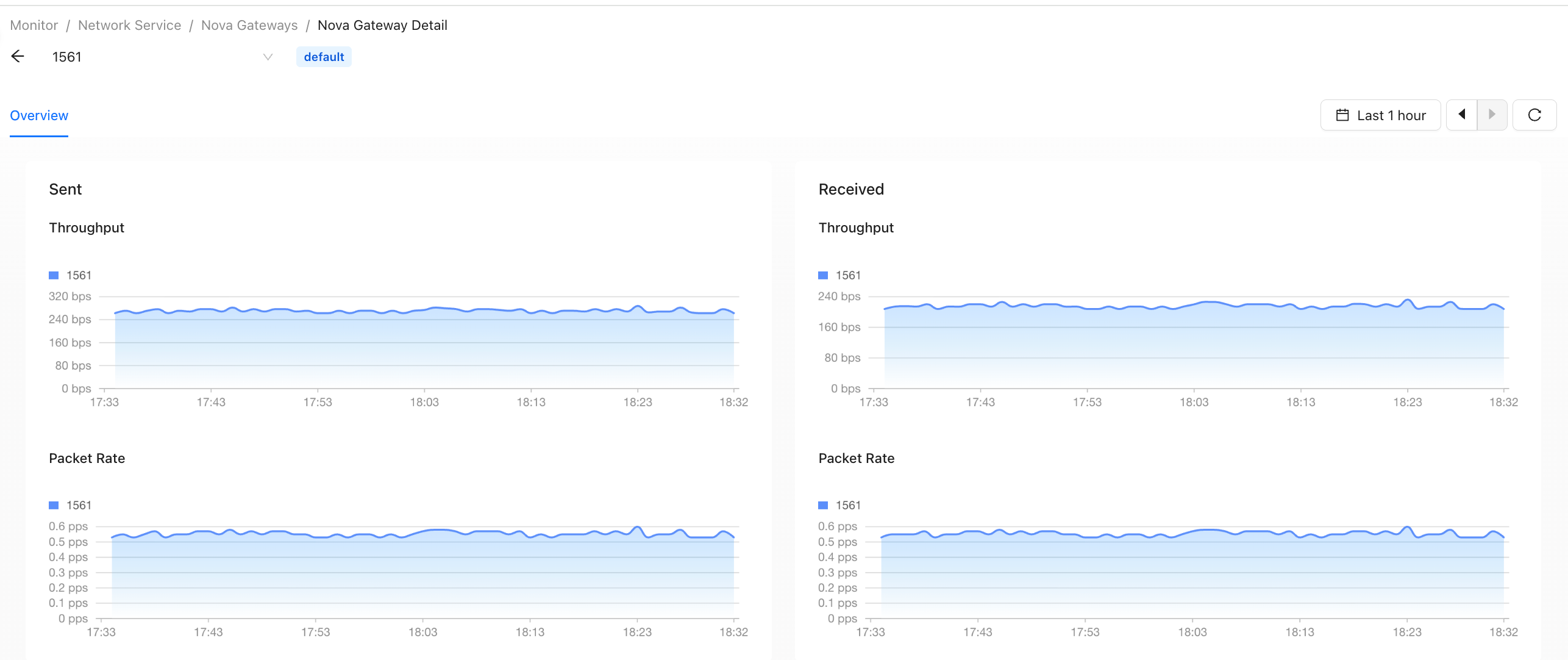
Historical Traffic
In the Actions column, click View Historical Traffic.
View Configuration
Click View Configuration to go to Tenant > Config > Network Service > Nova Gateways.
