Acceleration gateway supports HA function
Function Overview: Accelerated Gateway HA Backup Solution
Background
In order to provide a better backup solution on the PE side, we design and implement an HA backup solution. The purpose is to quickly switch to a backup NSS instance when an abnormality occurs in NSS, ensuring that the tenant's public IP remains unchanged and minimizing the impact of network interruptions.
Function description
- Goal: In response to NSS failures, implement the ability to quickly switch to other NSS instances, thereby ensuring that the tenant's public IP address does not change and ensuring business continuity.
- Session Management: When a switch occurs, the session will be interrupted, but the business can be restored in the shortest time.
- Recovery time: The system will quickly detect and switch after an NSS abnormality. Administrators can also manually switch the active and backup relationships of NSS to ensure the fastest possible recovery time and minimize the impact of customer service interruptions.
Key points
- IP Consistency: Ensure that the tenant's public IP remains unchanged after the switch to avoid affecting the client's network configuration.
BGP configuration
Create new BGP
"Provider"→"Resource"→"Gateways"→"Edit Gateway"→"Advanced"
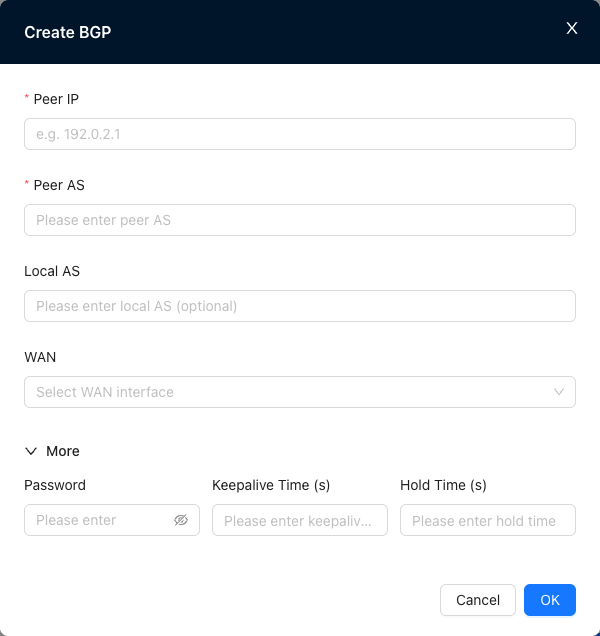
Check BGP neighbor status
"Provider"→"Monitor"→"Gateways"→"Gateway Detail"→"BGP Neighbors"→"WAN"

View bgp neighbor status
NE900# show ip bgp summary

IPv4 Unicast Summary (VRF default):
BGP router identifier 100.127.0.246, local AS number 4290000006 vrf-id 0
BGP table version 6
RIB entries 11, using 2112 bytes of memory
Peers 1, using 724 KiB of memory
Peer groups 1, using 64 bytes of memory

Neighbor        V         AS   MsgRcvd   MsgSent   TblVer  InQ OutQ  Up/Down State/PfxRcd   PfxSnt Desc
172.24.0.1      4      65000        43         9        0    0    0 00:04:45            0        6 N/A

Total number of neighbors 1
- It takes 60s to update the page
- Status is up/down
Highly available gateway group
Create a new gateway group
"Provider"→"Resource"→"Gateways"→"HA Gateway Pair"
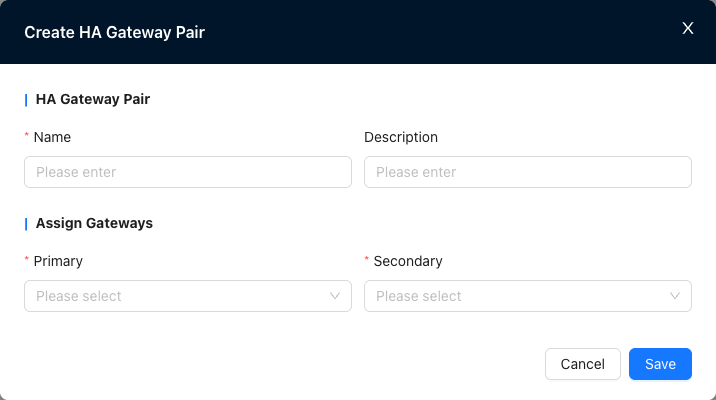
- Gateway group cannot be repeated
- A primary gateway must be selected
Reference and configure the gateway group
"Tenant"→"Config"→"Network Service"→"Nova Gateways"
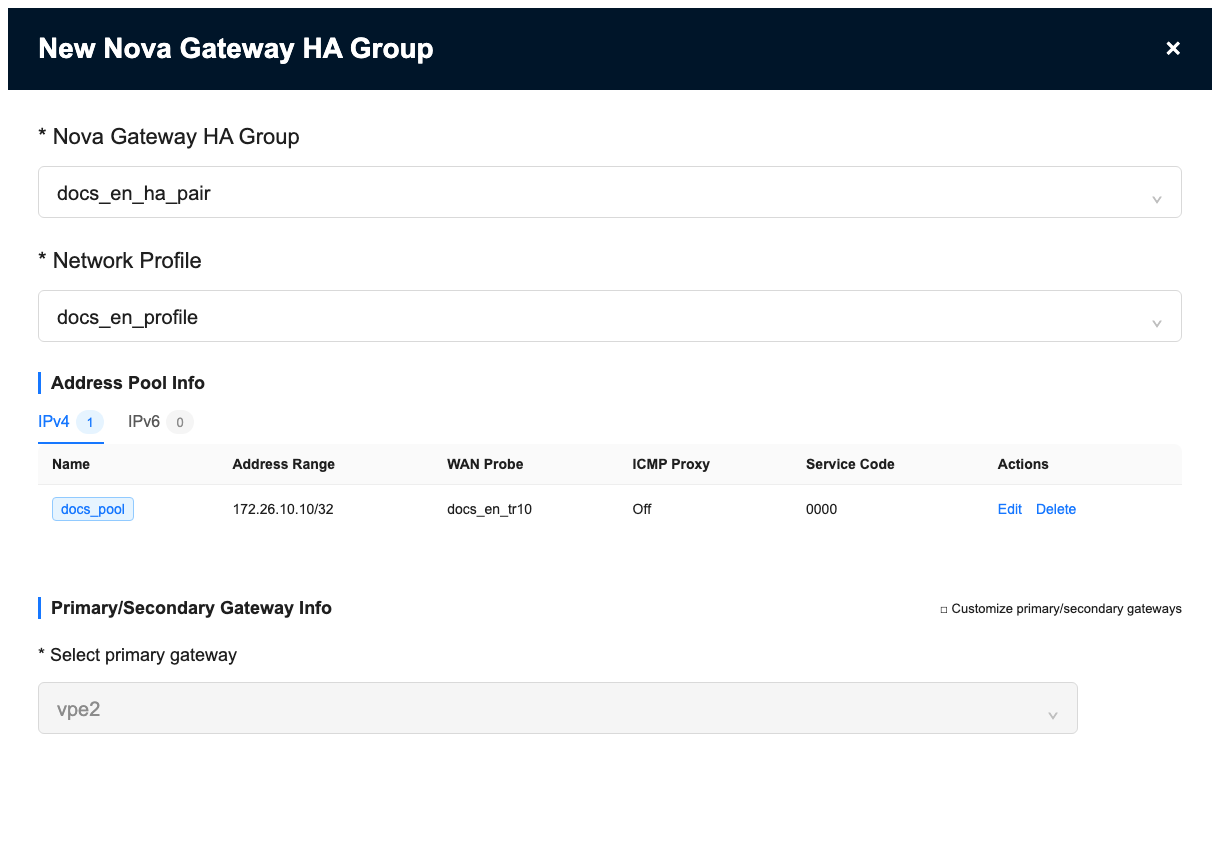
- The active and standby relationship of the gateway group supports customization
- There is no limit on the Address Group entry page
- Network Profile cannot be empty
- Can reference multiple high-availability gateway groups
- The address pool supports specifying the WAN port for each entry
- The address pool supports ICMP proxy
Edit Nova Gateway Group Configuration
"Tenant"→"Config"→"Network Service"→"Nova Gateways"→"HA Gateway Pair Configuration"→"Edit Nova Gateway Group Config"
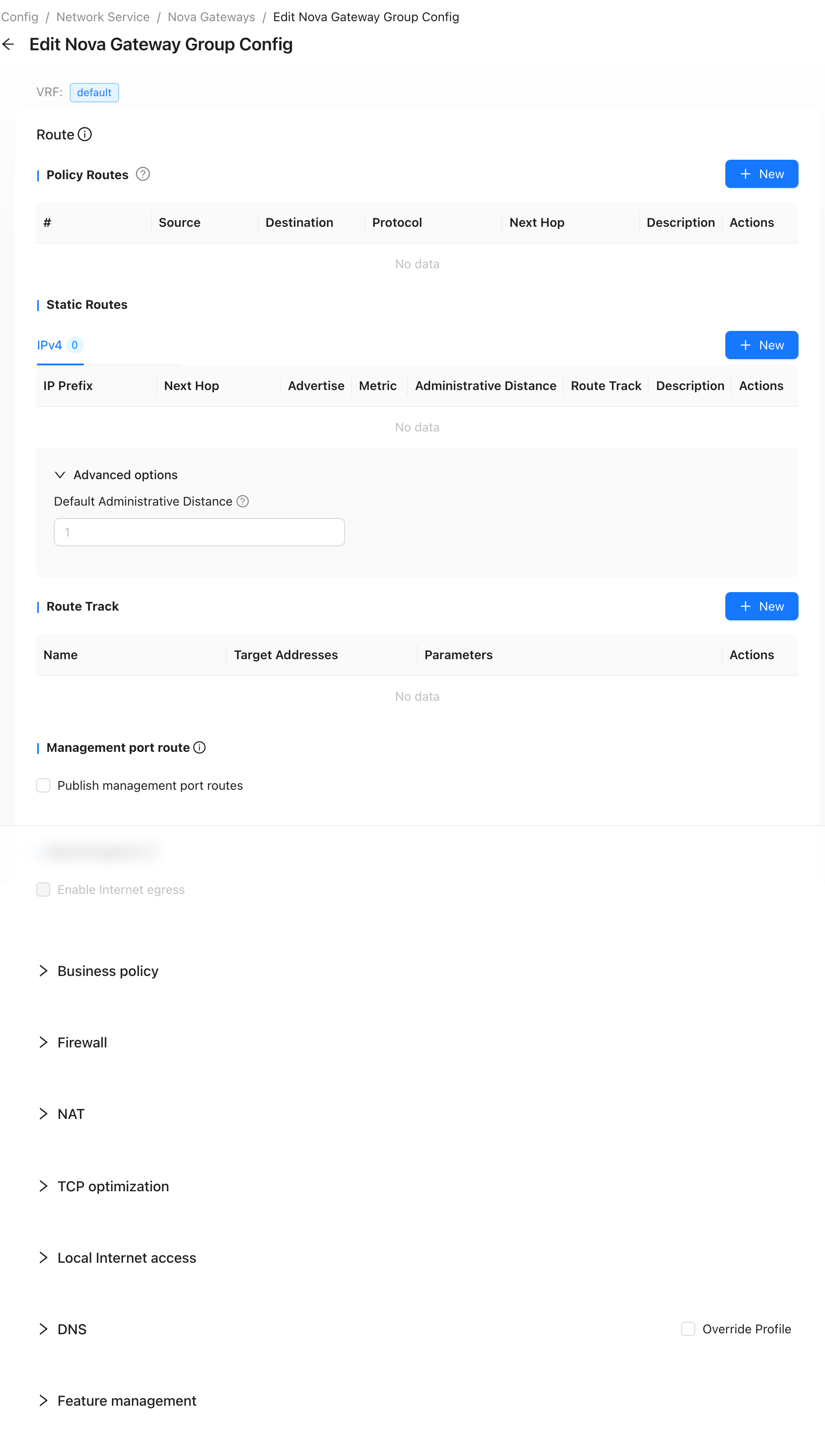
- All gateway group configurations will be delivered to both active and standby gateways
High availability groups can limit host speed on exclusive address pools
Create a new speed limit policy
"Provider"→"Resource"→"Gateways"→"HA Gateway Pair"→"Edit HA Gateway Pair"→"Per-host Rate Limit Policy"→"New"
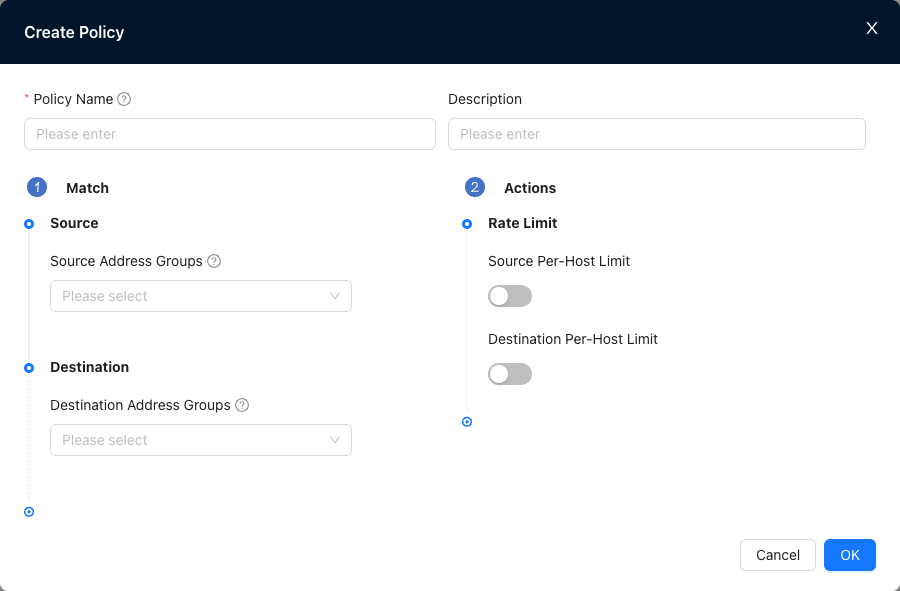
- Rate limiting policy is used to limit the bandwidth of host traffic from a specific source or destination address pool.
- Only one of the source and destination can be selected, and cannot be configured at the same time.
- Supports creating multiple rate limiting policies for the same address pool.
- The policies are matched from top to bottom, and the system will execute the first policy that meets the conditions.
- Each policy can be set separately:
- Source host speed limit: Limit the outbound bandwidth of hosts in this address pool.
- Destination host speed limit: Limit the inbound bandwidth of hosts in this address pool.
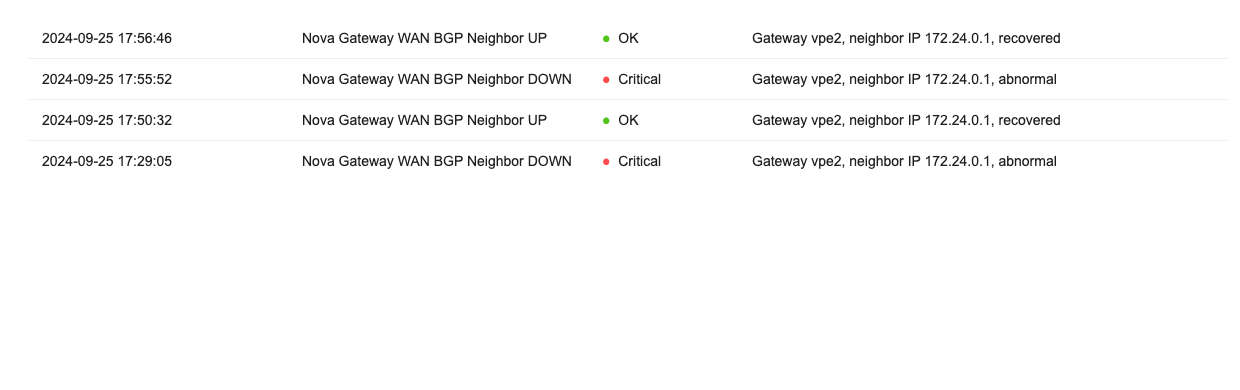
High availability gateway group BGP neighbor up/down alarm