Packet Loss Statistics of Business Policy
info
- Function: Packet loss statistics of QoS speed limit of business policy
- The device version needs to be 6.4.0 or above
Scenario 1: Configure source host speed limit 20M, actual throughput 100Mbps, packet loss 80Mbps
- Site configuration business policy: source host speed limit 20M
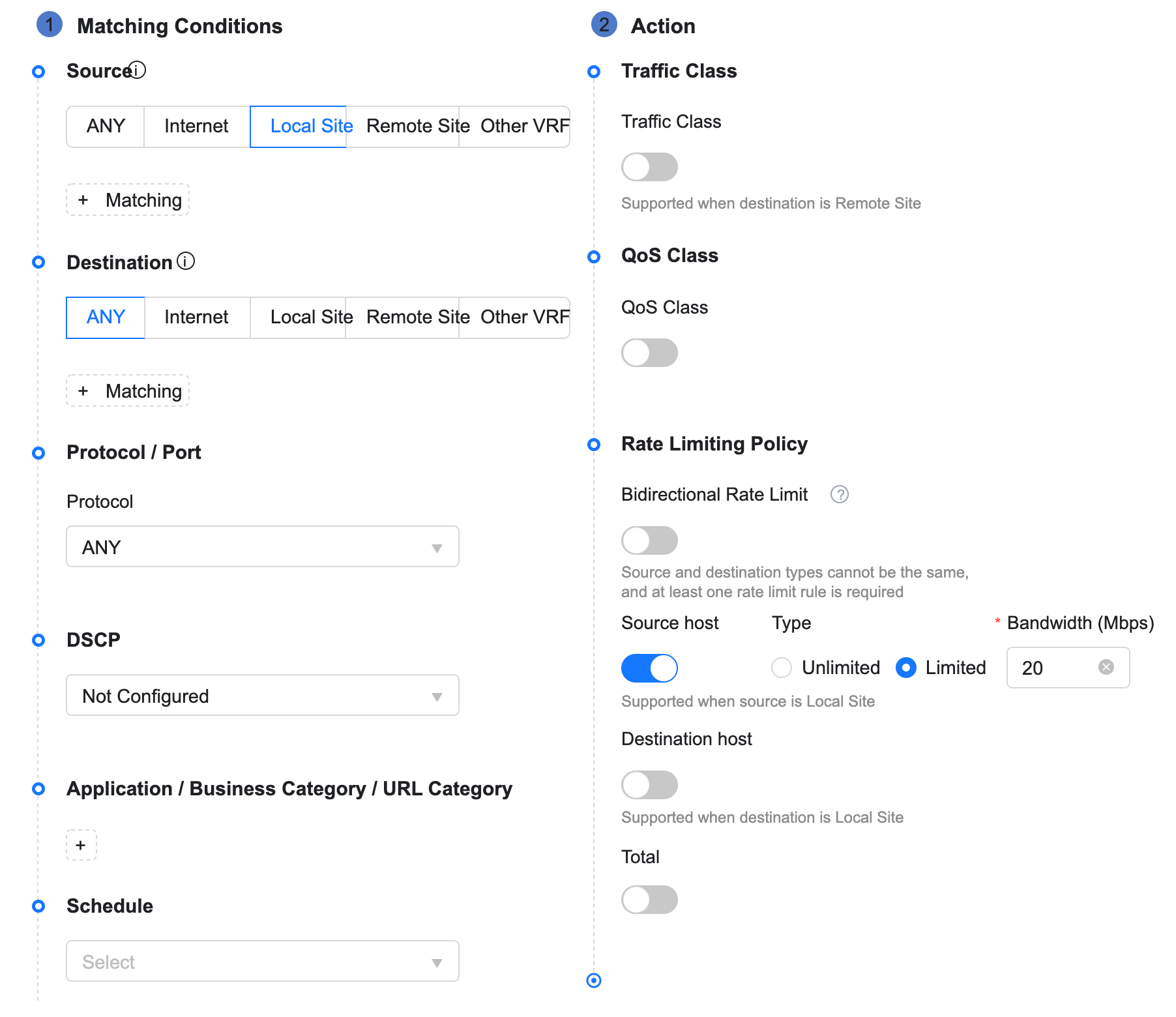
- Generate traffic of 100Mbps, where the source host is the host of this site, and the traffic is successfully limited to a speed of 20M

- Enter: Site-Details-Policy-Business Policy Packet Loss Query, you can see the packet loss statistics of the configured source host speed limit
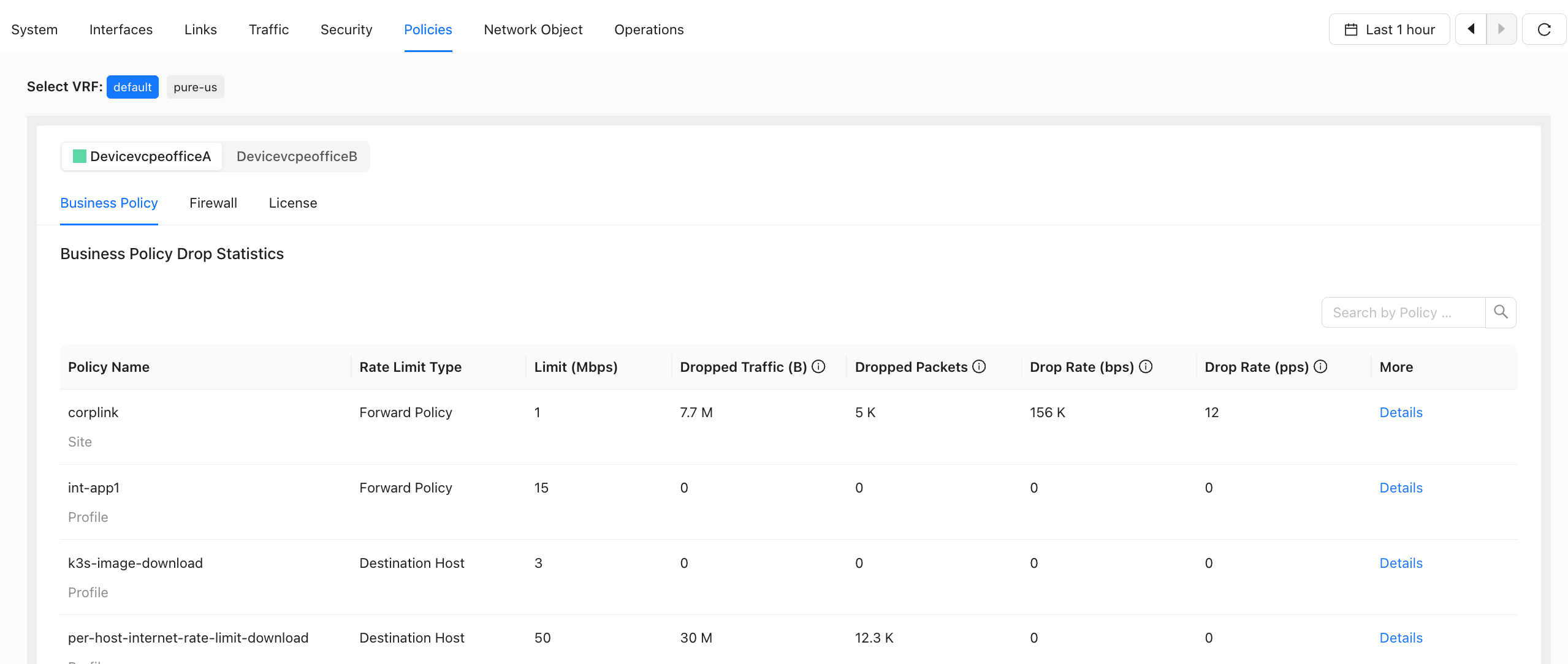
- Parameter Description
| Parameters | Description |
|---|---|
| Policy name | Rule name of the business policy |
| Rate limit type | Rate limit type of QoS rate limit |
| Current speed limit value (Mbps) | Currently configured QoS speed limit value |
| Packet loss traffic (B) | Packet loss traffic within the specified time range |
| Number of lost packets | Number of lost packets within the specified time range |
| Packet loss rate (bps) | Packet loss rate within the current five minutes (bps) |
| Packet loss rate (pps) | Packet loss rate within the current five minutes (pps) |
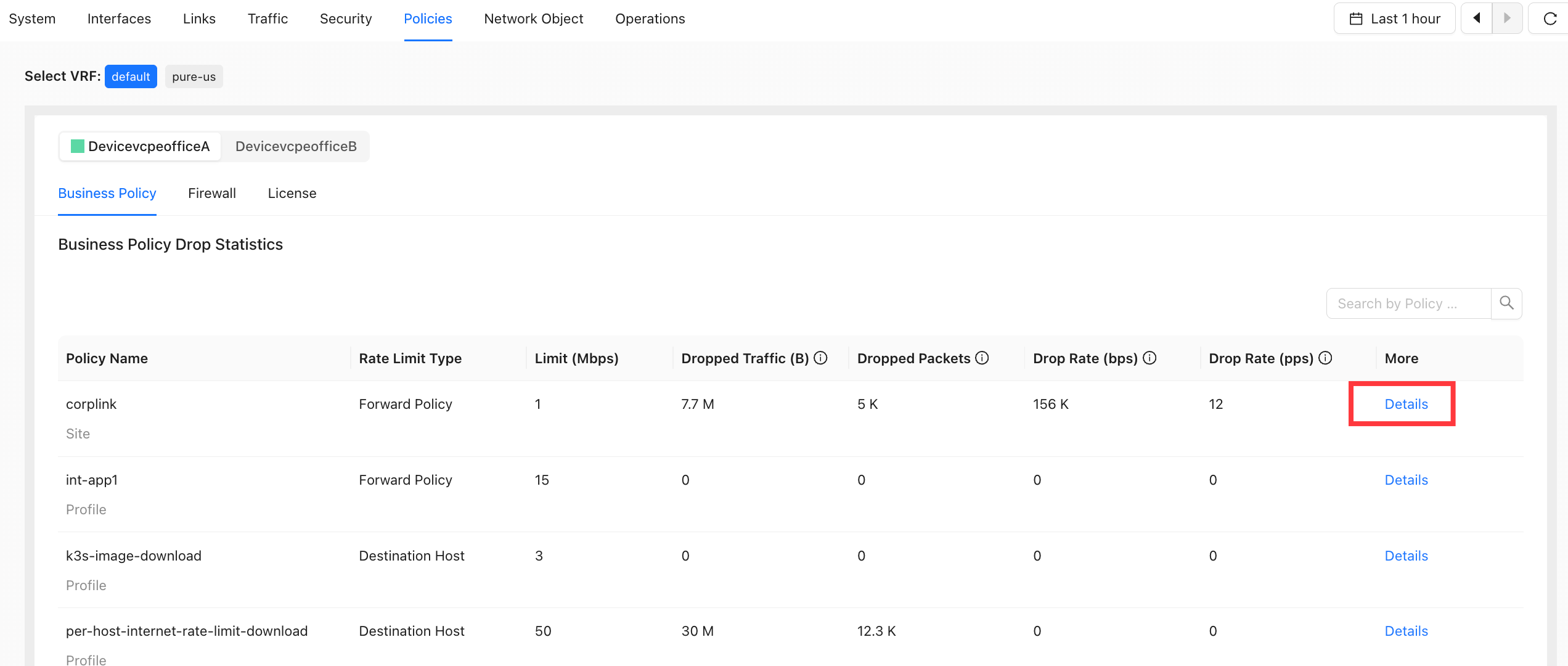
- Click the "Details" button to enter the details interface
- The details interface is as follows. Move the mouse to the corresponding time point to view the packet loss statistics at that time point.
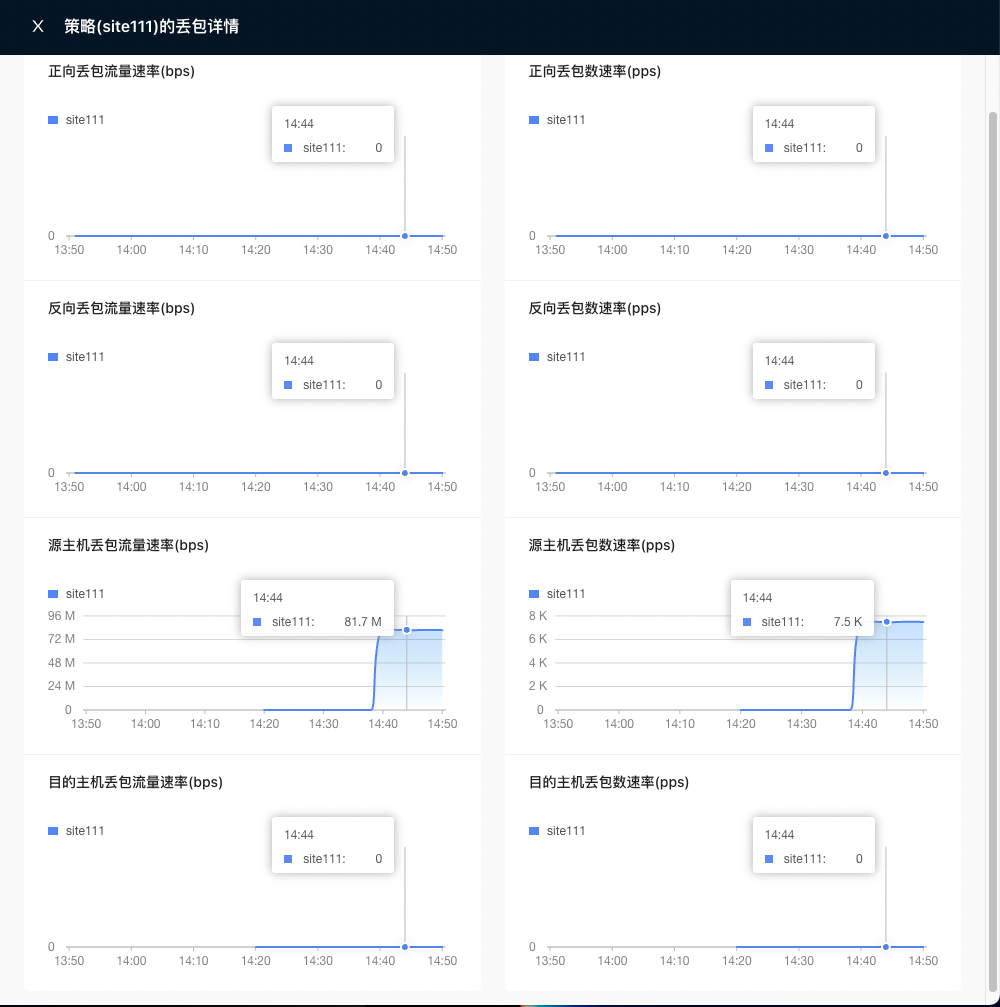
Packet loss details