Customer Account Maintenance Domain Name Resolution Address Group
1. Function description
info
- In order to reduce the pressure of operation and maintenance, customers can customize their own domain name diversion plan
- When customers access a domain name abnormally or a new diversion domain name is added, they can handle it themselves in a timely manner
2. Configuration instructions
2.1 Scenario description
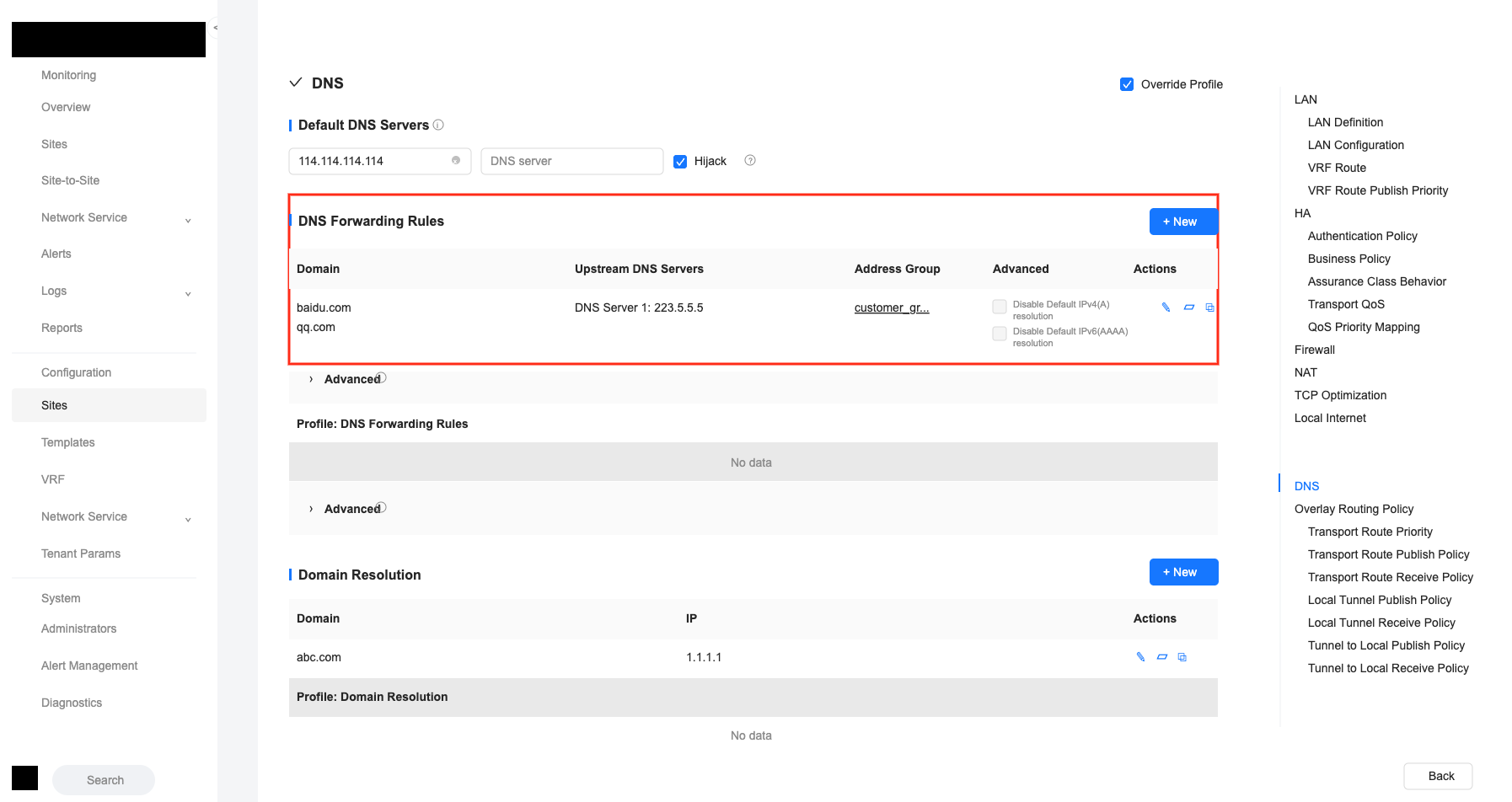
The domain name proxy resolution configuration is as follows. The default customer account does not have editing permissions for this configuration.
Solution:
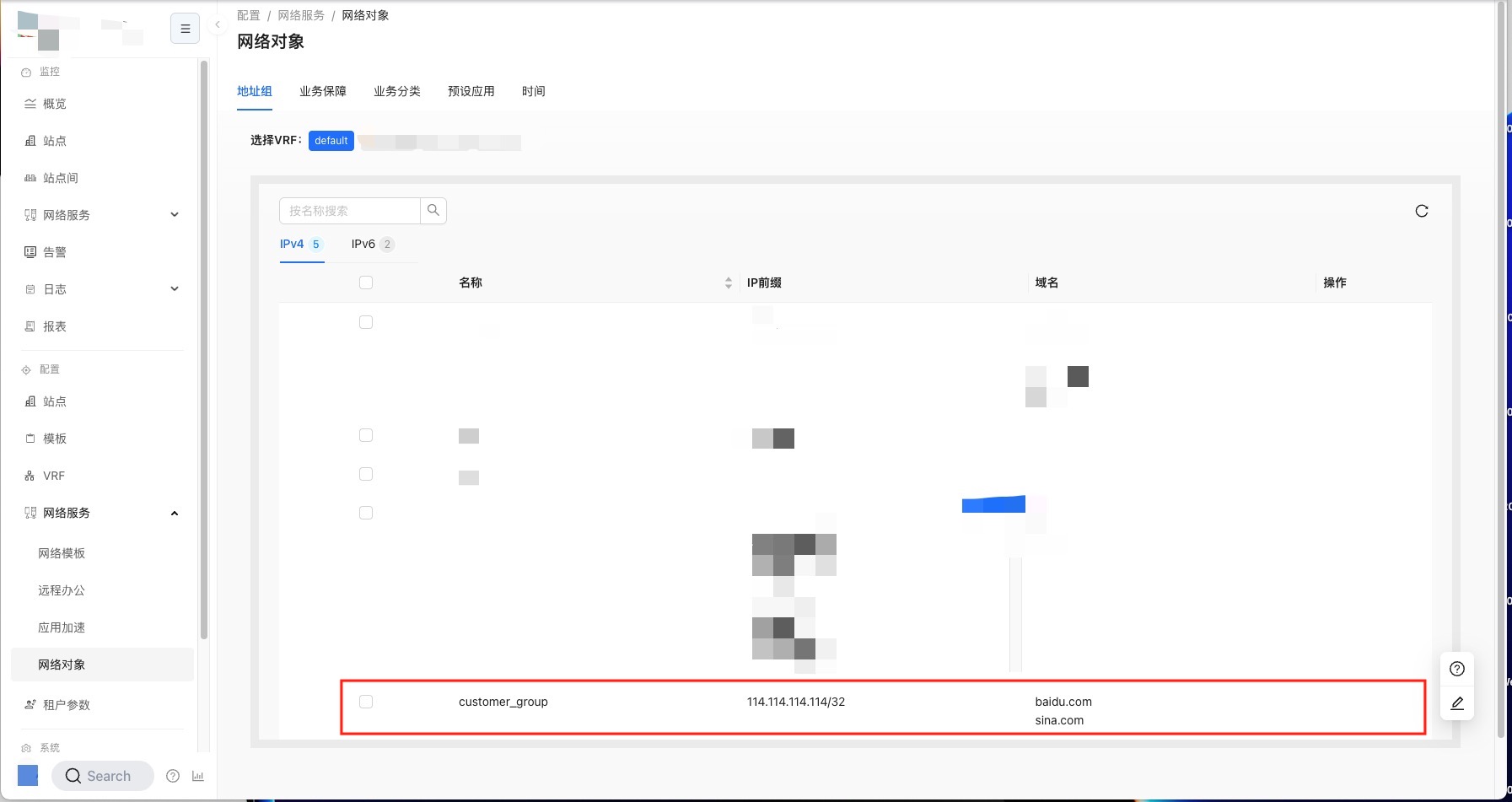
The Address Group is called during domain name proxy resolution. The customer account does not have editing permissions for the Address Group by default.
By configuring the object label (the object label of the customer account and the Address Group are the same), open the editing rights of the Address Group to the customer account
2.2 Administrator operations
tip
- The following steps are performed by the administrator account
2.2.1 Label configuration of Address Group
info
- Function: Configure object labels for address groups
- Label configuration is only allowed when editing an Address Group
- You can create new object tags or select existing object tags
- An Address Group can set multiple object labels
- This operation must be performed by an administrator account with label configuration permissions
tip
- In this example, the Address Group label operation is: create a new object label
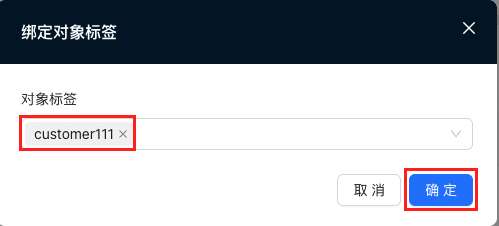
- Log in with the administrator account, click "Bind Object Label" at the Address Group
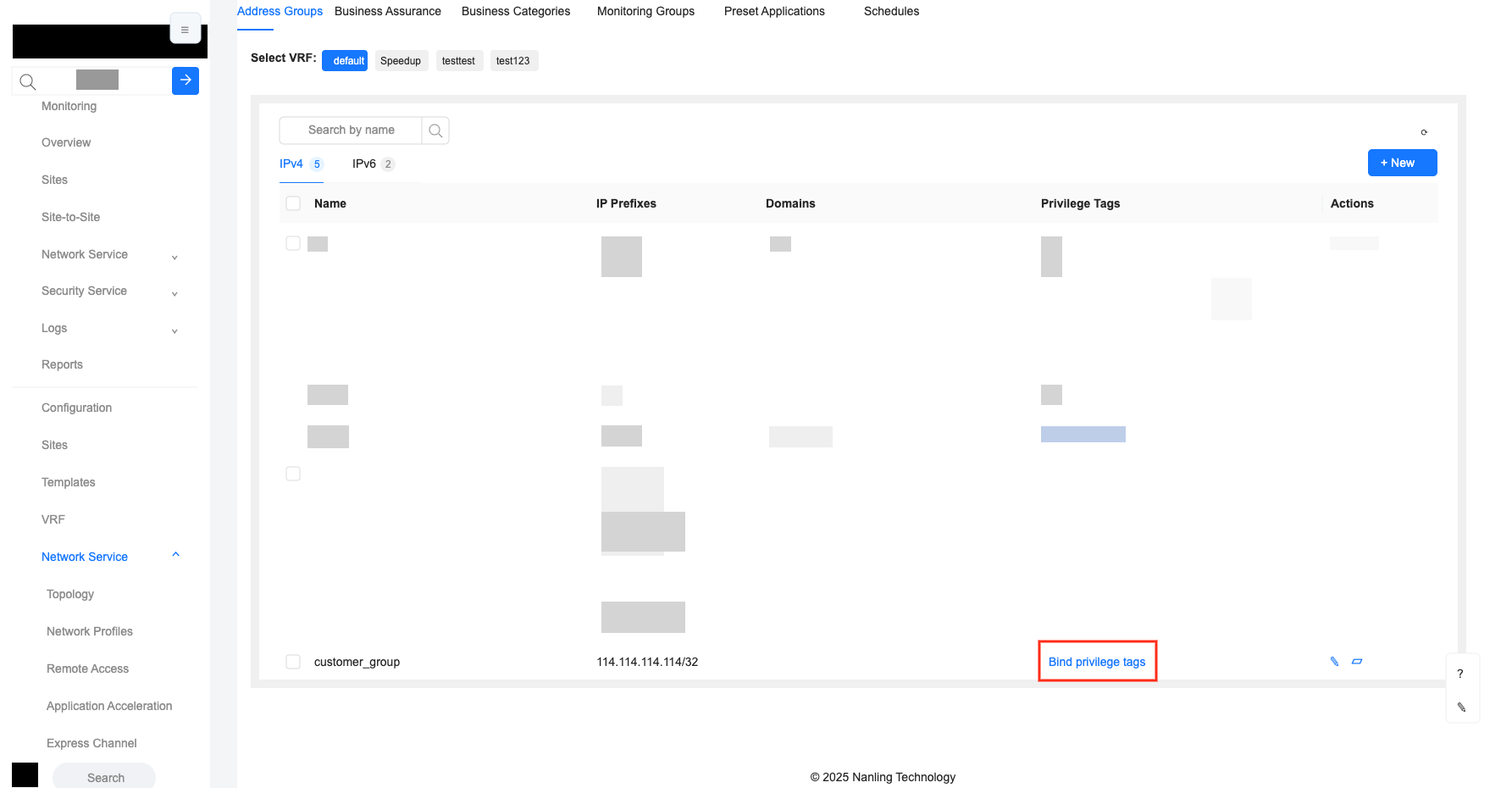
- In the pop-up window, enter the new object tag name: customer111, and then click "OK"
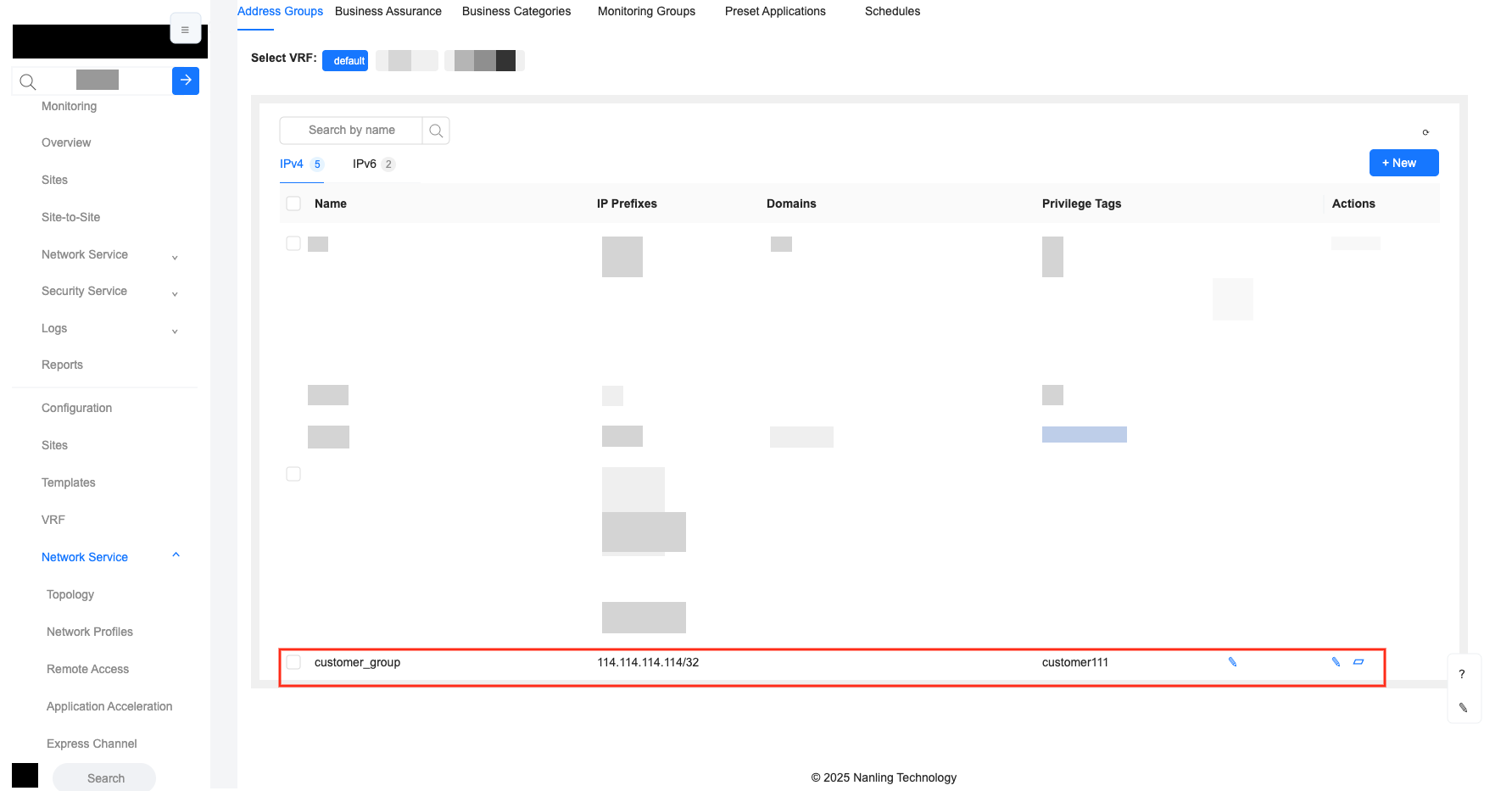
- The Address Group interface after configuring the object label, as shown in the figure
2.2.2 Label configuration of customer account
info
- Function: Configure object labels for customer accounts
- When creating or editing a customer account, you can configure labels
- Only existing object tags can be selected
- One customer account can set multiple object labels
- This operation must be performed by an administrator account with label configuration permissions
tip
- In this example, the customer account type is tenant operation and maintenance administrator
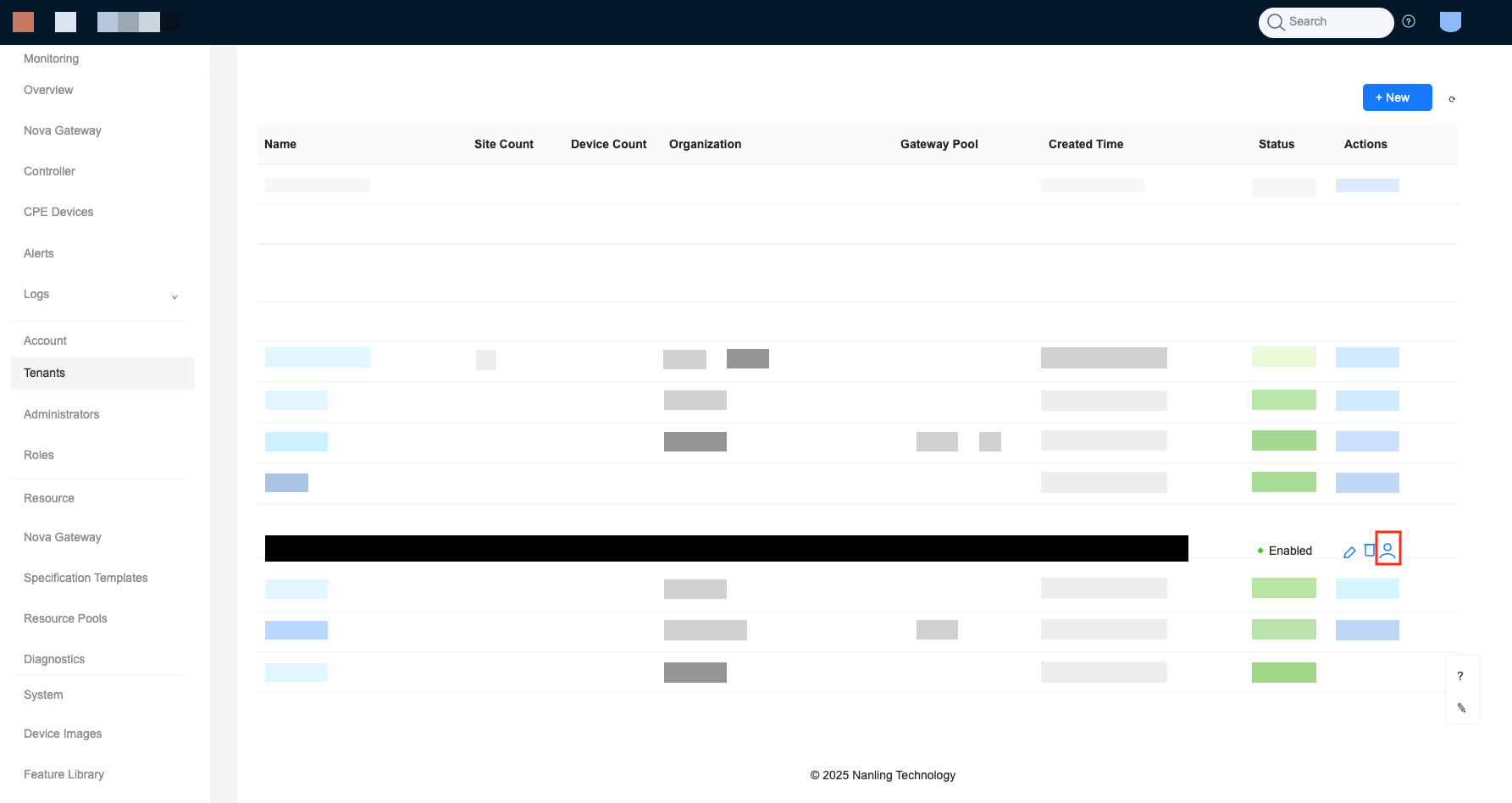
Log in with the administrator account and click "User" at the tenant.
At the tenant operation and maintenance administrator's office, click "Edit"
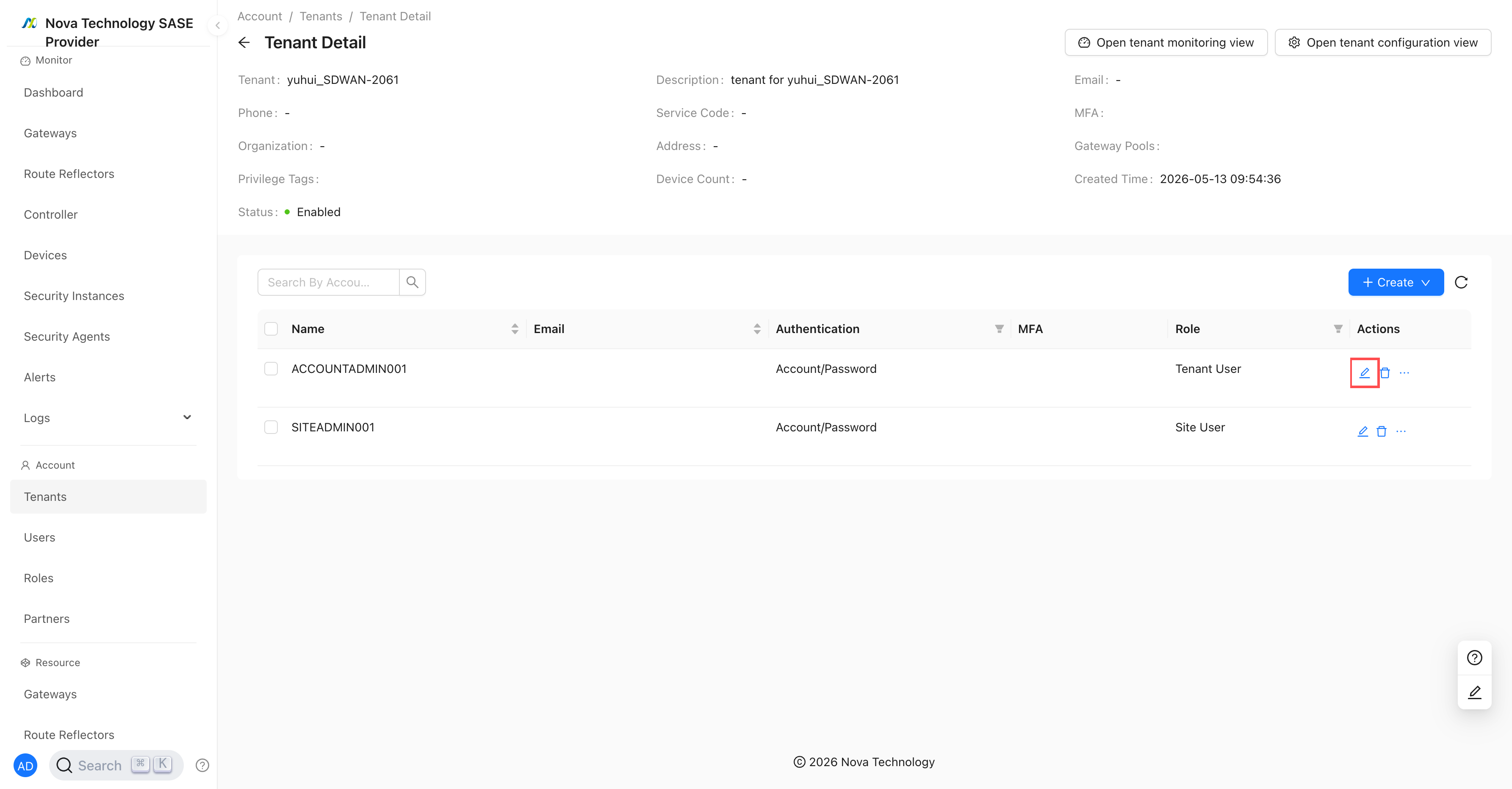
- In the pop-up interface, select the previously created object label: "customer1", and then click "Next" until the configuration is completed.
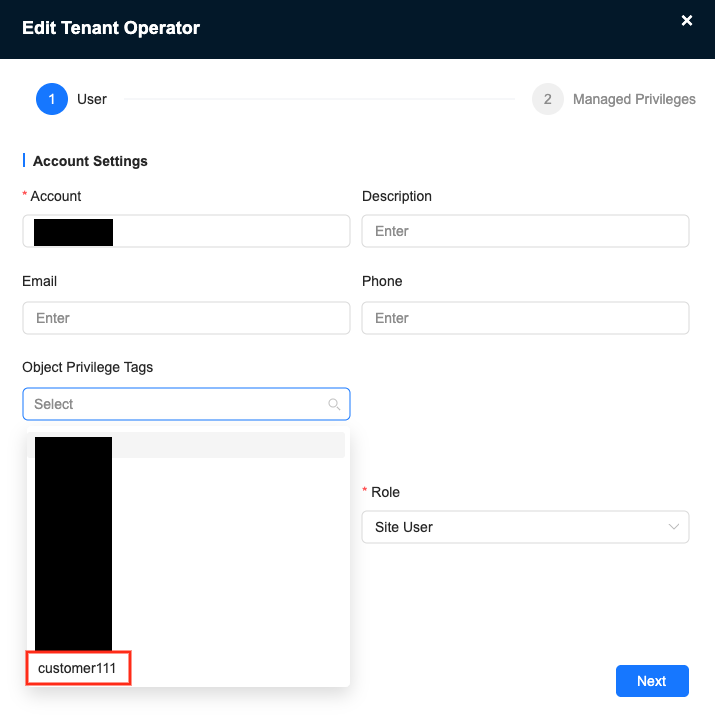
2.2.3 Domain name proxy resolution reference Address Group
- The domain name proxy resolution configuration is as shown below, referencing the previously configured Address Group, which contains the domain name added by the customer.
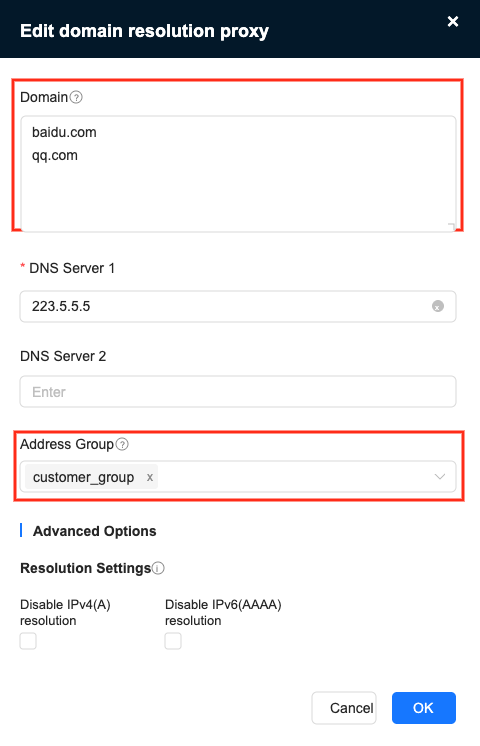
tip
- The domain names configured in "Domain Name" and "Address Group" will be merged
- The IP prefix configured in the Address Group will not be delivered to the device.
2.3 Customer account operations
tip
- The following steps are performed by the customer account
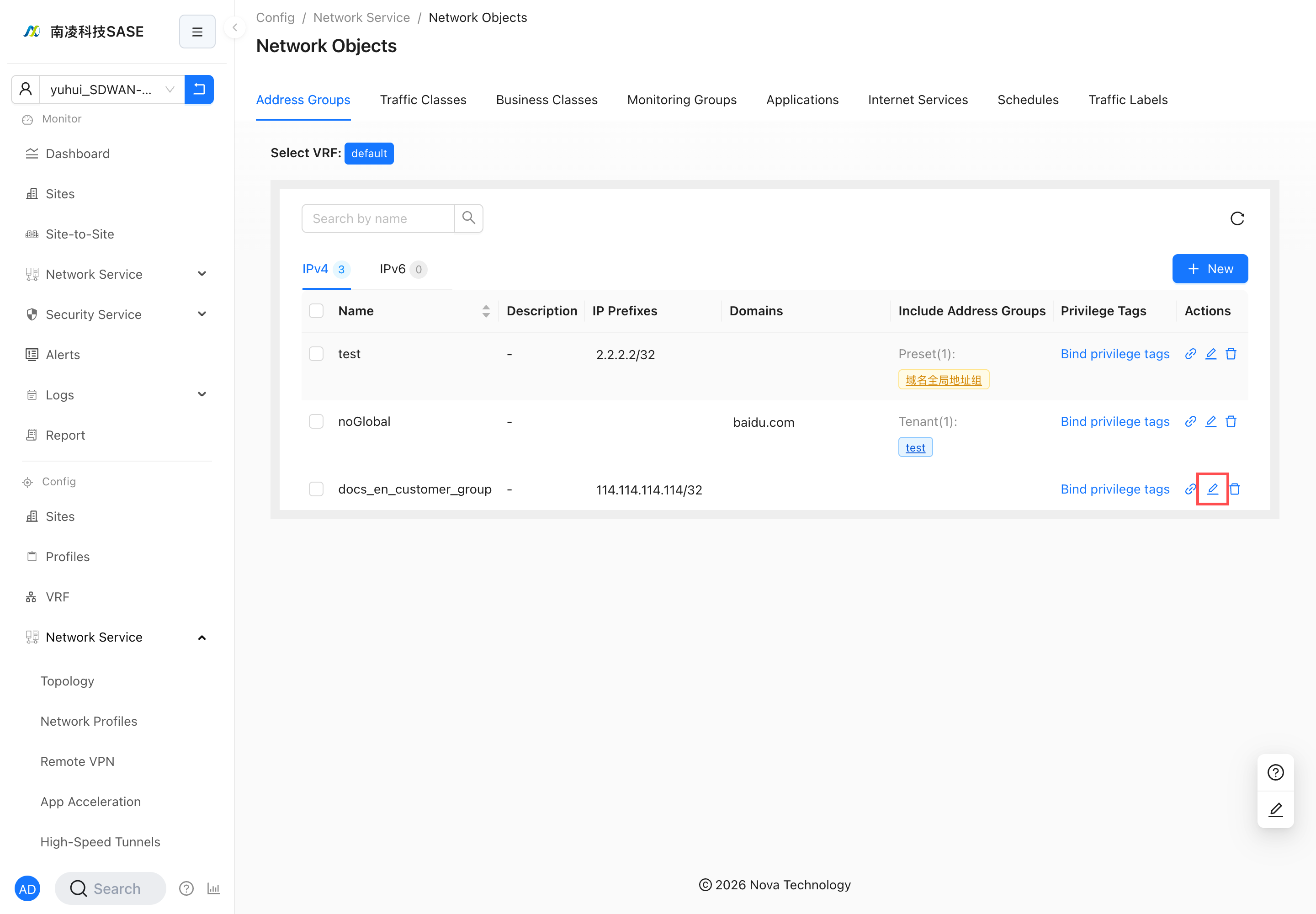
2.3.1 Edit Address Group for customer account
info
- If the object tags of the customer account and the Address Group are the same, the customer account can edit the Address Group.
Log in with a customer account to edit the Address Group.