Nova Gateway supports configuring QoS
Function overview:
Nova Gateway can be configured with QoS and supports direction-based configuration of QoS priority and bandwidth to ensure key applications or key site traffic.
Configuration instructions
"Tenant" → "Config" → "Network Service" → "Nova Gateway" → "Edit Nova Gateway Configuration"
- Business Policy - QoS
- Create new QoS
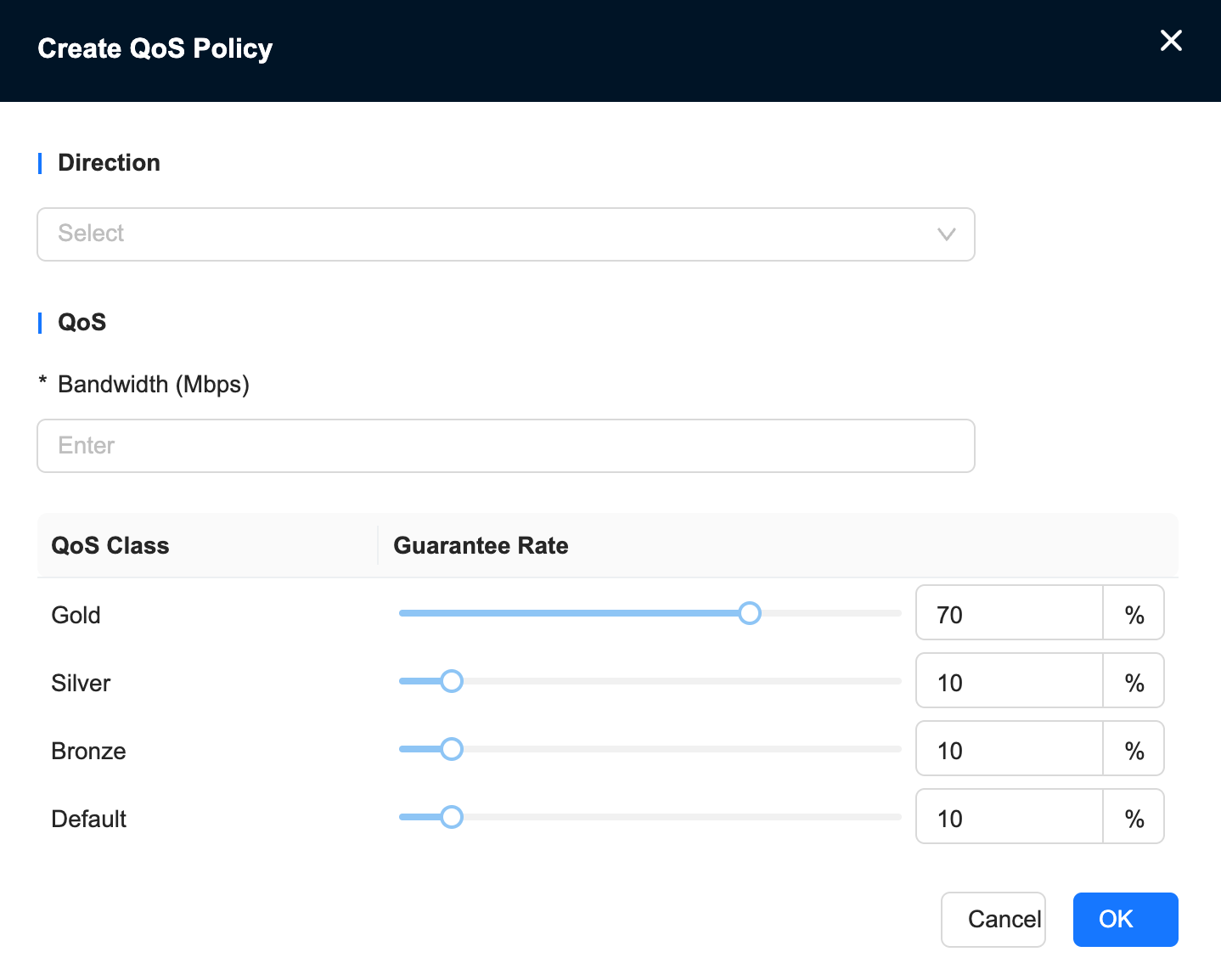
Direction:
- Local to remote: traffic from the Nova Gateway to the remote end (if the site is accelerated by NSS, it is the upload traffic of the site; in the case of NNI, it is the download traffic on the NNI side)
- Remote to local: the traffic from the remote to the Nova Gateway (if the site is accelerated by NSS, it is the download traffic of the site; in the case of NNI, it is the upload traffic on the NNI side)
- The configured guaranteed bandwidth is slightly smaller than the bandwidth limited by the business policy, because the guarantee is done after the speed limit.
Examples of usage scenarios
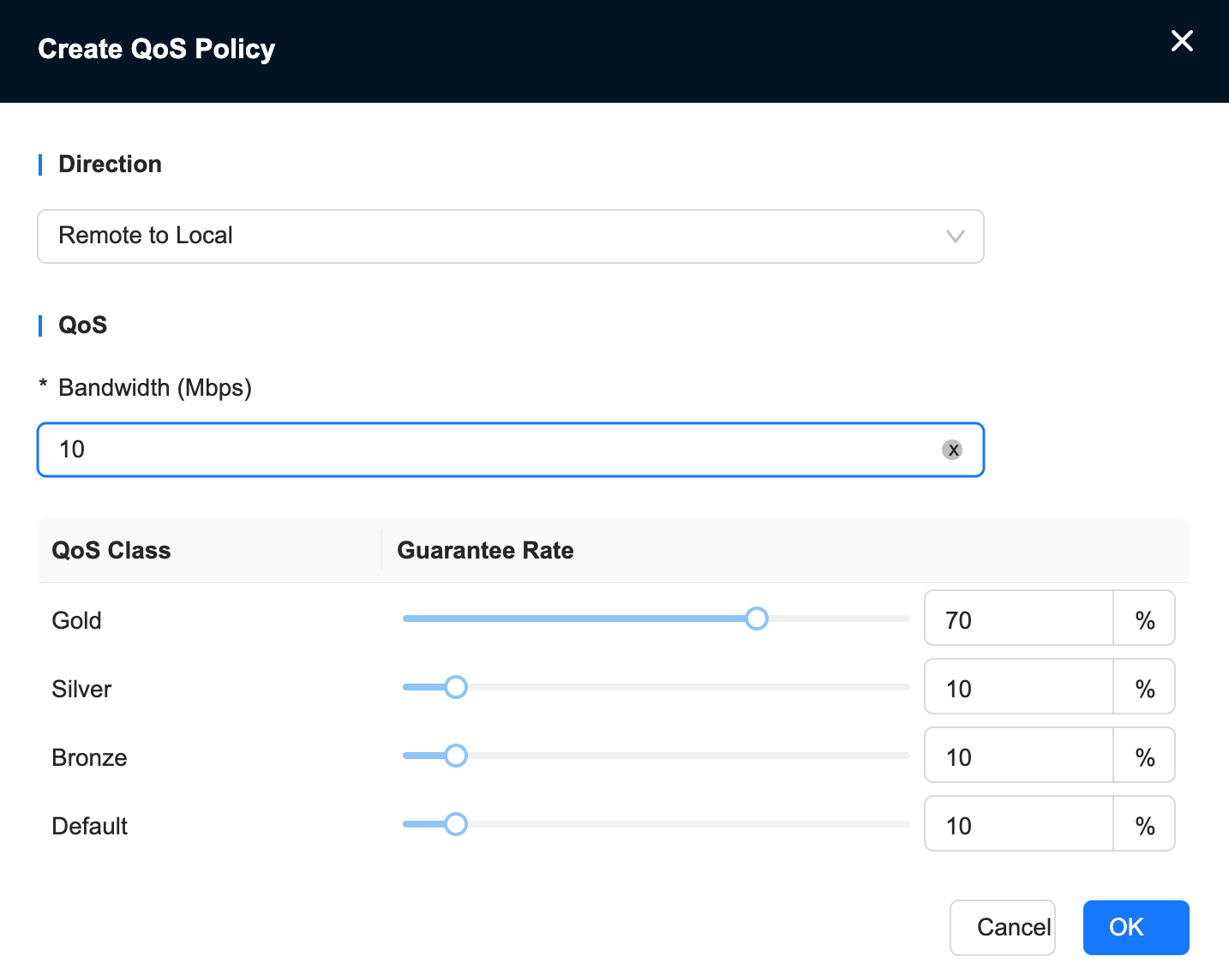
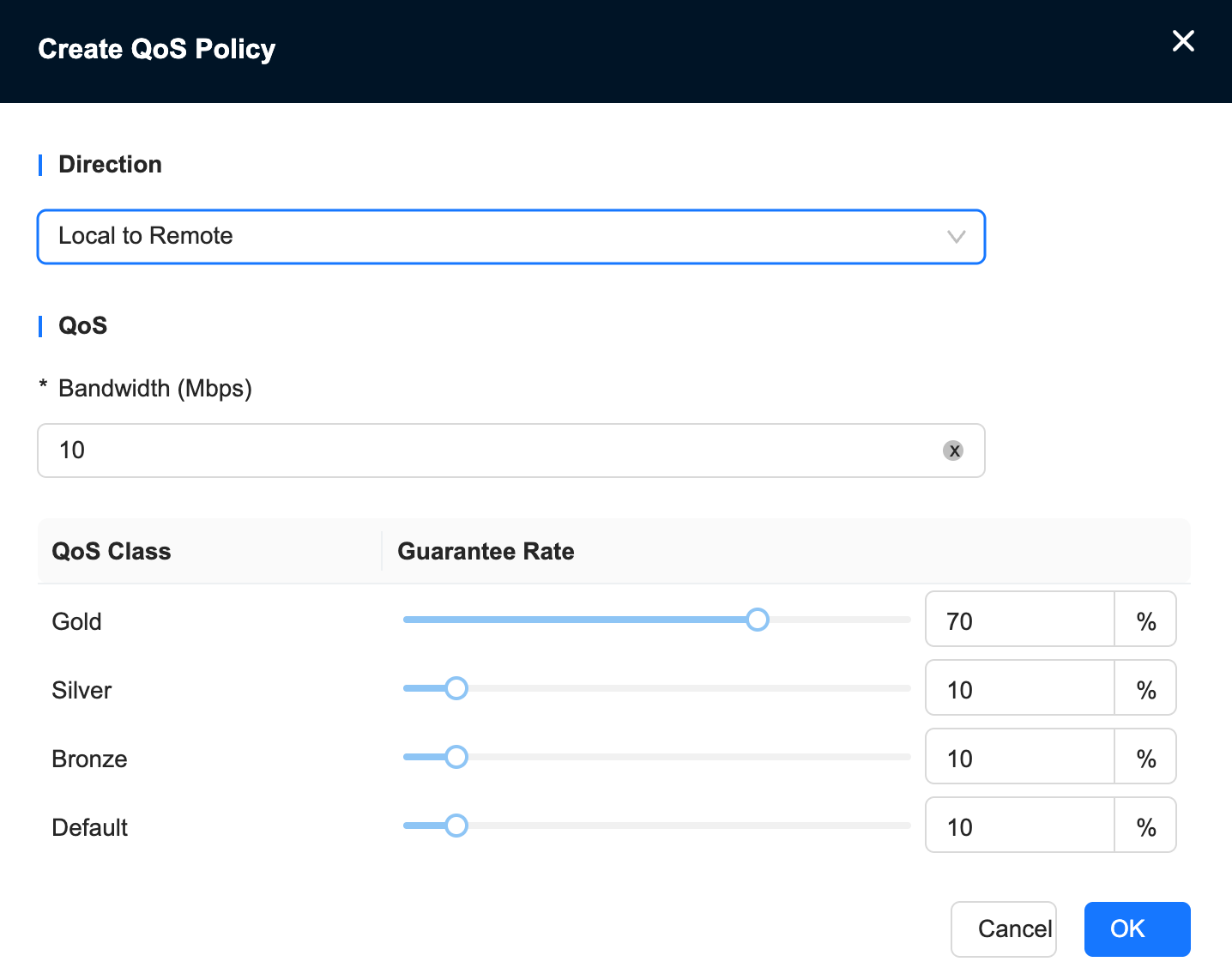
1. The site accesses overseas resources by accelerating, configures the QoS level on the site, and configures QoS guarantee on the Nova acceleration gateway; for example, to guarantee the traffic of the teams application, configure the guaranteed bandwidth to 70% speed limit
The configuration is as follows:
1. Configure the site business policy and set the QoS priority of the teams application to gold.
"Tenant"→"Config"→"Site"→"Edit Site"→"Business Policy"→"Business Policy"
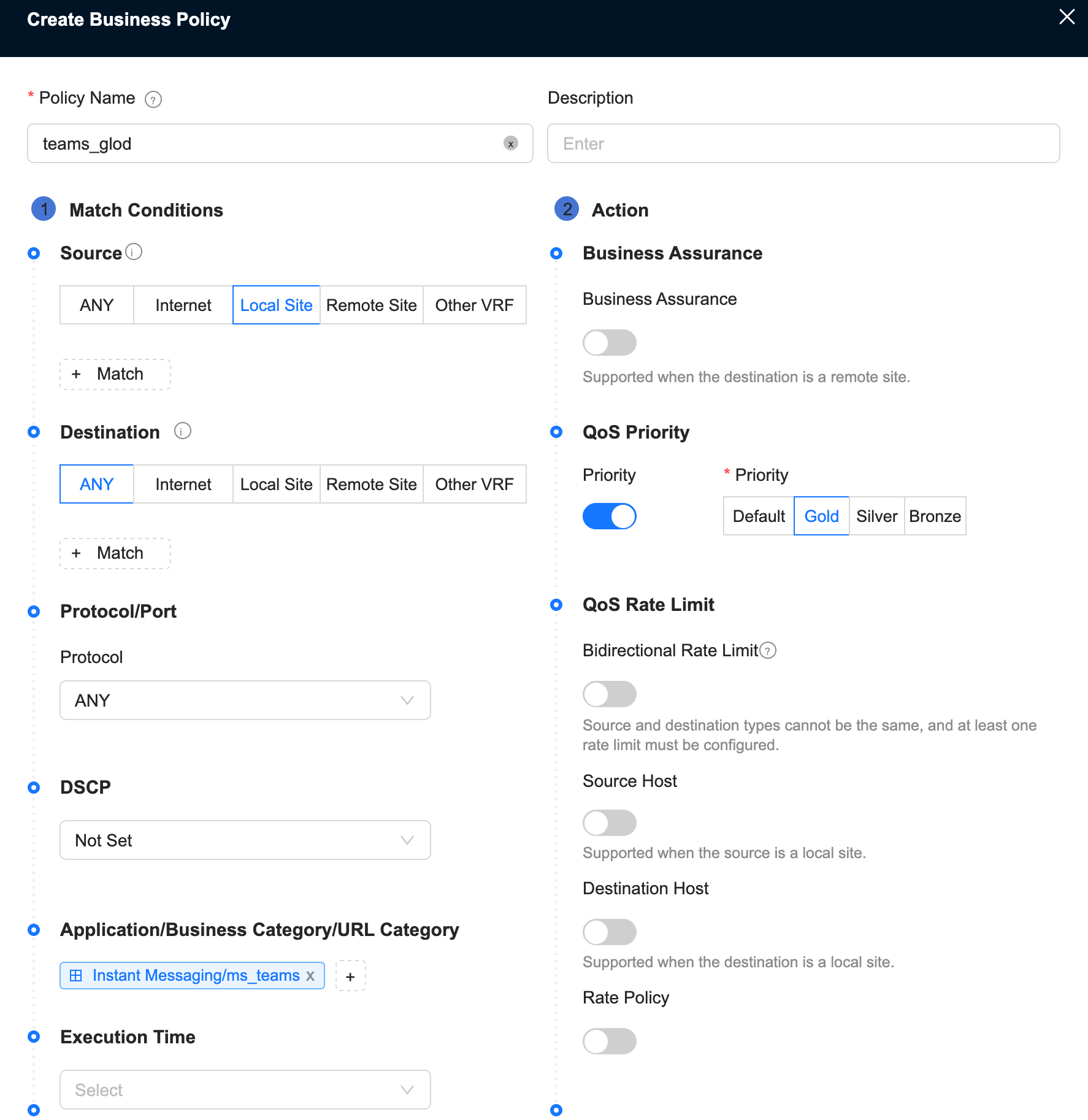
2. Configure the transmission network QoS of the Nova Gateway, set the remote-to-local direction guarantee, and configure the ratio of 70%; guarantee the download direction.
"Tenant" → "Config" → "Network Service" → "Nova Gateway" → "Edit Nova Gateway Configuration" → "Business Policy" → "QoS"
3. Configure the transmission network QoS of the Nova Gateway, set local to remote guarantee, and configure the ratio of 70%; guarantee the upload direction
"Tenant" → "Config" → "Network Service" → "Nova Gateway" → "Edit Nova Gateway Configuration" → "Business Policy" → "QoS"
2. The customer accesses through NNI, sets the QoS level on the access Nova Gateway and configures the guarantee; for example, to guarantee the traffic of the 192.168.0.0/24 network segment, configure the guaranteed bandwidth to be 70% speed limit
The configuration is as follows:
1. Configure the service policy on the Nova Gateway, set the QoS priority of the 192.168.0.0/24 network segment to gold and configure QoS guarantee
"Tenant"→"Config"→"Network Service"→"Nova Gateway"→"Edit Nova Gateway Configuration"→"Business Policy"
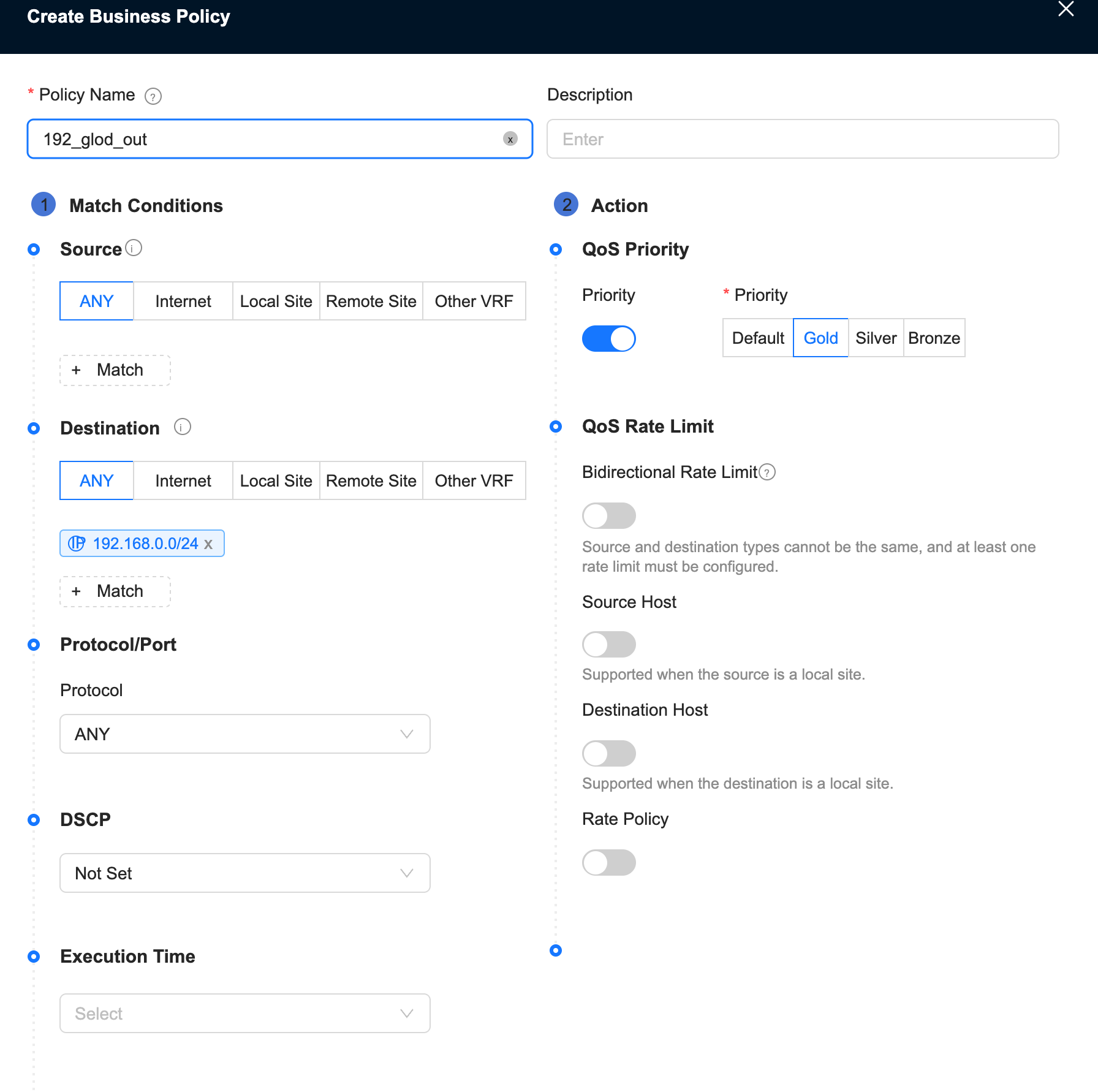
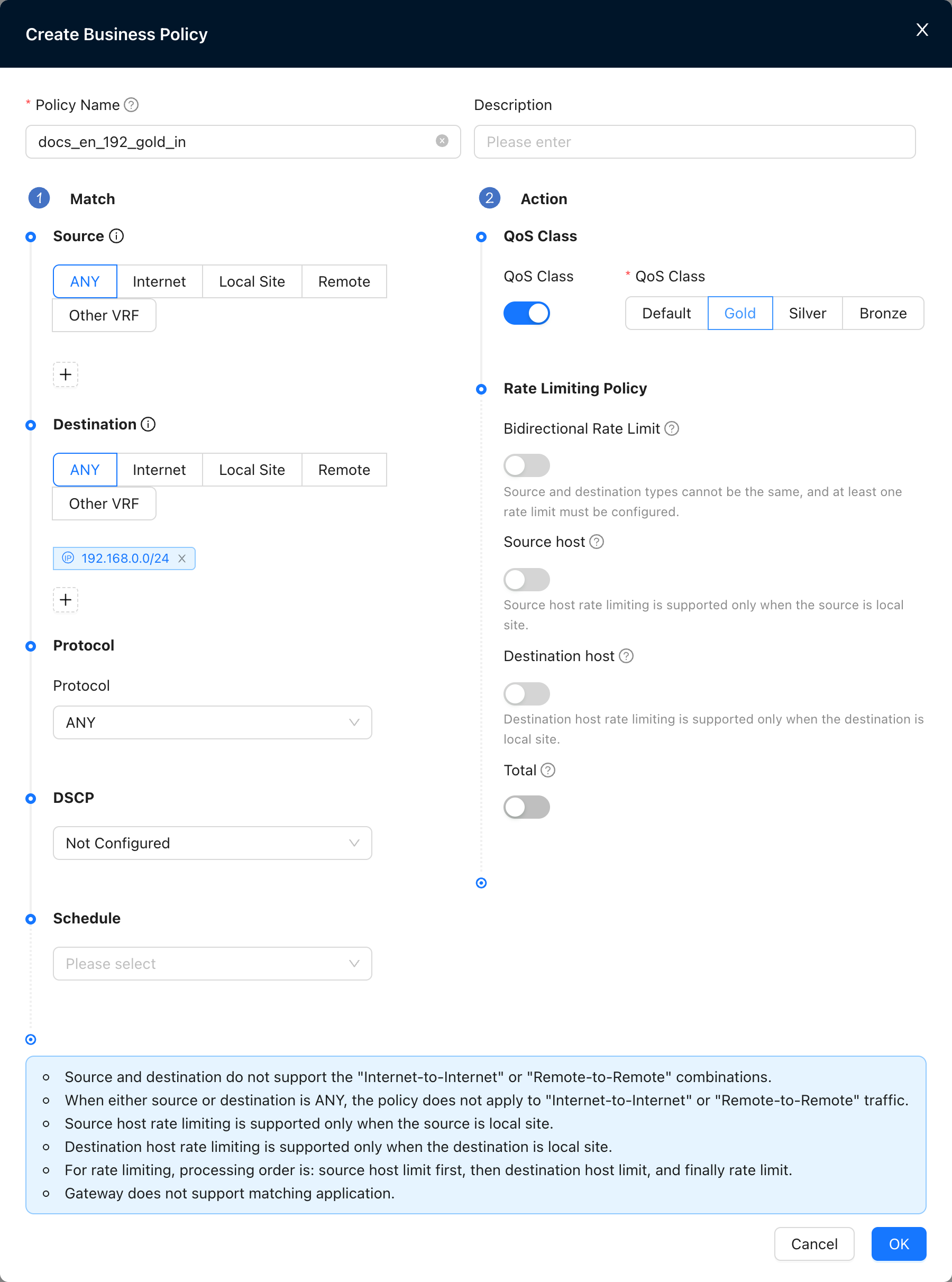
2. Configure the transmission network QoS of the Nova Gateway, set the local to remote direction guarantee, and configure the ratio of 70%; guarantee the download direction
"Tenant" → "Config" → "Network Service" → "Nova Gateway" → "Edit Nova Gateway Configuration" → "Business Policy" → "QoS"
3. Configure the transmission network QoS of the Nova Gateway, set the remote-to-local direction guarantee, and configure the ratio of 70%; guarantee the upload direction.
"Tenant" → "Config" → "Network Service" → "Nova Gateway" → "Edit Nova Gateway Configuration" → "Business Policy" → "QoS"