Regional address database
Function overview
According to customer needs, routing and security policy configuration are performed based on the regional address library
- Address library management
- CPE/VPE will automatically synchronize the controller address library to complete the upgrade when there is a regional class configuration
- Allow the following businesses to use one or a group of address libraries
- Site: WAN routing, LAN routing under vrf, local breakout, security policy
- Nova Gateway: routing, local breakout
- Monitoring support
- Added region-based statistics to the traffic interface
- Diagnostics
- Query the area to which the IP belongs
Routing configuration
Configure static
"Tenant"→"Config"→"Sites"→"Edit Site"→"WAN"→"Static Routes"
"Tenant"→"Config"→"Sites"→"Edit Site"→"VRF Configuration"→"VRF Static Routes"
"Tenant"→"Config"→"Network Service"→"Nova Gateways"→"Gateway Configuration"→"Static Routes"
Static route configuration page
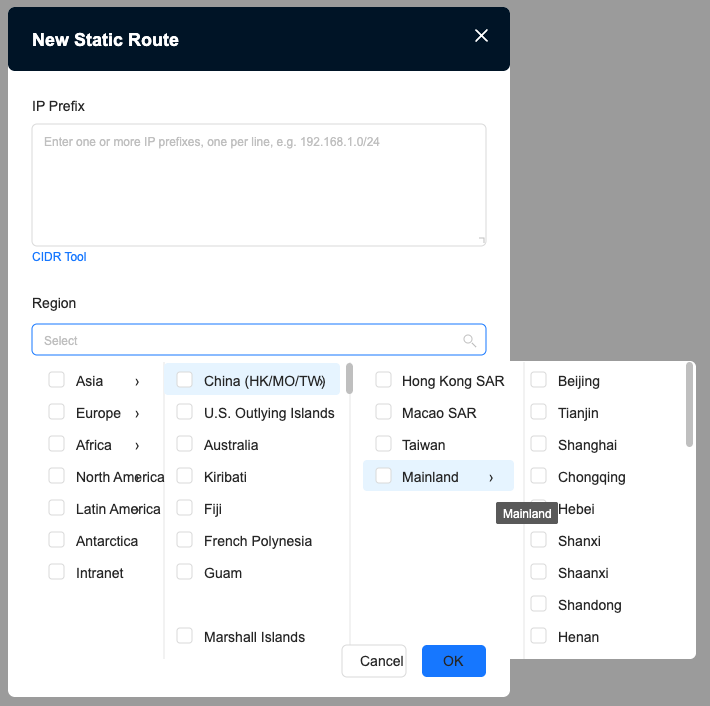
- IP prefix and region cannot be configured at the same time
- The device has certain restrictions on the entries configured in the area (100,000 entries)
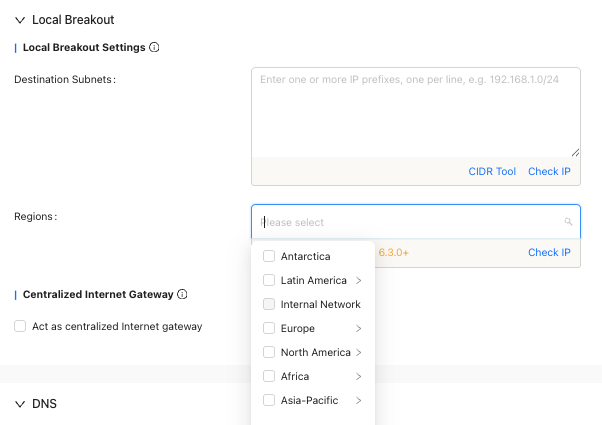
Local breakout configuration
Gateway Local breakout configuration page
"Tenant"→"Config"→"Network Service"→"Nova Gateways"→"Gateway Configuration"→"Local breakout"
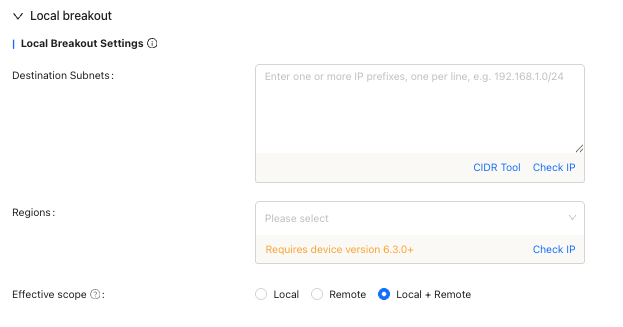
Site Local breakout configuration page
"Tenant"→"Config"→"Sites"→"Edit Site"→"VRF Configuration"→"Local Breakout"
Security Services
Custom intranet
"Tenant"→"Config"→"Sites"→"Edit Site"→"VRF Configuration"→"Security"→"Customized intranet address"
- Customized intranet configuration page

- Custom intranet can only be configured in site security
- Custom intranet entries support up to 50 entries
- The default custom intranet is as follows:
- 10.0.0.0-10.255.255.255
- 172.16.0.0-172.31.255.255
- 192.168.0.0-192.168.255.255
Security Service strategy
"Tenant"→"Config"→"Sites"→"Edit Site"→"VRF Configuration"→"Security Service Policy"
Security Service policy configuration page
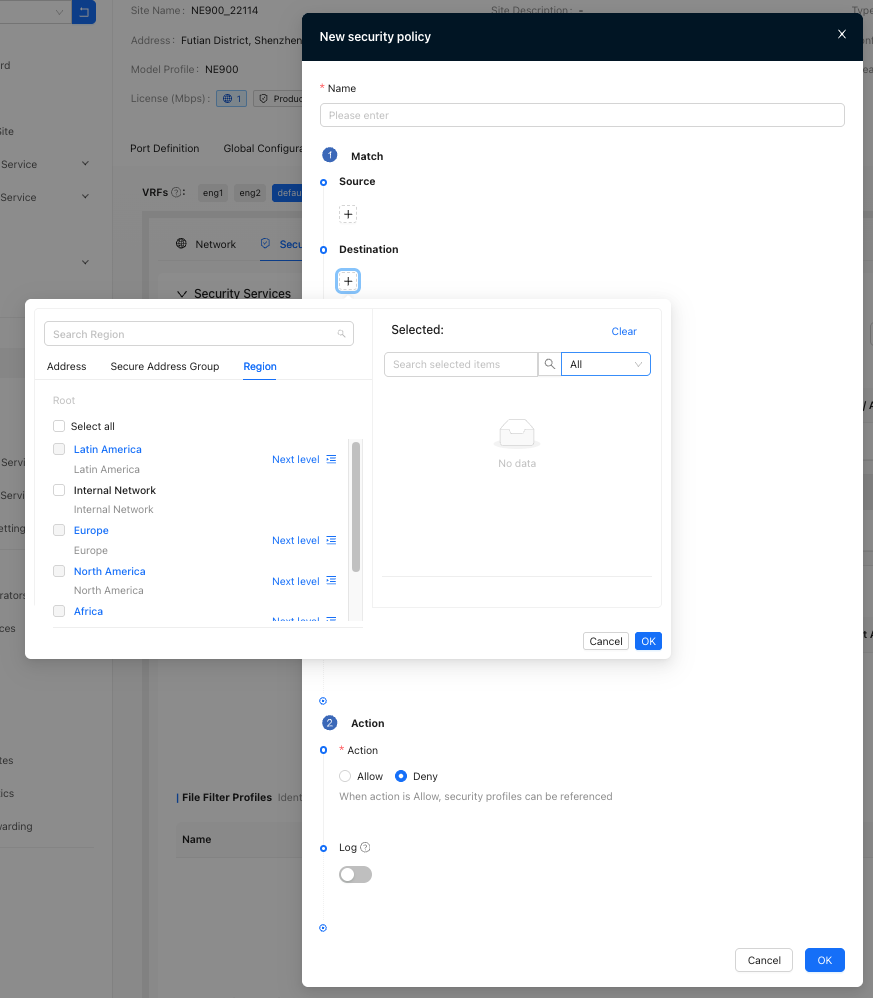
- Security Service policy source/destination support configuration area
- Up to 30 areas can be configured
- Continent cannot be selected for region
- Only one IP, Address Group, and region can be selected
Query the IP region
"Tenant"→"System"→"Diagnostics"→"IP Region Lookup"
- Example: Search, the results show Europe/Germany.

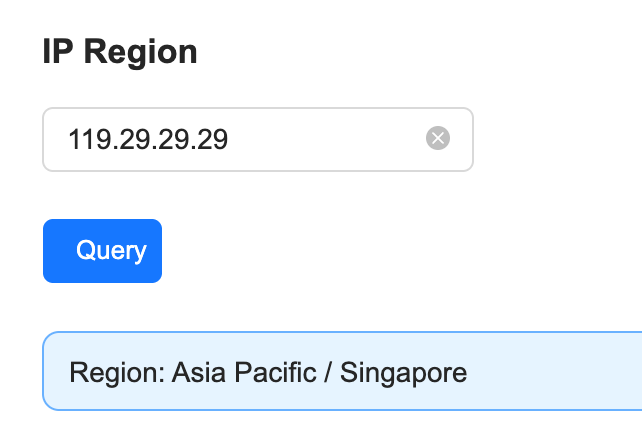
The region where the IP belongs shall be subject to the region where the IP belongs to when the tenant queries it. Taking 119.29.29.29 as an example, the address database query result is "Asia Pacific/Singapore"
💡Since some addresses use Anycast technology, it deploys the same IP addresses in multiple data centers around the world. When a user queries DNS, traffic is automatically routed to the closest server to reduce latency and speed up parsing. Therefore, the actual connected server location may be different from the home location of the IP address base query.
🌏 IP address libraries (such as WHOIS databases) are often based on registration information at the time the IP is assigned, but Anycast IPs are not assigned to a single physical location. For example, 119.29.29.29 may have servers in Hong Kong, Guangzhou, Singapore, etc., but the address database may only mark its main registration place (such as Singapore) or return results based on detection.

Address library version
"Tenant"→"Monitor"→"Sites"→"Site Detail"
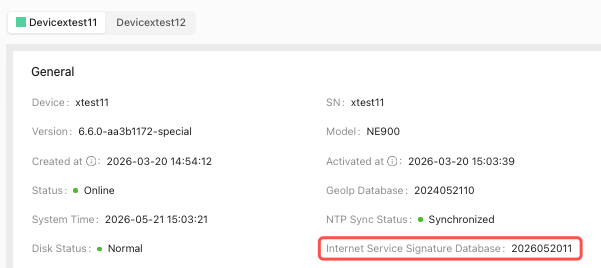
CPE/VPE address library version
System
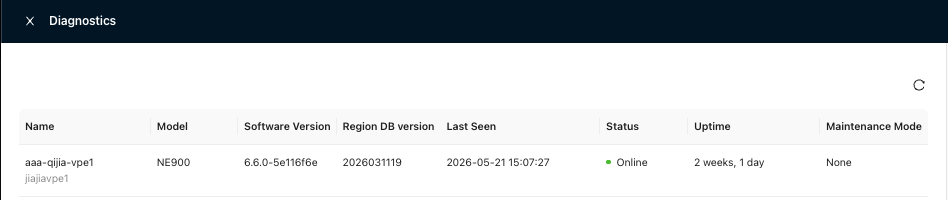
VPE address library version
Diagnostics
Active flows
"Tenant"→"Monitor"→"Sites"→"Operations"→"Traffic"→"Active Flows"
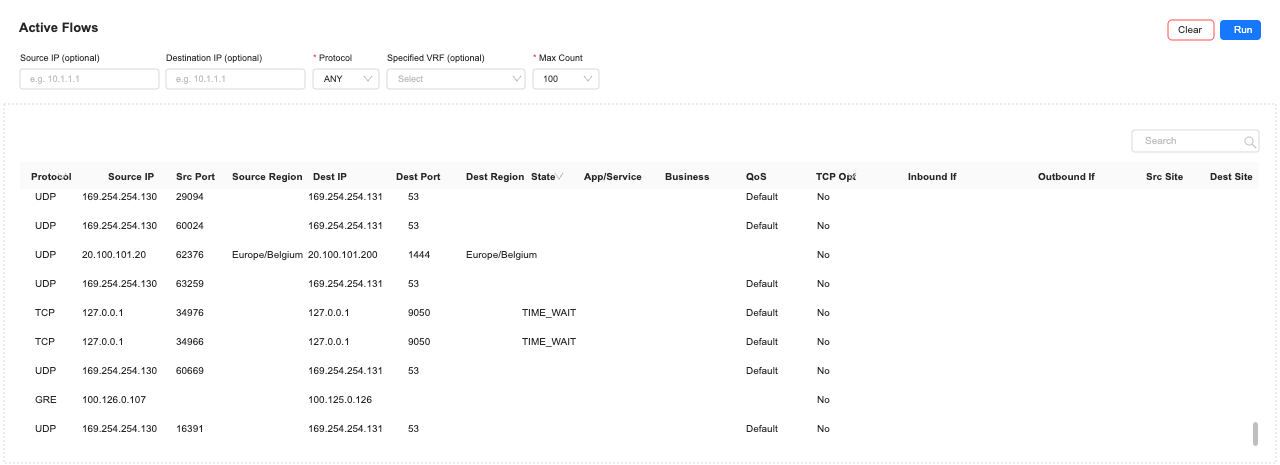
Site area address database monitoring page
"Tenant"→"Monitor"→"Sites"→"Site Detail"
Site traffic data country region
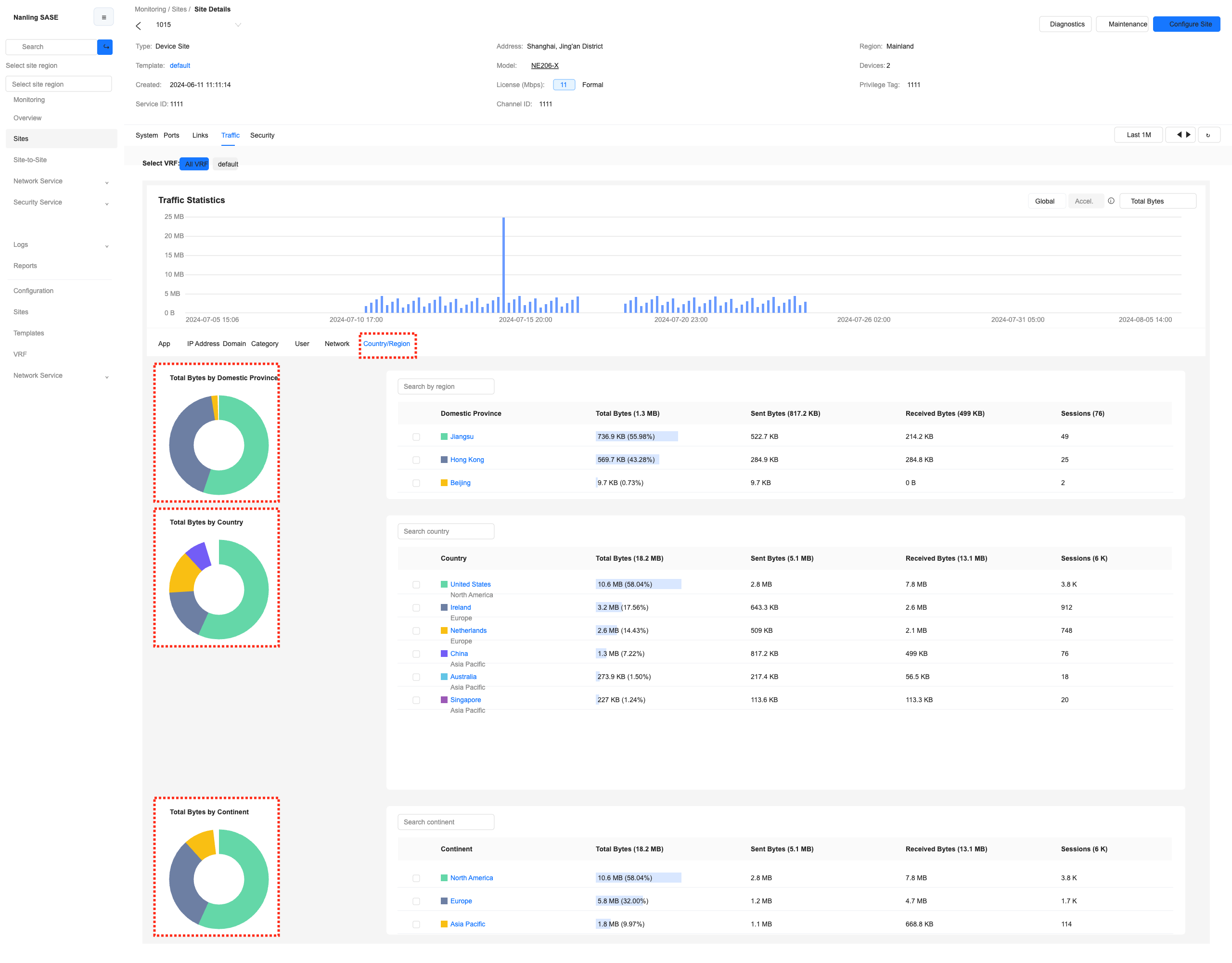
- You can view the traffic data of the country and region on the monitoring site traffic page.
- You can search by region/country/continent
- Click to see details of the country/region
Site security data country region
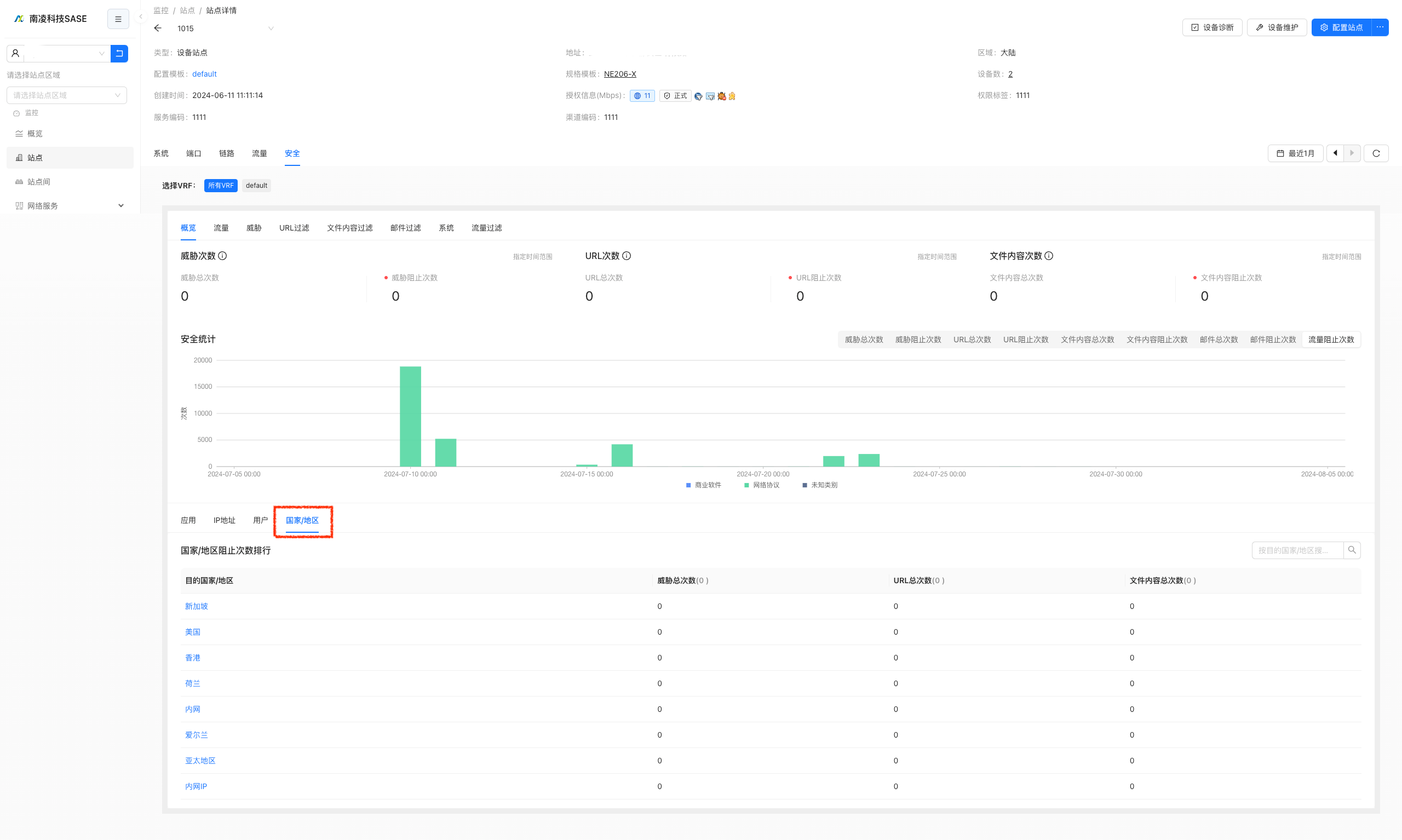
- Security data of countries and regions can be viewed on the monitoring site traffic page
- You can search by region/country/intranet
- Click to view the details of the country/region/intranet
Configuration scenario examples
VPE can refer to CPE configuration
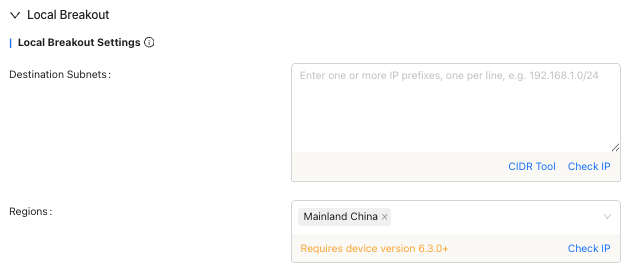
Scenario 1 Local breakout: Local outbound in mainland China
Scenario 2 Static route: overseas acceleration, United States->vrf United States; Singapore->vrf Singapore

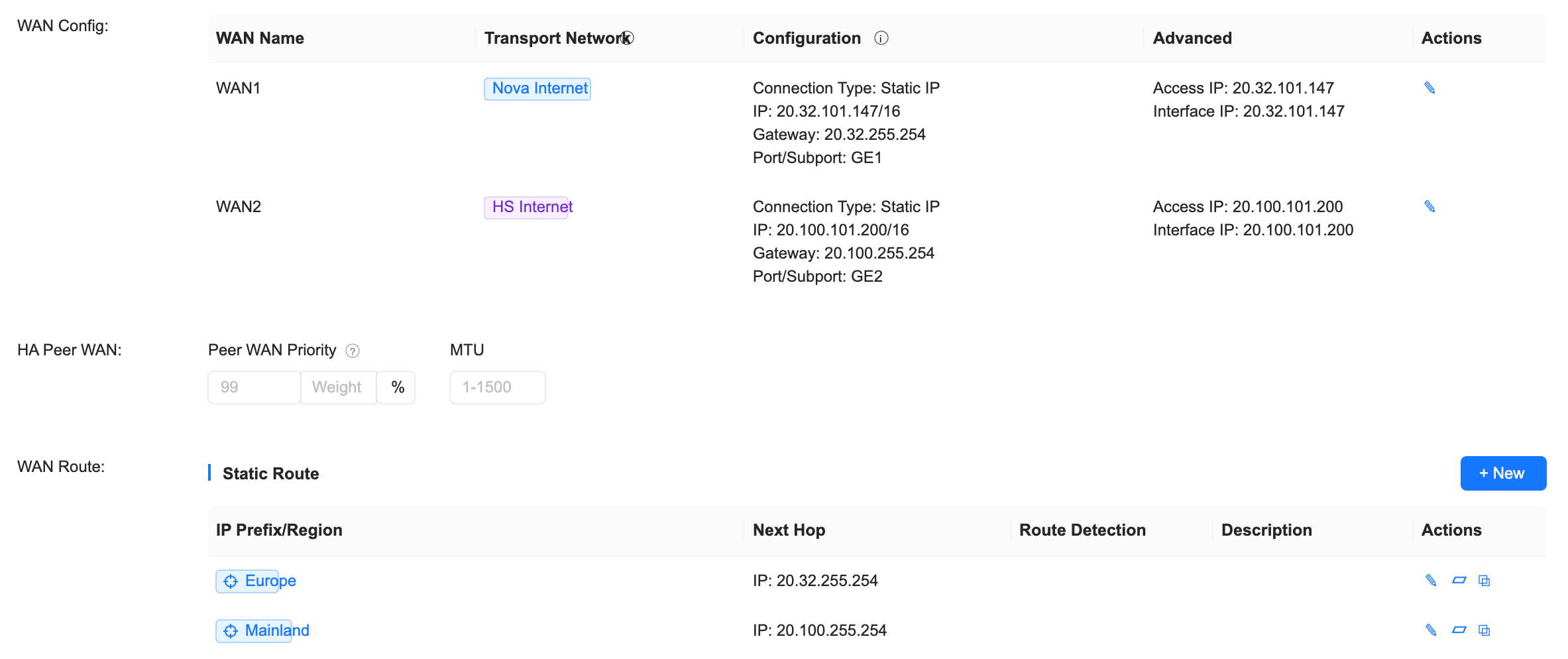
Scenario 3 WAN routing: Configure different areas according to different WANs
Scenario 4 Security Policy
Deny traffic originating from the United States/only allow access from Guangdong Province.

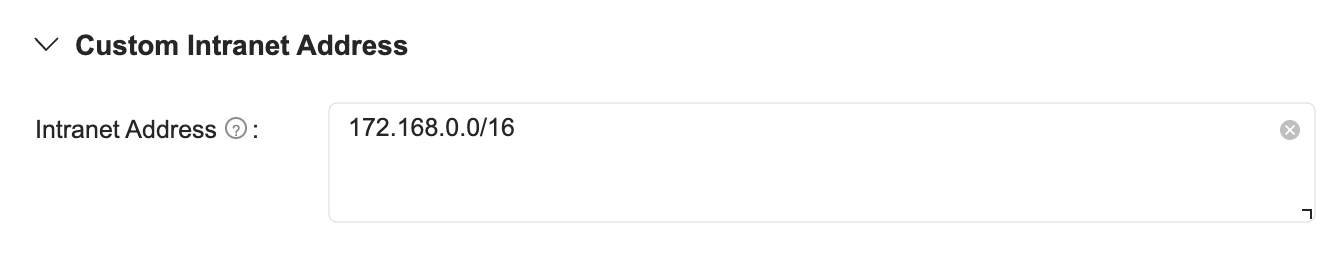
Custom intranet 172.168.0.0/16 is added as a custom intranet
Prevent monitoring statistics from being attributed to the US
Allow "intranet" addresses to access internal applications
