Cloud Environment HA Deployment
Cloud environment HA deployment
1. Baidu Cloud
1. Create a private network

2. Create a subnet
Take the specification template NE900-W-2L as an example to create subnets for the wan, lan, and ha interfaces.

3. Create a cloud server
Create two cloud servers, and select the newly created subnet lixiang-wan as the subnet.

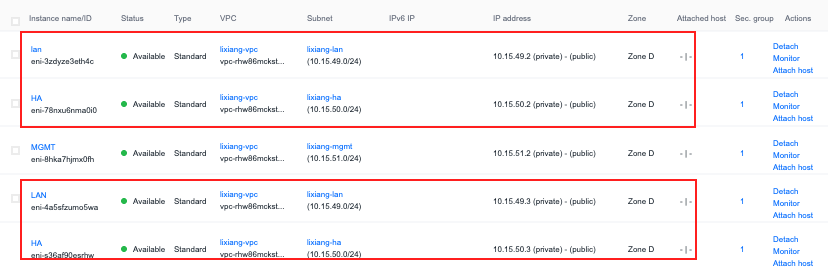
4. Create an elastic network card
Add elastic network cards for the lan port and ha port to the two servers respectively, and bind them to the servers.
5. Add a highly available virtual IP
- Create a highly available virtual IP, specify the network lixiang-vpc, select lixiang-lan for the subnet, specify the VIP address or automatically assign it
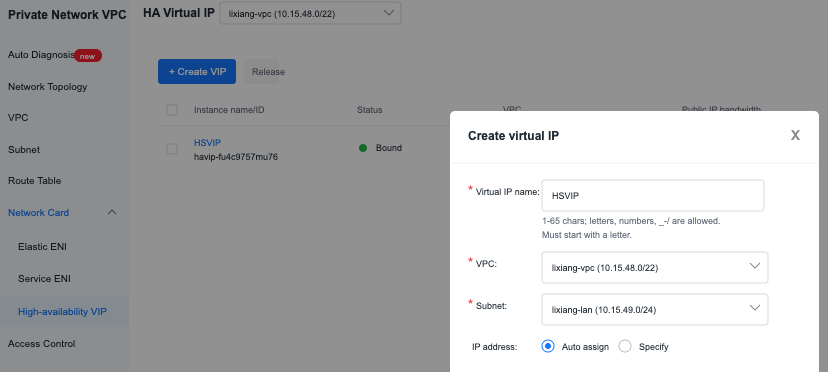
- Bind the high-availability VIP to the LAN network cards of the two vCPE devices (this IP is used as the ha lan port IP)

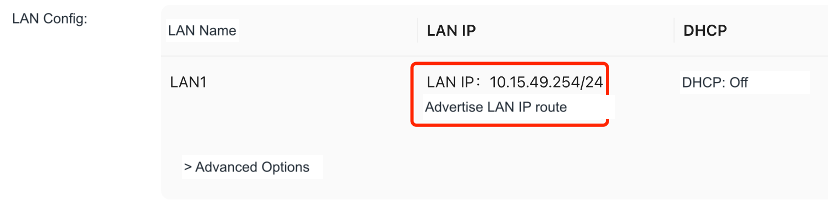
- Configure VIP as lan1 port IP in sdwan controller
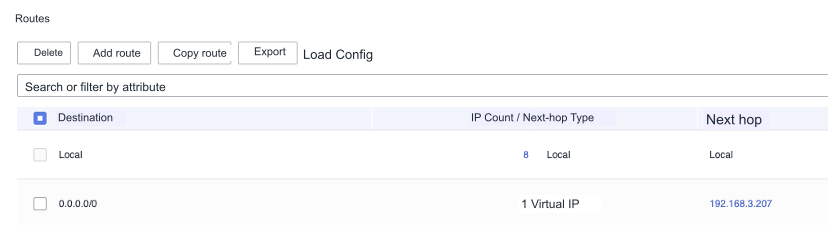
6. Routing table configuration
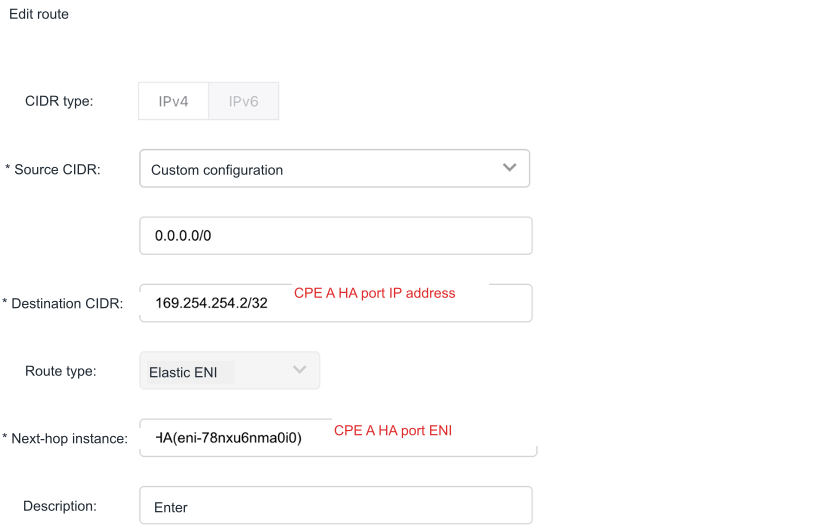
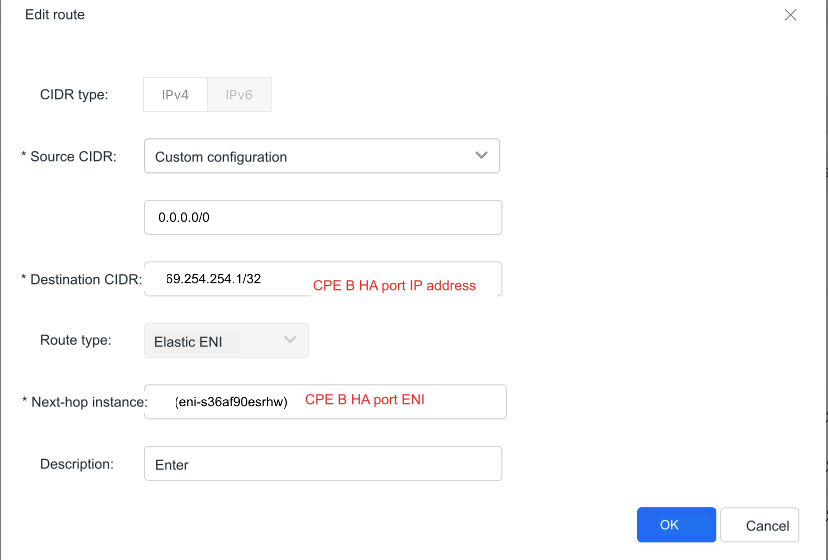
- Add a route so that the cpe ha port ip address can be communicated (after configuring cpe ha on the controller, log in to the active and backup devices to check the ha port ip address)

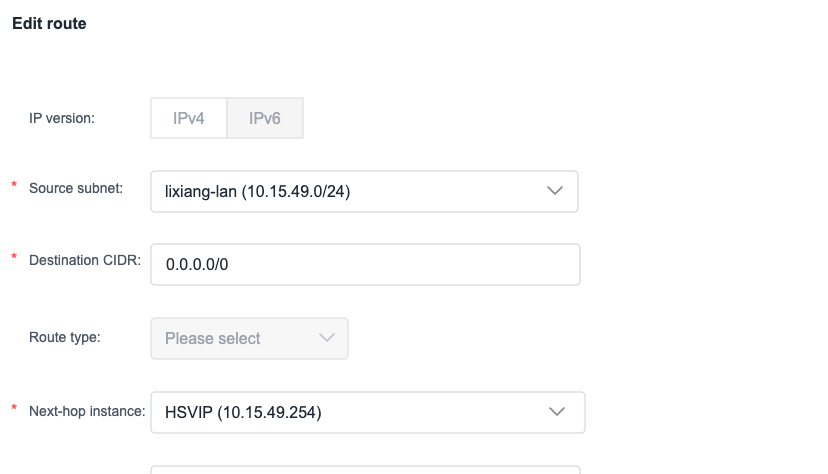
- Add routing so that lan subnet traffic is forwarded through vip
2. Alibaba Cloud
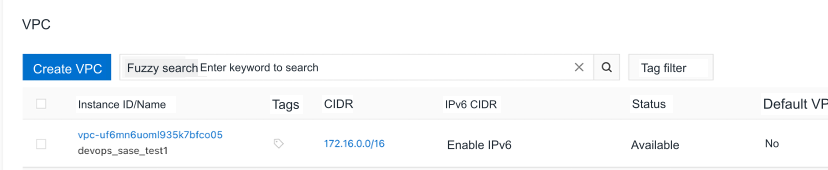
1. Create a private network
2. Create a switch
Take the specification template NE900-W-2L as an example to create subnets for the wan, lan, and ha interfaces.

3. Create a cloud server
Create two cloud servers and select the newly created subnet ha-wan as the subnet.

4. Create an elastic network card
- Add elastic network cards for the lan port and ha port to the two servers respectively, and bind them to the servers
- Add an auxiliary IP for the device Ha port network card (the Ha port auxiliary IPs of the main and backup devices need to be consecutive)
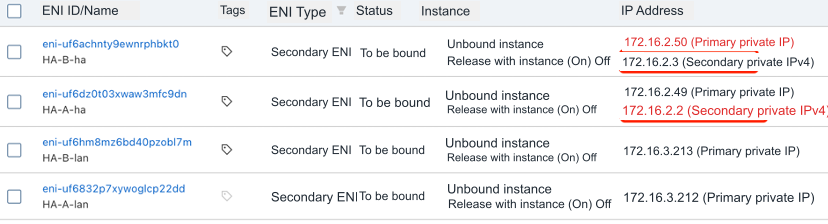
5. Controller configuration CPE ha port IP
Configuration->Site->Global Configuration, configure the HA network card auxiliary ip address as the HA port ip address
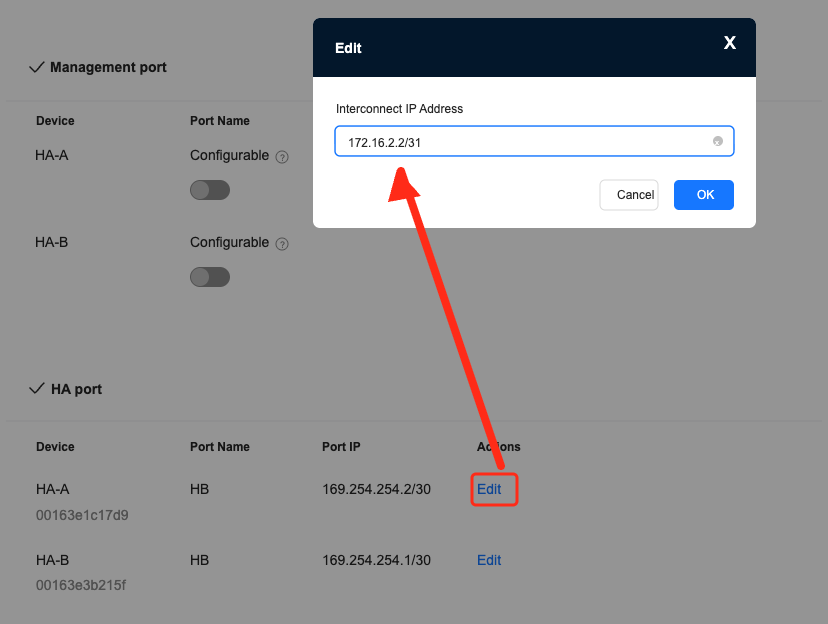
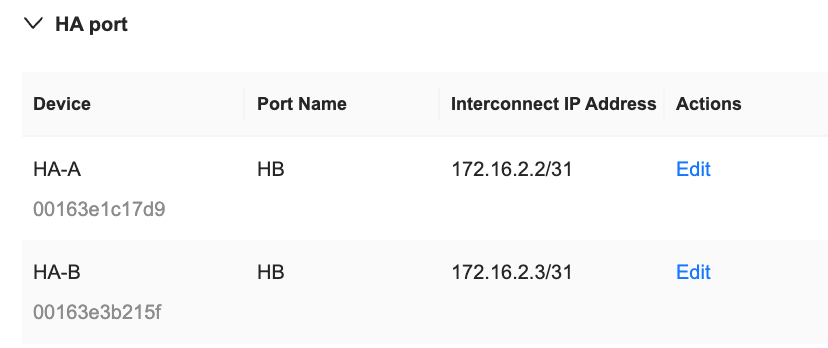
6. Add a highly available virtual IP
- Add high-availability virtual IP, select devop_sase_test1 for the private network, select ha-lan for the switch, specify VIP or automatically assign
- Bind two instances after successful creation
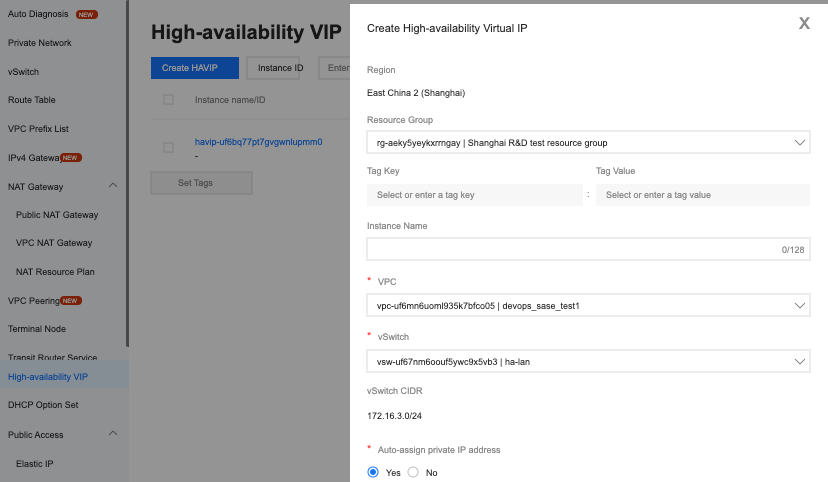
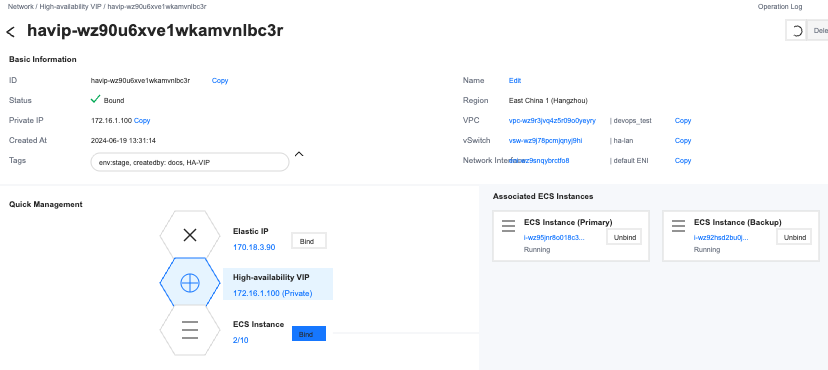
- Configure VIP in sdwan controller as lan1 port ip

7. Routing table configuration
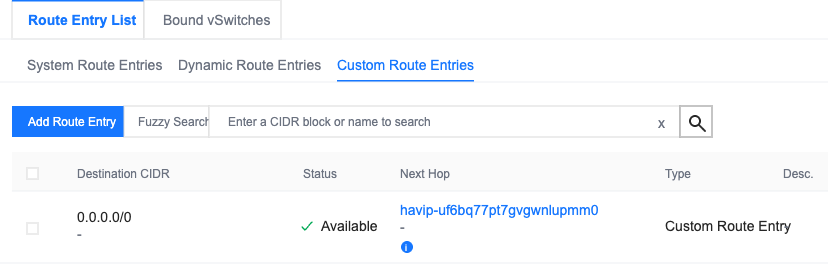
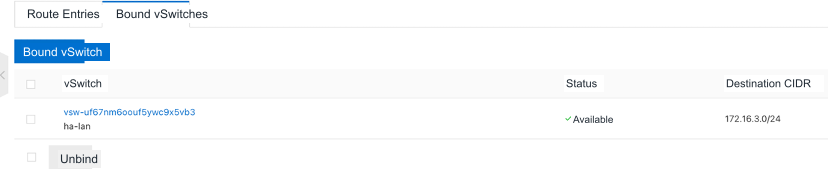
Add a default route and associate the routing table with the lan subnet so that lan subnet traffic is forwarded through VIP
3. Tencent Cloud
1. Create a private network

2. Create a subnet
Take the specification template NE900-W-2L as an example to create subnets for the wan, lan, and ha interfaces.

3. Create a cloud server
Create two cloud servers and select the newly created subnet HA-wan as the subnet.

4. Create an elastic network card
Add elastic network cards for the lan port and ha port to the two servers respectively, and bind them to the servers.
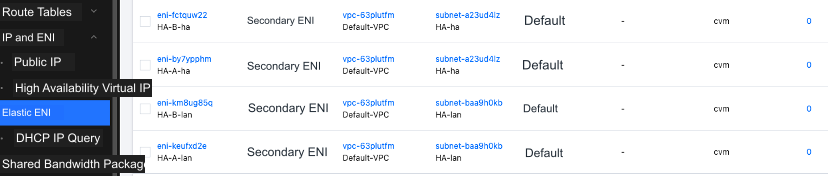
If the main IP address of the device's Ha port network card is continuous, there is no need to add a secondary IP. Just specify the main IP of the Ha port network card when the controller configures the Ha port IP address.
Add an auxiliary IP for the device Ha port network card (the Ha port auxiliary IPs of the active and backup devices need to be consecutive)
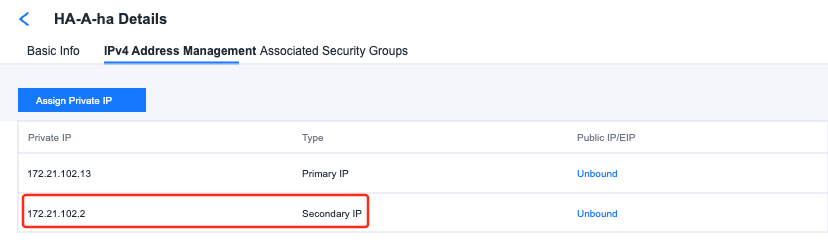
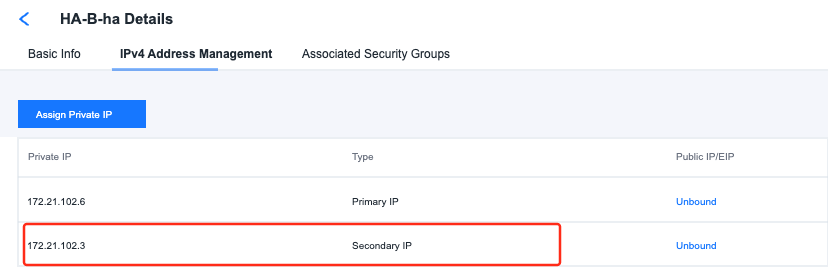
5. Controller configuration CPE ha port IP
Configuration->Site->Global Configuration, configure the HA network card auxiliary ip address as the HA port ip address
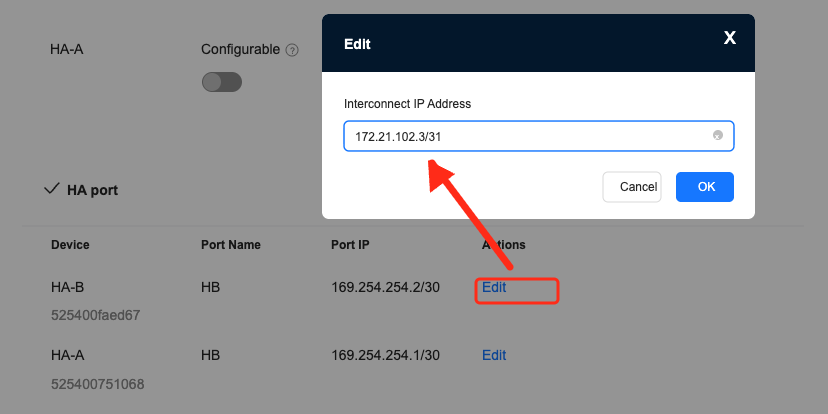
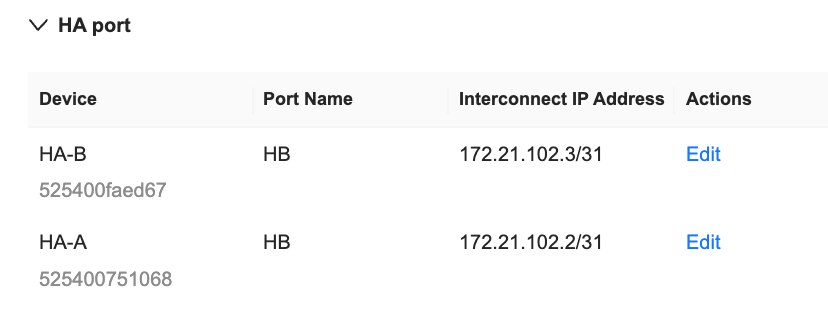
6. Apply for a high-availability virtual IP
- Add high availability virtual ip, select Default-VPC for private network, select Ha-lan for subnet, specify VIP or automatically assign Tencent Cloud high availability virtual IP does not need to be bound to the device network card
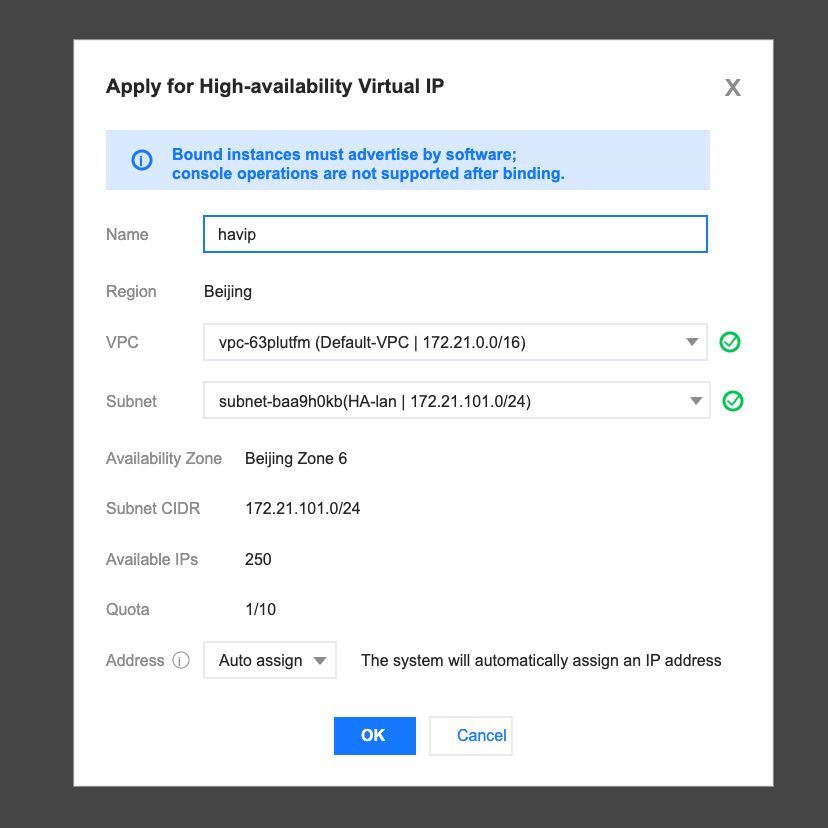
- Configure VIP in sdwan controller as lan1 port ip

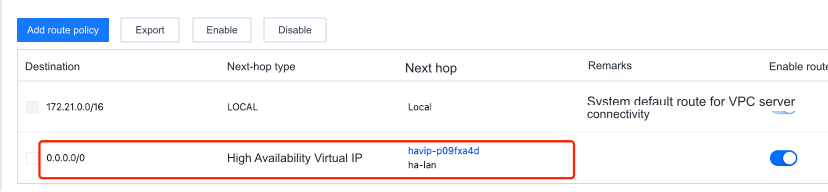
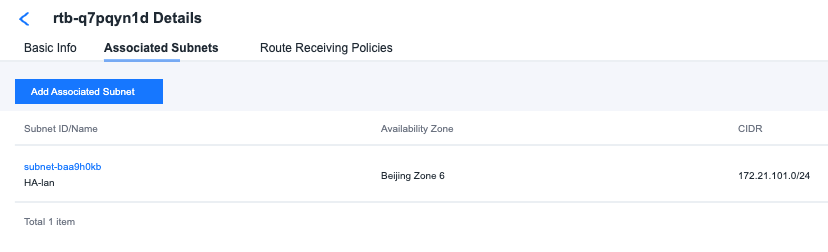
7. Routing table configuration
Add a default route and associate the routing table with the lan subnet so that lan subnet traffic is forwarded through VIP
4. Huawei Cloud
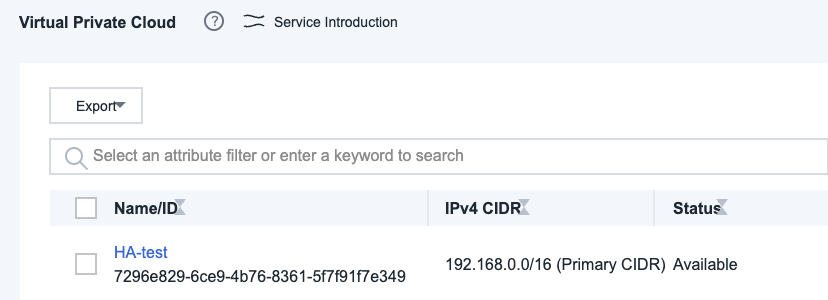
1. Create a virtual private cloud
2. Create a subnet
Take the specification template NE900-W-2L as an example to create subnets for the wan, lan, and ha interfaces.

3. Create a cloud server
Create two cloud servers and select the newly created subnet HA-wan as the subnet.
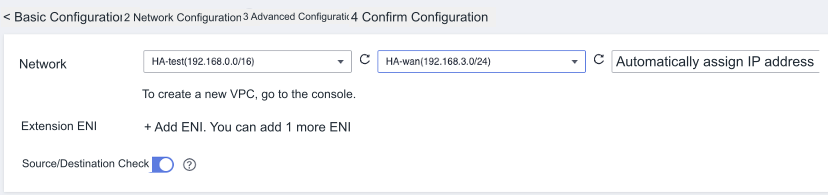
4. Create an elastic network card
- Add elastic network cards for the lan port and ha port to the two servers respectively, and bind them to the servers Huawei Cloud does not support adding auxiliary IP addresses to network cards. When creating a Ha port network card, you need to manually configure consecutive IP addresses.
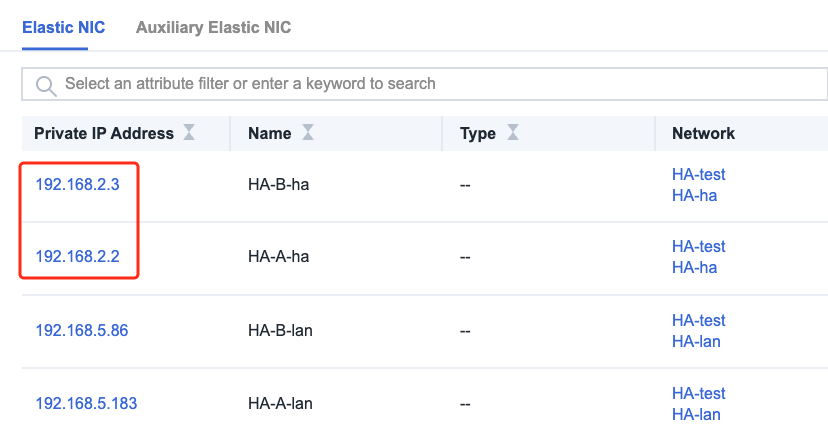
5. Controller configuration CPE ha port IP
Configuration->Site->Global Configuration, configure the ha network card ip address as the HA port ip address
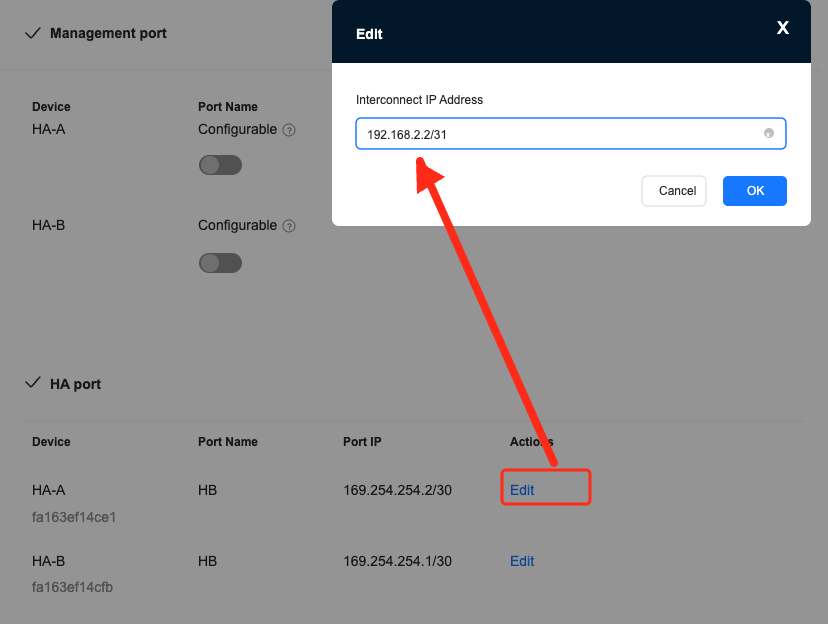
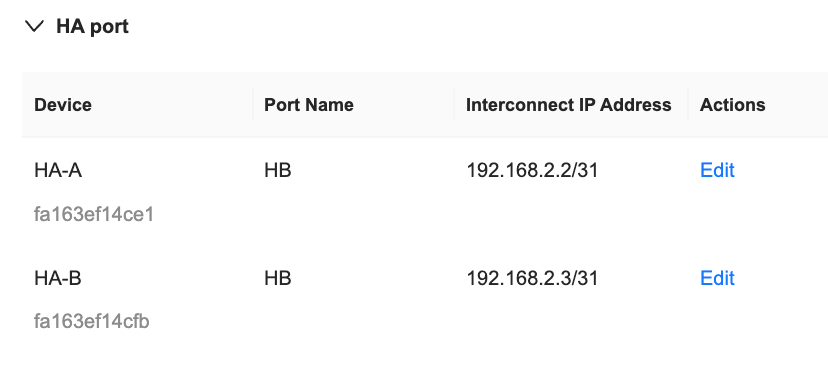
6. Add a highly available virtual IP
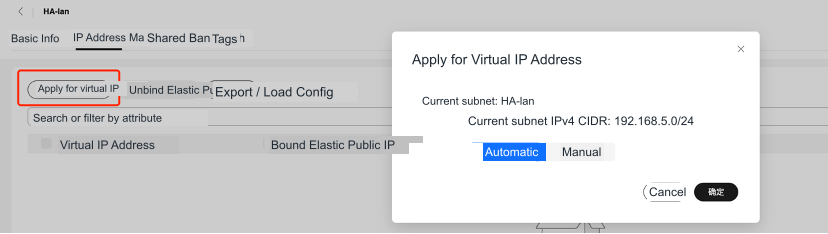
- Select subnet HA-lan, apply for high availability virtual IP, specify VIP or automatically assign
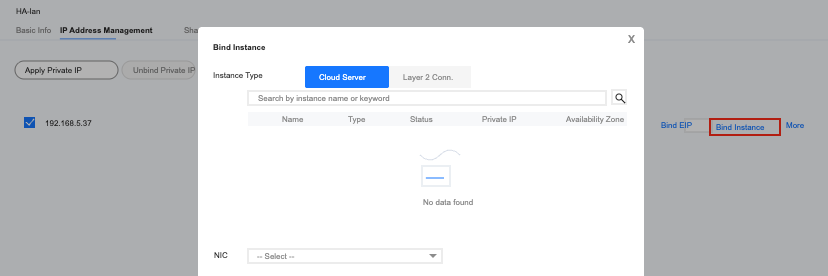
- After successful creation, click Bind Instance to bind the LAN network cards of the two cloud servers.
- Configure VIP in sdwan controller as lan1 port ip

7. Routing table configuration
Add a default route to forward lan subnet traffic through vip