Internet Service
Overview
Internet Service is used to identify and match Internet traffic by application, such as Office365, Windows Update, and TikTok. The system maintains matching conditions such as domains, IP addresses, protocols, and ports through the built-in Internet Service signature library. After Internet Service is enabled for a site, these services can be referenced by policy routing, SNAT, application firewall, business policy, DNS proxy resolution, and traffic tagging policies.
Internet Service Library
Tenant -> Network Service -> Network Object -> Internet Service
Internet Service Switch
Tenant -> Site -> Global Configuration -> Feature Switch -> Internet Service
Where It Is Used
After Internet Service is enabled, Internet services can be referenced in the following configurations:
| Function | Purpose | Configuration Entry |
|---|---|---|
| Policy Routing | Match traffic by Internet service and specify the next hop or outbound interface. | Site -> VRF Configuration -> LAN -> Policy Routing |
| Traffic Tagging Policy | Match traffic by Internet service and apply traffic tags. | Site -> VRF Configuration -> Business Policy -> Traffic Tagging Policy |
| Business Policy | Configure QoS rate limiting policies by Internet service. | Site -> VRF Configuration -> Business Policy -> Policy Rule |
| SNAT | Match traffic by Internet service and configure dynamic NAT, static NAT, or no translation. | Site -> VRF Configuration -> NAT -> SNAT |
| Application Firewall | Configure access control rules by Internet service. | Site -> VRF Configuration -> Firewall -> Application Firewall |
| DNS Proxy Resolution | Specify DNS proxy upstreams by specific Internet service. | Site -> VRF Configuration -> DNS |
Monitoring Information
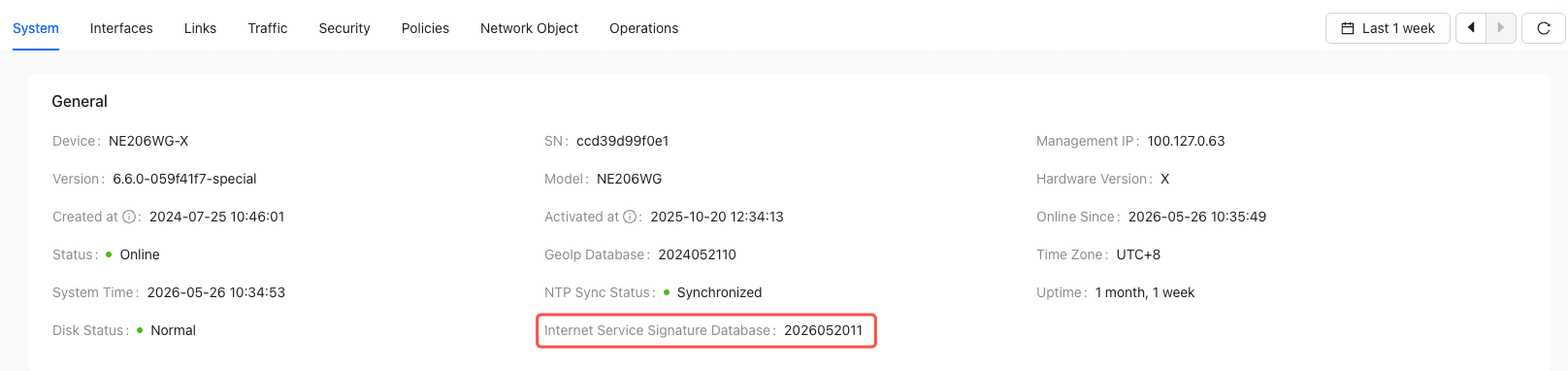
Internet Service Signature Library Version
Tenant -> Monitoring -> Site -> System
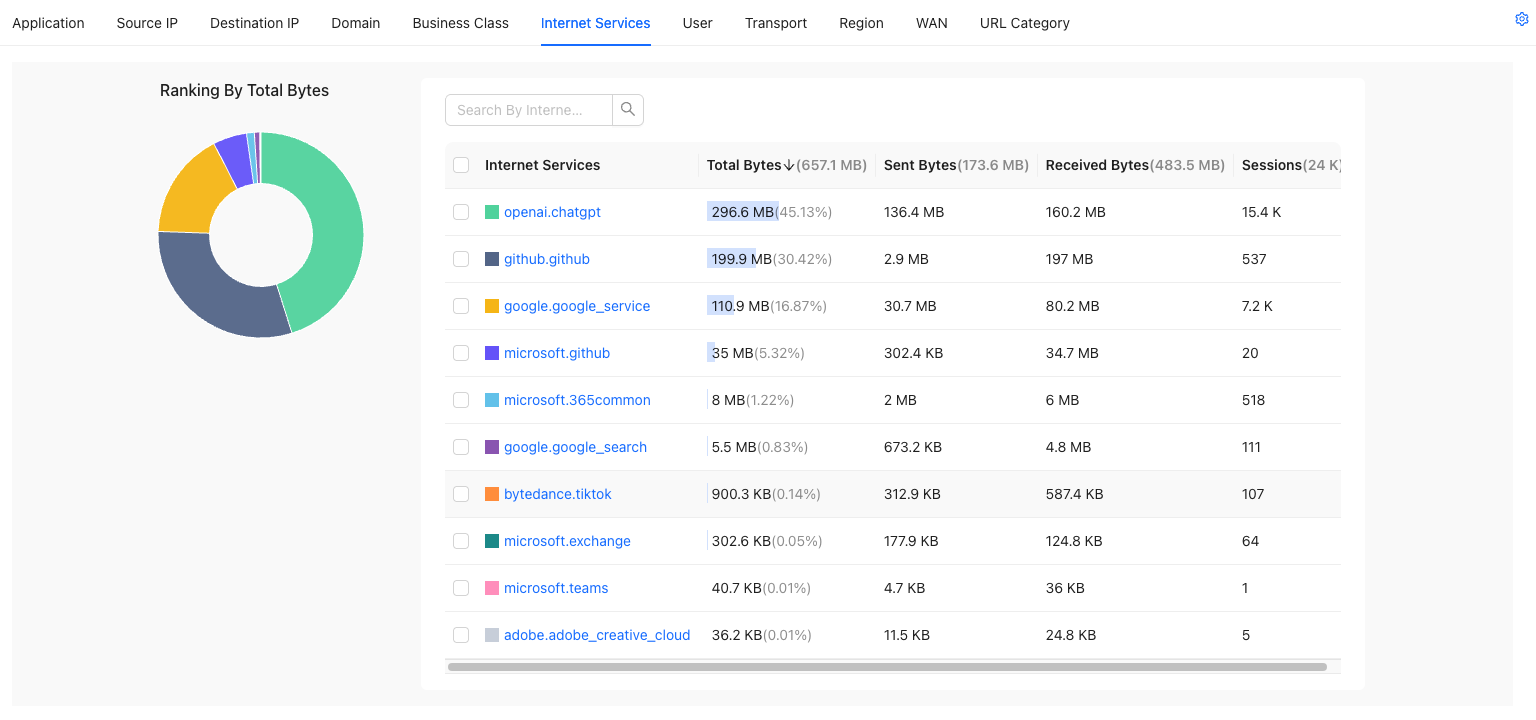
Traffic Monitoring
Tenant -> Monitoring -> Site -> Traffic -> Internet Service
Prerequisites
| Check Item | Requirement | Description |
|---|---|---|
| Device Version | 6.6.0 or later | If the version does not meet the requirement, the page displays a configuration exception prompt. |
| Site Switch | Internet Service is enabled | If it is not enabled, devices do not download the Internet Service signature library, and policies cannot reference Internet services. |
| Service Platform Reachability | Devices can access the Alibaba Cloud service platform | If the platform is unreachable, devices cannot download or update the Internet Service signature library. |
| DNS | DNS hijacking is enabled, or client terminals use the CPE as their DNS resolver. | Internet Service depends on the DNS identification path. Otherwise, correct first-packet matching cannot be guaranteed for all flows. |
If existing policies already reference Internet services, you cannot directly disable the Internet Service switch for the site. Remove the related policy references first, and then disable the capability.
Configuration Scenarios
Scenario 1: Route Traffic to a Specific Exit by Internet Service
The customer has multiple overseas exits. For example, the default exit is HK and another exit is JP, and Microsoft-related traffic is expected to use the JP exit.
Enable Internet Service for the Site
Tenant -> Configuration -> Site -> Edit Site -> Global Configuration -> Feature Switch
Enable Internet Service. After it is enabled, devices that meet the version requirement download the Internet Service signature library.
Configure a DNS Proxy Resolution Policy for Internet Service
Tenant -> Configuration -> Site -> Edit Site -> VRF Configuration -> DNS -> DNS Proxy Resolution Policy
Create a DNS proxy resolution policy, select the Internet services that need to be proxied, such as Microsoft.365common and Microsoft.copilot, and configure the proxy DNS server.
Configure Policy Routing to Reference Internet Service
Tenant -> Configuration -> Site -> Edit Site -> VRF Configuration -> LAN -> Policy Routing
Create a policy route. In the match conditions, select the Internet services that need to be routed separately, such as Microsoft.365common and Microsoft.copilot, and select the target exit as the next hop or interface.
After a policy route matches an Internet service, the device identifies the corresponding traffic based on the Internet Service signature library and forwards the traffic along the path specified by the policy.
Verify the Routing Result
After saving and deploying the configuration, verify the result with real service access. Do not rely only on ping to determine whether the rule is matched, because Internet Service rules usually depend on domains, IP addresses, protocols, and ports at the same time.
Scenario 2: Rate Limit by Internet Service in Business Policy
The customer wants to limit the bandwidth consumed by non-critical applications, such as Windows Update traffic, to avoid affecting office systems.
Configure a Business Policy to Reference Internet Service
Tenant -> Configuration -> Site -> Edit Site -> VRF Configuration -> Business Policy -> Policy Rule
Create a QoS rate limiting rule, select Windows Update as the Internet Service match condition, and then configure the bandwidth limit, priority, or rate limiting parameters.
Scenario 3: Allow or Block Traffic by Internet Service in Application Firewall
The customer wants to perform security control by SaaS application, such as blocking TikTok or restricting access to AI tools.
Configure an Application Firewall Policy
Tenant -> Configuration -> Site -> Edit Site -> VRF Configuration -> Firewall -> Application Firewall
Create an application firewall rule, select a specific Internet service as the match condition, and set the action to deny according to the service requirement.
Notes
Internet Service Updates, Renames, and Deprecation
The Internet Service library is updated as application vendors change their domains, IP addresses, ports, and protocols. Users need to pay attention to four types of changes: new services, rule updates, application renames, and application deprecation.
| Change Type | User-Visible Behavior | Recommended Action |
|---|---|---|
| New Application | A new application appears in the service list and can be selected by new policies. | After uploading the resource package, wait for devices to synchronize, and then configure policies. |
| Domain or IP Update | Policies that reference the application automatically use the new rules. | Verify the signature library version and whether the target service traffic is matched again. |
| Application Rename | The Internet service with the old name is deprecated. Existing policies that reference the old name can still match traffic. | Use the new name for new policies, and gradually migrate old policies during a maintenance window. |
| Application Deprecation | The frontend no longer allows new configurations to reference the service, and the deprecated Internet service is no longer matched. | When editing existing policies, remove the deprecated service reference before saving. |
- Internet Service is enabled at the site level. Internet Service-related configurations are no longer maintained in network templates. Enable and reference Internet Service in site configuration.
- Internet Service mainly identifies traffic based on domains, IP addresses, protocols, and ports. In scenarios where multiple applications share the same CDN or must rely on SNI for differentiation, Internet Service alone may not be able to distinguish the applications precisely.