Supports Viewing Traffic Details from the WAN Dimension
info
- Function: Site Network Traffic, new WAN dimension
- Statistics include: tunnel traffic on WAN port and local Internet traffic
- The HA master device establishes a tunnel from the backup device WAN through the heartbeat cable, and Network Traffic are in the backup device WAN; and vice versa.
- The device version needs to be 6.4.0 or above
Instructions for use
Scenario 1: Different transport network traffic on the same WAN
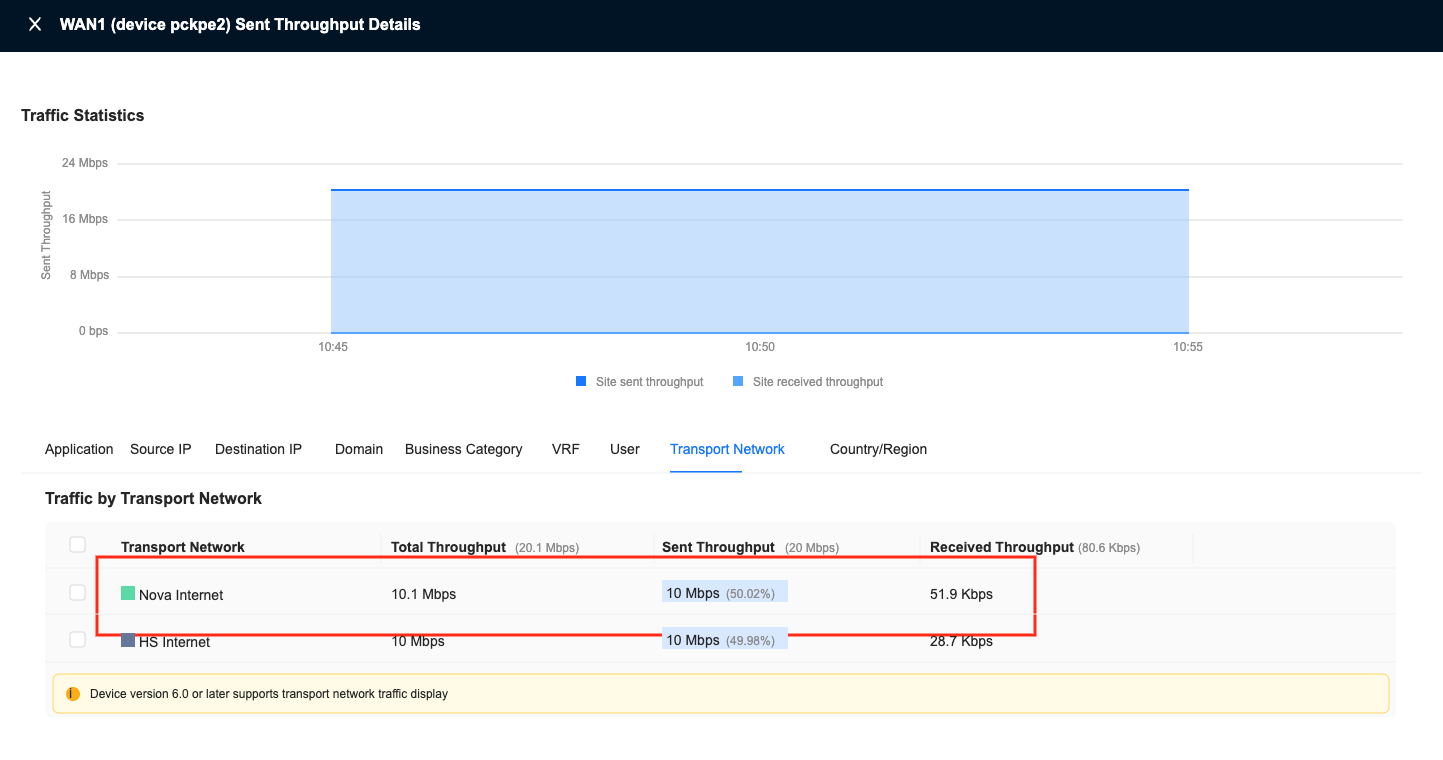
Scenario description: Site WAN1, there are also transmission networks: Nova Internet and HS Internet. Each of the two transmission networks has 10M sending throughput.
- Enter: Monitoring-Site Details-Traffic-WAN, filtering time and sending throughput. You can see that there is a total of 20M sending throughput on WAN1
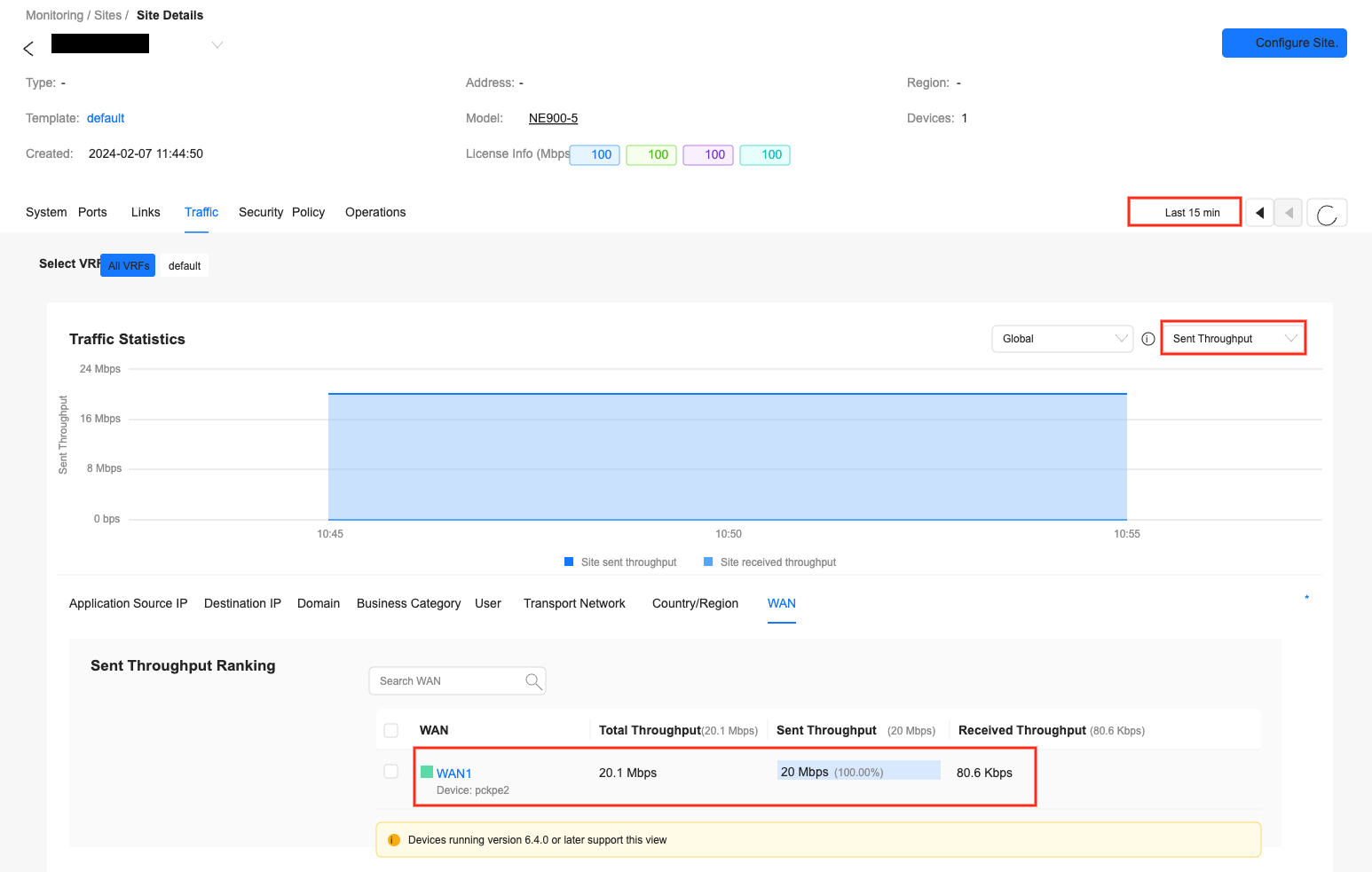
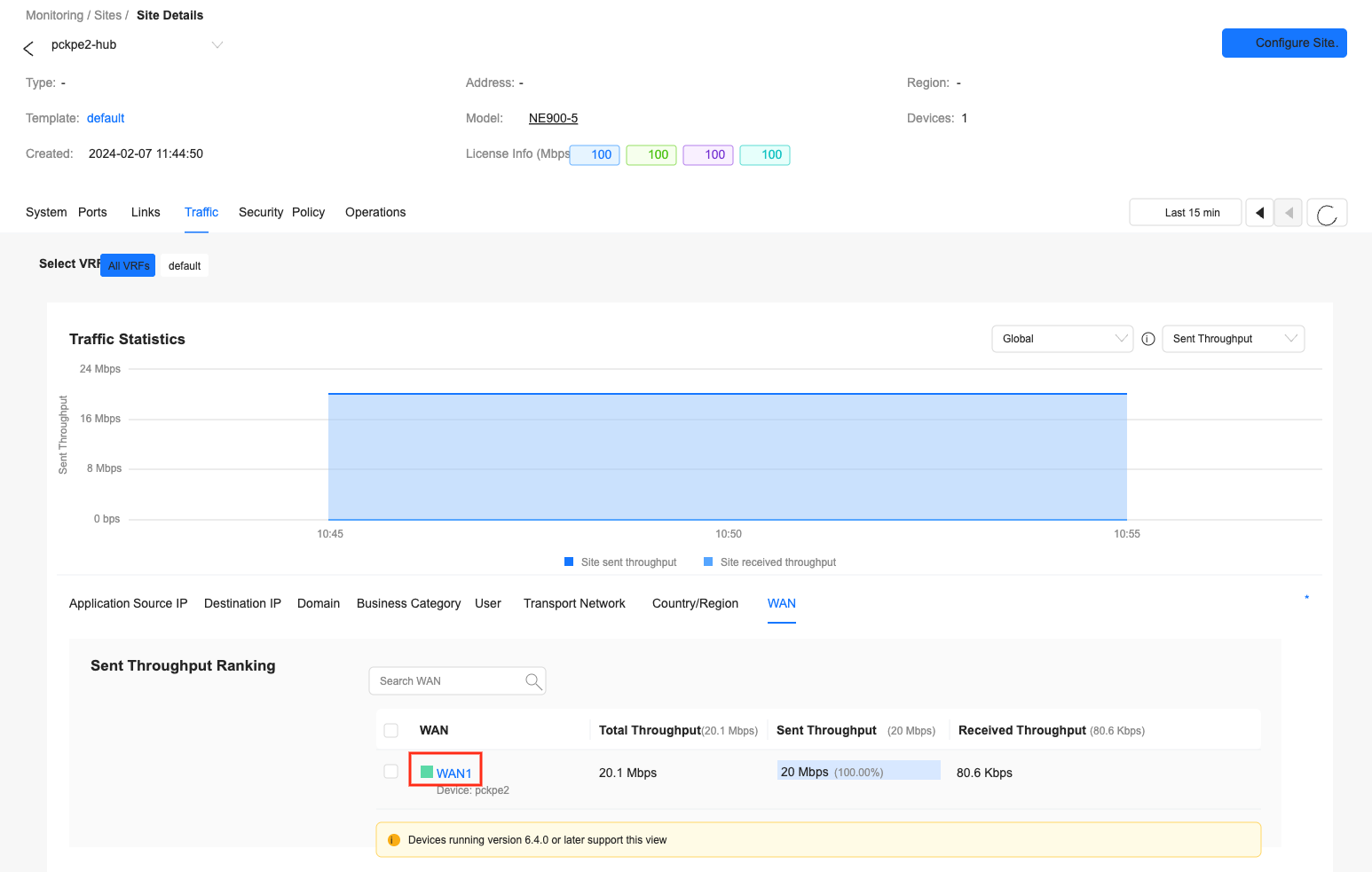
- Click the WAN1 icon to enter the details interface
- Switch to the "Transmission Network" tab, you can see that there are 10M traffic on each of the two transmission networks.
Scenario 2: Tunnel traffic and local Internet traffic on the same WAN
Scenario description: Site WAN1 has both Nova Internet tunnel and local Internet, each with 10M send throughput
- Enter: Monitoring-Site Details-Traffic-WAN, filter time, global, send throughput, you can see that there is a total of 20M send throughput on WAN1
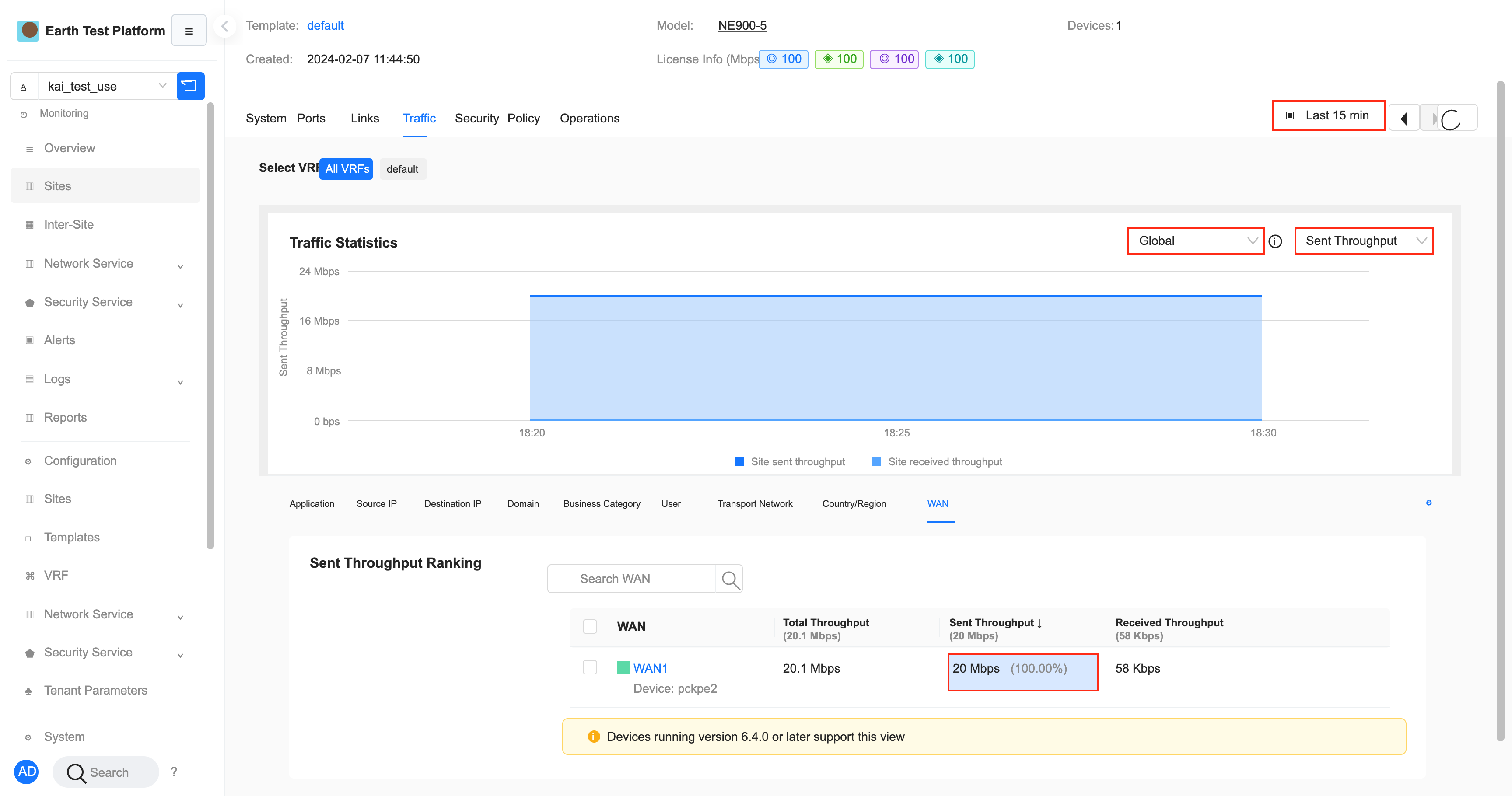
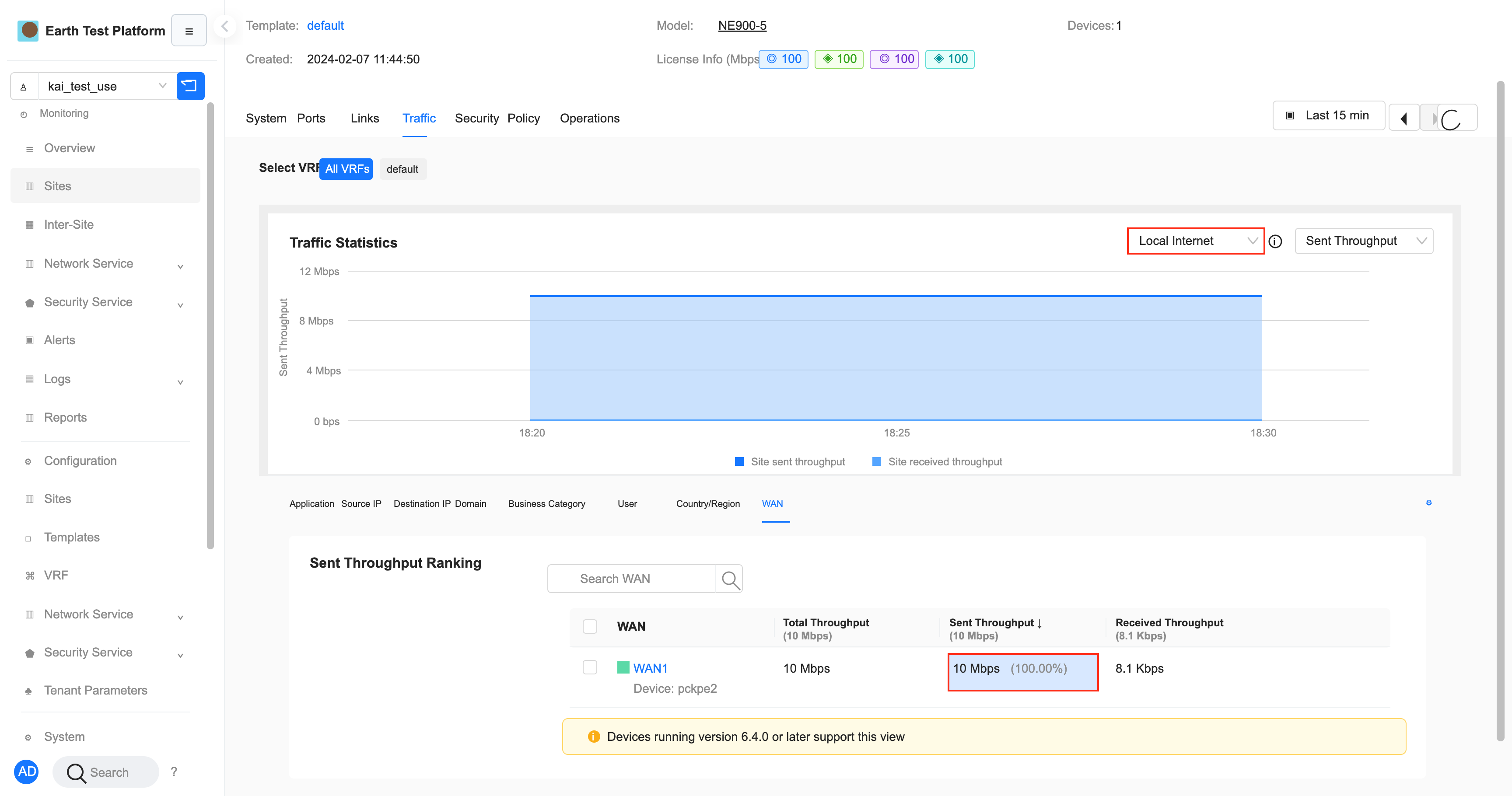
- Switch to "Local Internet" and see that the local Internet on WAN1 has 10M sending throughput
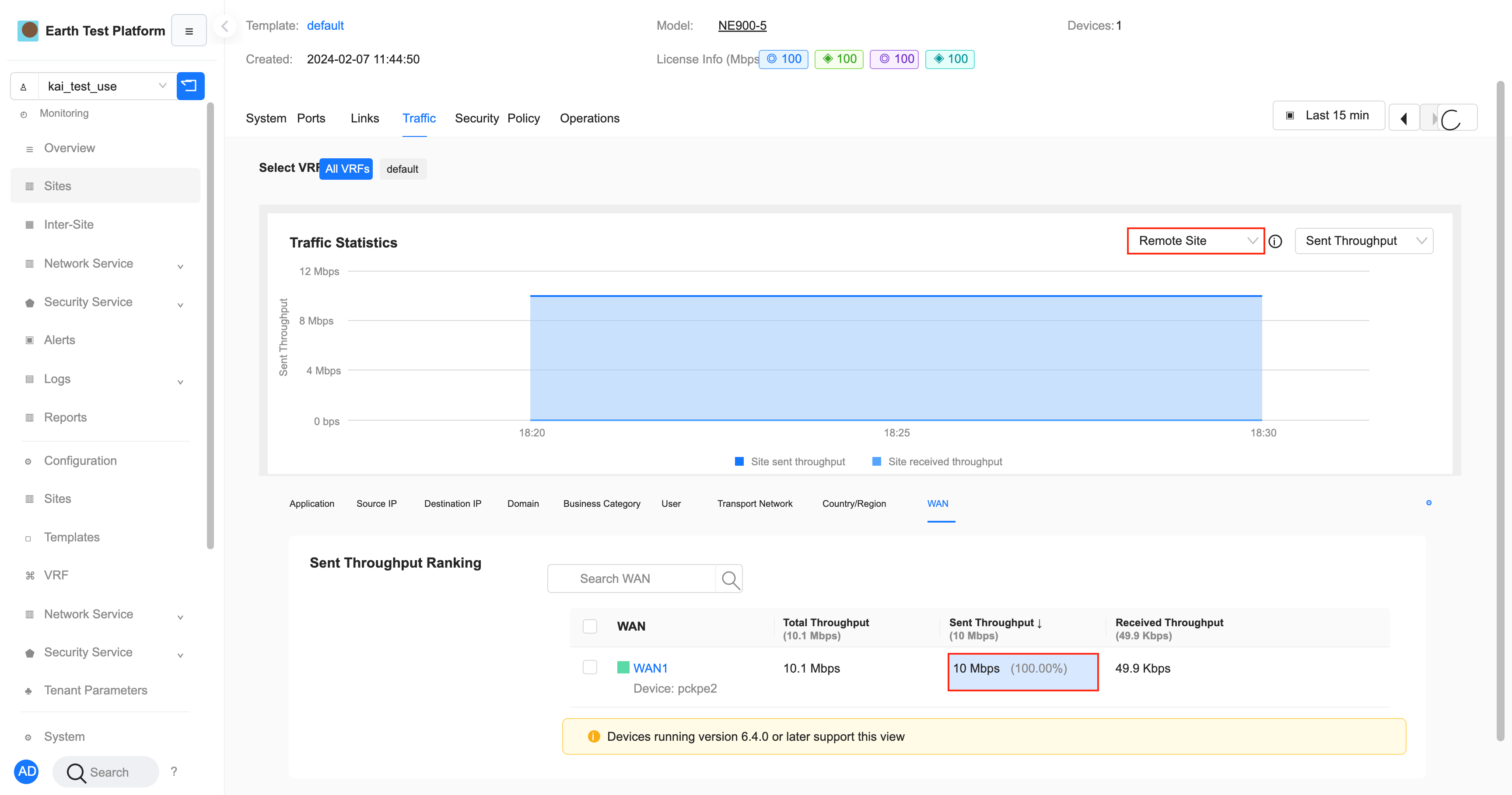
- Switch to "Remote Site" and see that the tunnel on WAN1 has 10M sending throughput
Scenario 3: View WAN information in other dimensions
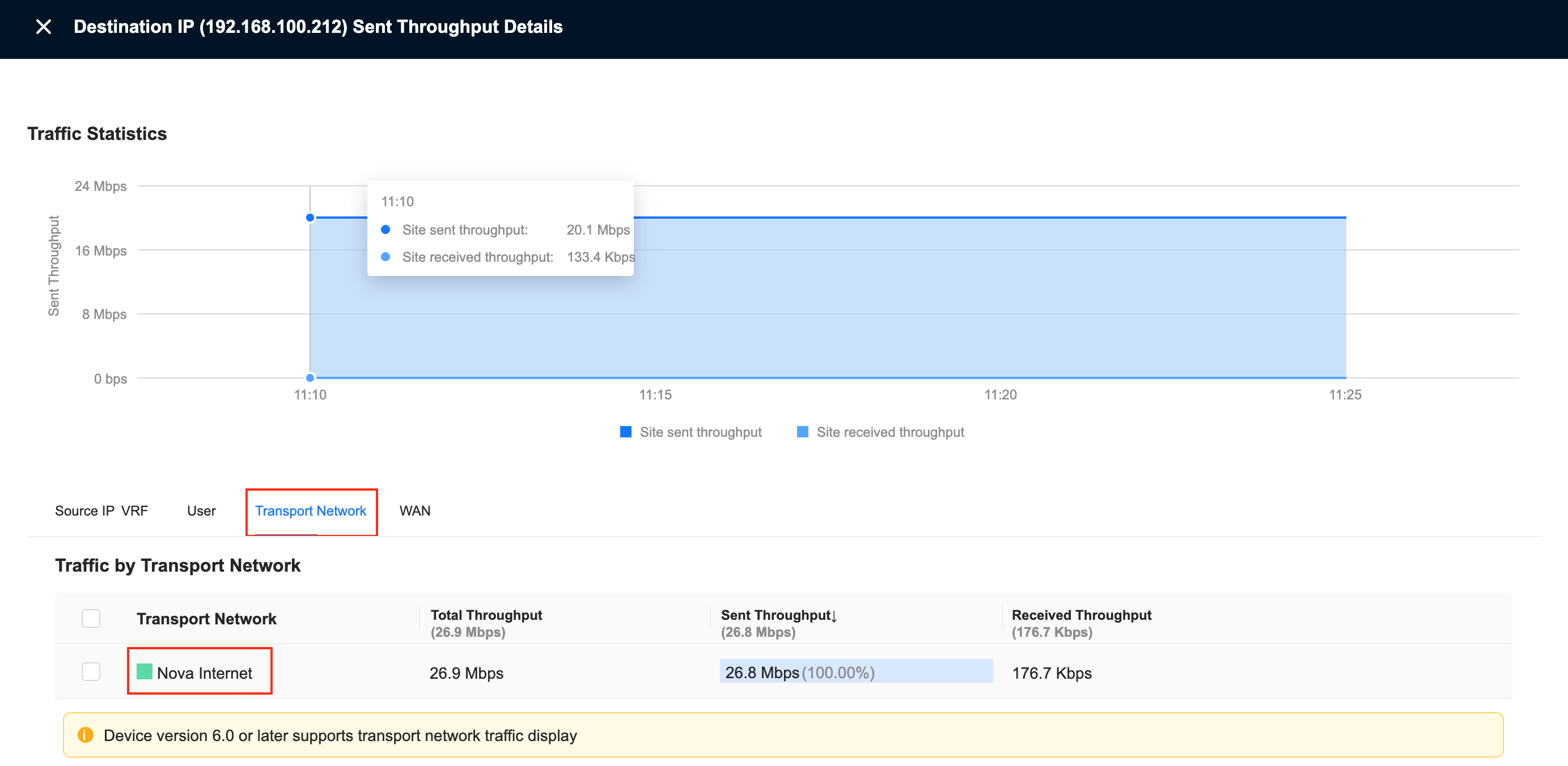
Scenario description: Use the top1 of the destination IP in Network Traffic to check which WAN the traffic goes to.
- Enter: Monitoring-Site Details-Traffic-Destination IP, filtering time and sending throughput, click the icon in the first row of the destination IP to enter the destination IP details interface
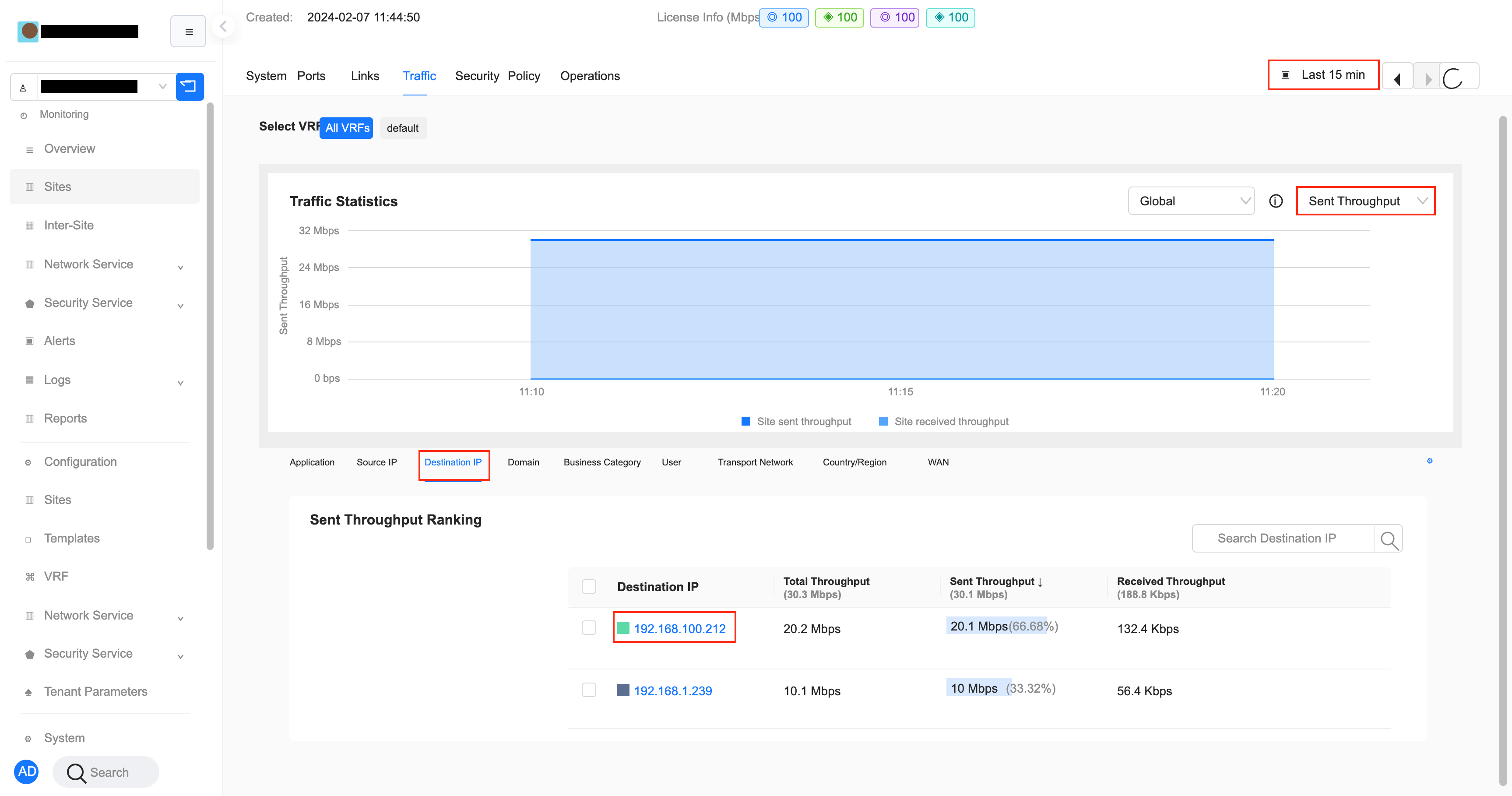
- Switch to the WAN tab and see that the traffic is generated by WAN1
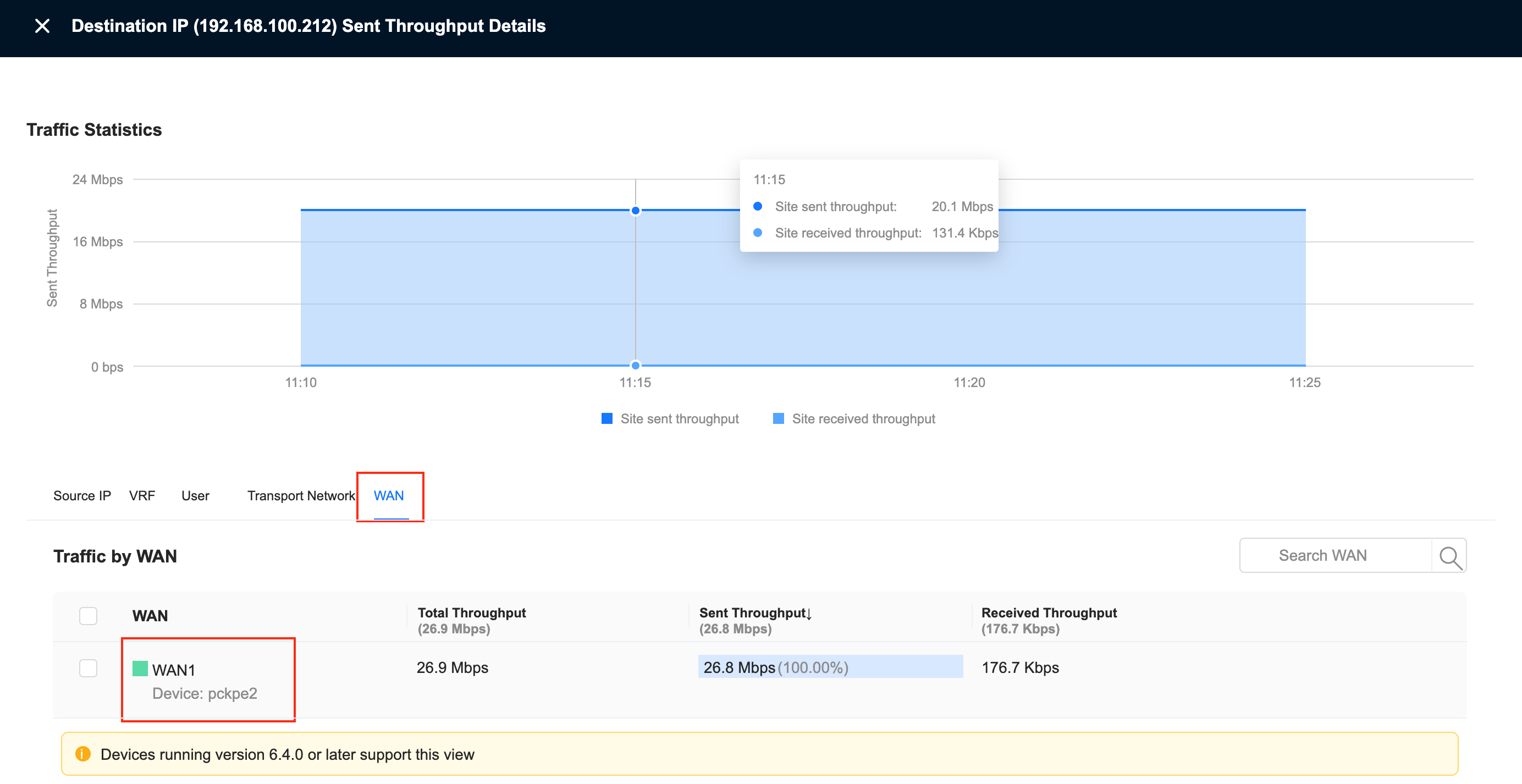
- Switch to the transmission network tab and you can see the specific transmission network information, indicating that the traffic is generated by the tunnel.