Address Group can reference other address groups
Configuration interface
- When creating or editing an Address Group, you can set the reference Address Group
- includes: v4 Address Group, v6 Address Group
- can reference multiple address groups
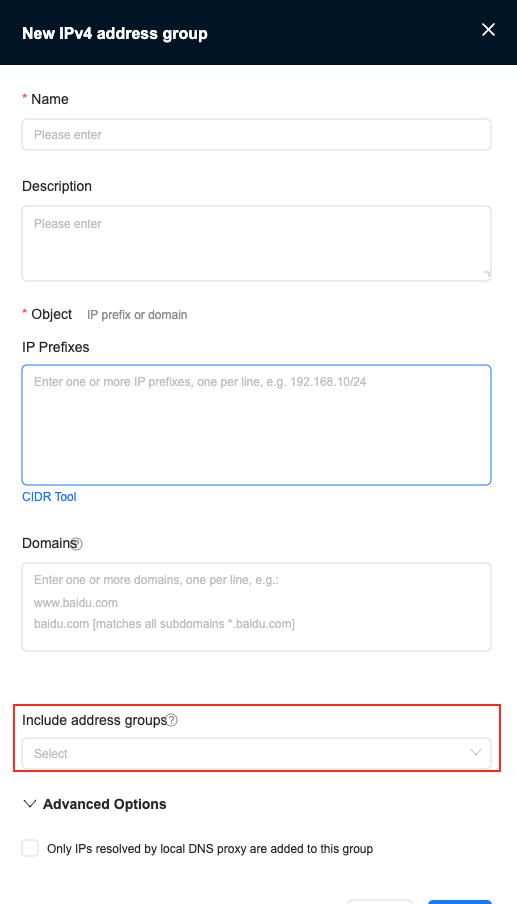 Figure: When creating a new v4 Address Group, configure the reference Address Group
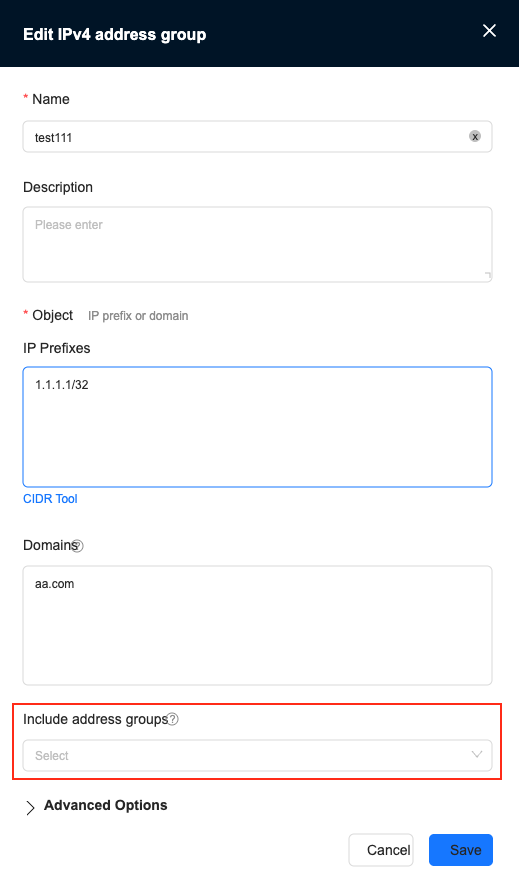 Figure: When editing the v4 Address Group, configure the reference Address Group
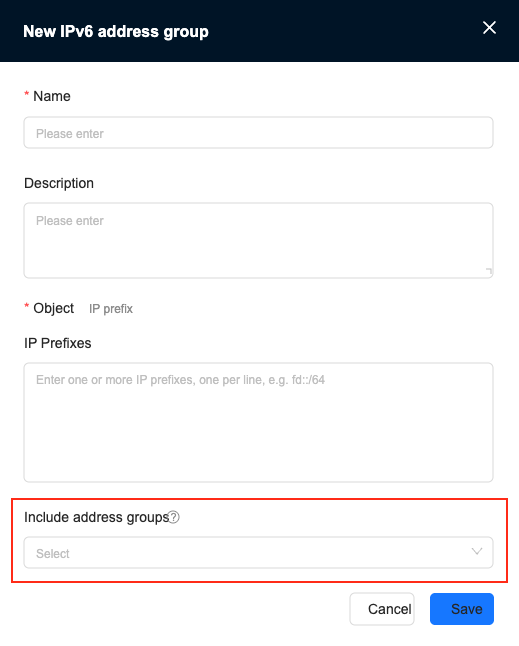 Figure: When creating a new v6 Address Group, configure the reference Address Group
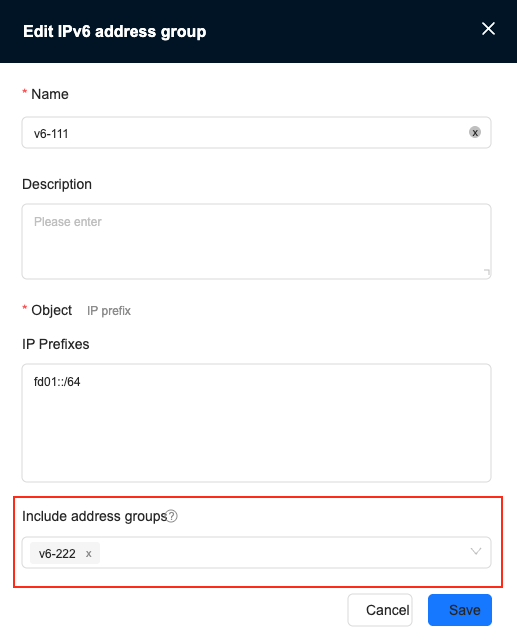 Figure: When editing the v6 Address Group, configure the reference Address Group
Not supported
- Mutual references and secondary references of address groups are not supported
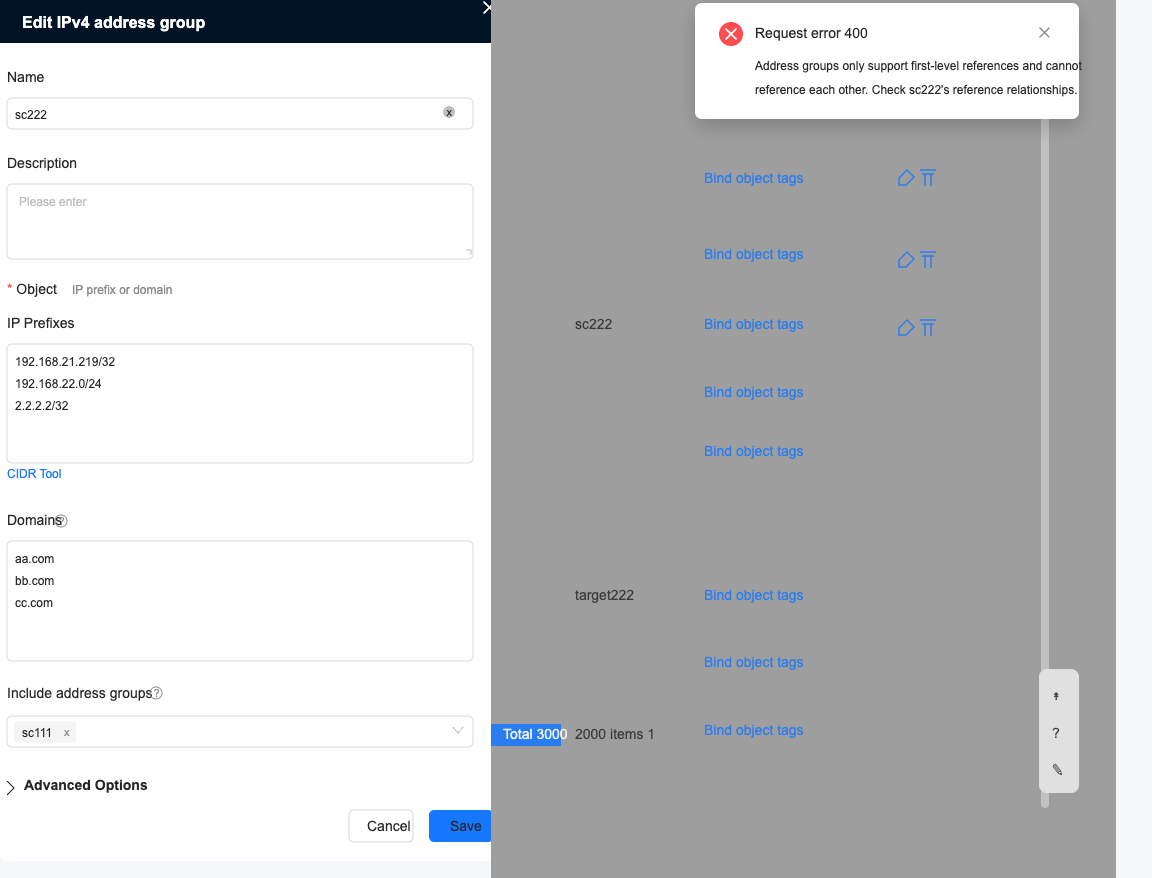
Does not support mutual references
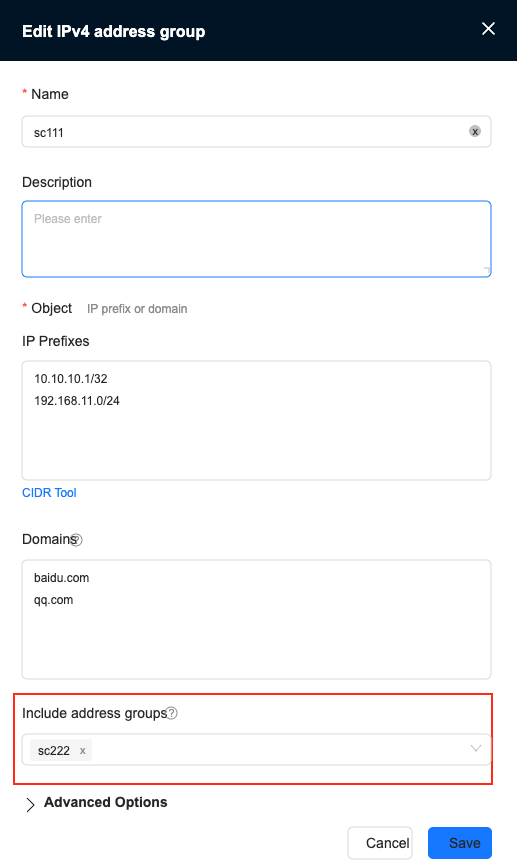
Address Group: sc111 Referenced Address Group: sc222
Address Group: sc222 Configuration reference Address Group: sc111, configuration failed
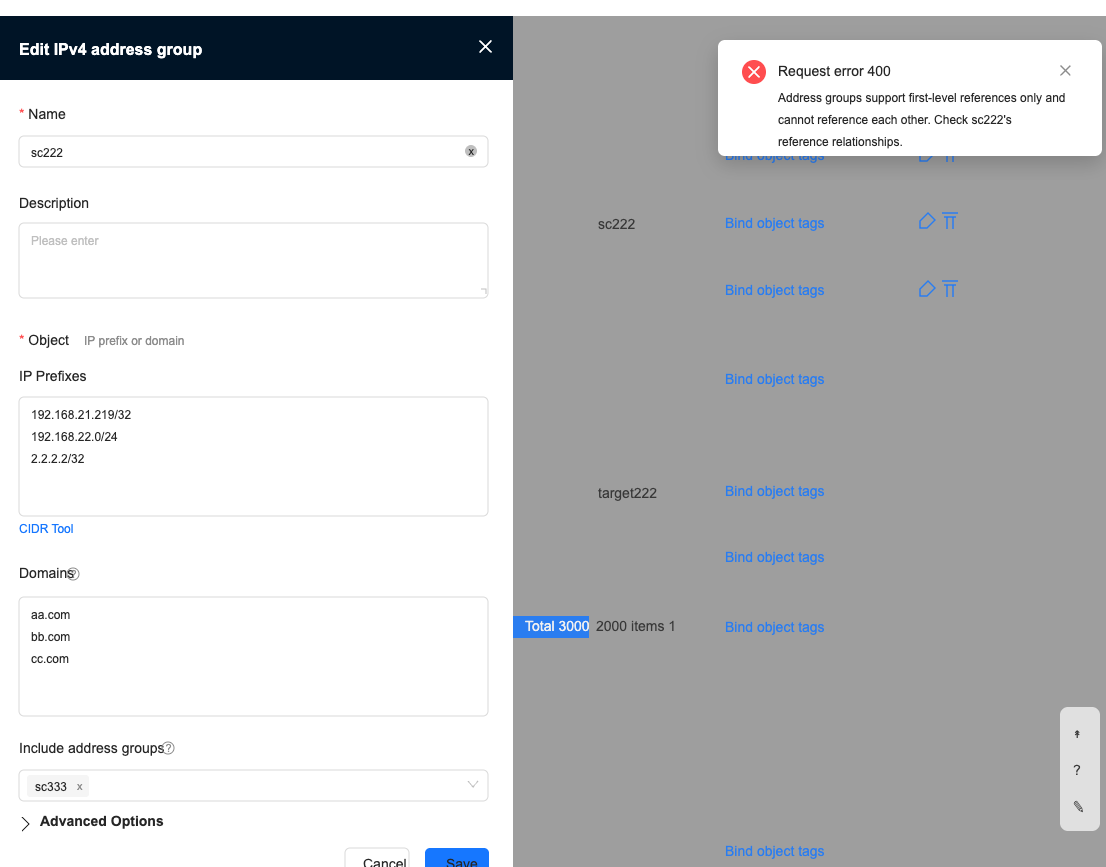
Secondary references are not supported
Address Group: sc111 Referenced Address Group: sc222
Address Group: sc222 Configuration reference Address Group: sc333, configuration failed
Coincidence
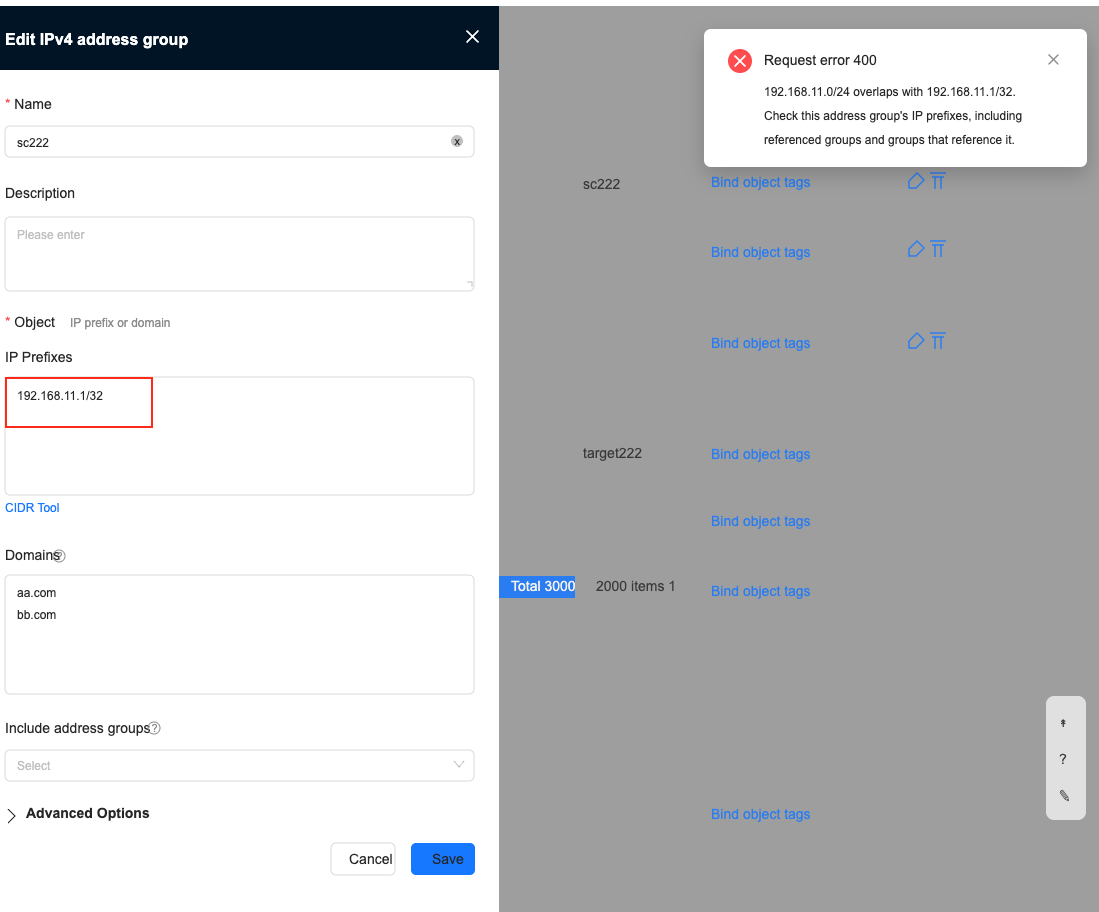
Prefix overlap
- The Address Group prefix overlaps with the reference Address Group prefix or the prefixes between reference address groups, and an error message appears when saving.
- The following example shows the overlap between the Address Group prefix and the reference Address Group prefix.
Address Group: sc111, reference Address Group: sc222, its configuration is as follows
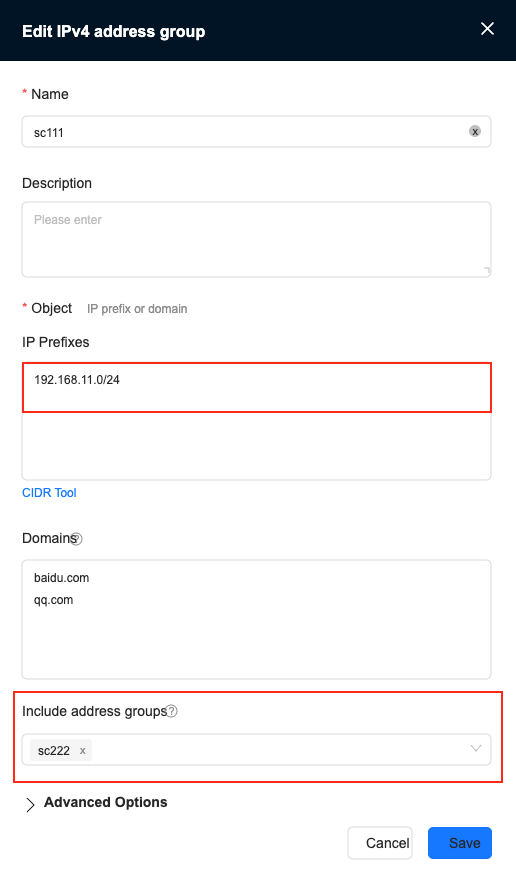
Edit the reference Address Group: sc222 so that its prefix coincides with the prefix of the Address Group: sc111. An error message will appear when saving.
Domain name overlap
- The domain name of the Address Group and the domain name of the reference Address Group overlap and will be automatically merged.