Routing based on bandwidth congestion control
Function overview
Users can specify the bandwidth congestion threshold of the WAN port or transmission network, and decide whether to check bandwidth congestion for business guarantee. When congestion conditions are reached, service guarantee traffic will be switched to links on other transmission networks.
Known limitations
HA WAN does not support this function
Configuration instructions
Bandwidth congestion threshold configuration
WAN port congestion configuration
Configure the bandwidth congestion threshold of the WAN port
"Tenant"→"Config"→"Site"→"Edit Site"→"Global Configuration"→"WAN"
Transport network QOS congestion configuration
When adding transmission network QOS, configure the bandwidth congestion threshold of the transmission network
"Tenant" → "Config" → "Site" → "Edit Site" → "VRF Configuration" → "Business Policy" → "Transport Network QoS"
Business assurance level configuration
When configuring the service guarantee level, select whether to switch bandwidth congestion control
"Tenant" → "Config" → "Network Service" → "Network Objects" → "Business Assurance" → "New" → "New Business Assurance Level"
- The default is not to switch
Supported usage scenarios
While ensuring key services, make full use of dedicated line bandwidth
Customer A has 2 lines: dedicated line and Internet. The dedicated line has a bandwidth of 50M and the Internet bandwidth is 100M. Since the quality of the dedicated line is better than that of the Internet link, in order to make full use of the dedicated line, the voice service routing is set to the dedicated line. Set the monitoring service to dedicated line and Internet (dedicated line has higher priority than Internet). Congestion switching is set to switch and can be switched back. The upper threshold of bandwidth congestion is set to 70%, and the lower threshold is set to 40%. Initially, dedicated line links were selected for both voice and monitoring services. As voice services and monitoring services increased, the dedicated line links became congested. When the bandwidth utilization of the dedicated line links exceeded 70%, the link was marked as bandwidth congested. To ensure the voice service experience, the monitoring services will gradually be migrated to the Internet link. When the bandwidth utilization of the dedicated line link is less than 40%, the monitoring service will gradually migrate back to the dedicated line link.
Configuration method
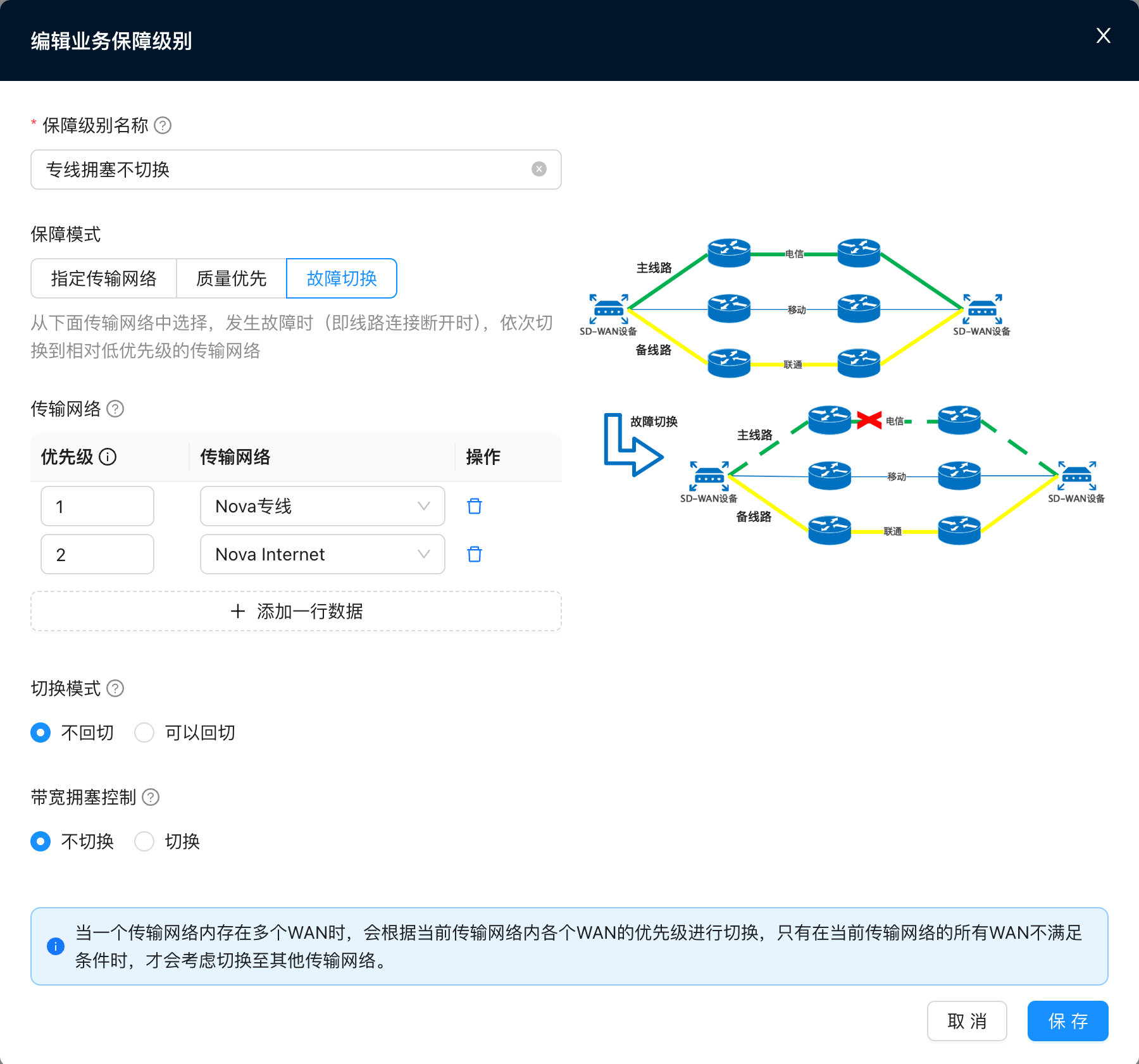
1. Create a new service guarantee level - no switching in case of dedicated line congestion
"Tenant" → "Config" → "Network Service" → "Network Objects" → "Business Assurance" → "New" → "New Business Assurance Level"
- Configure failover, the priority of the dedicated line is greater than the Internet, no switchover, no switchback
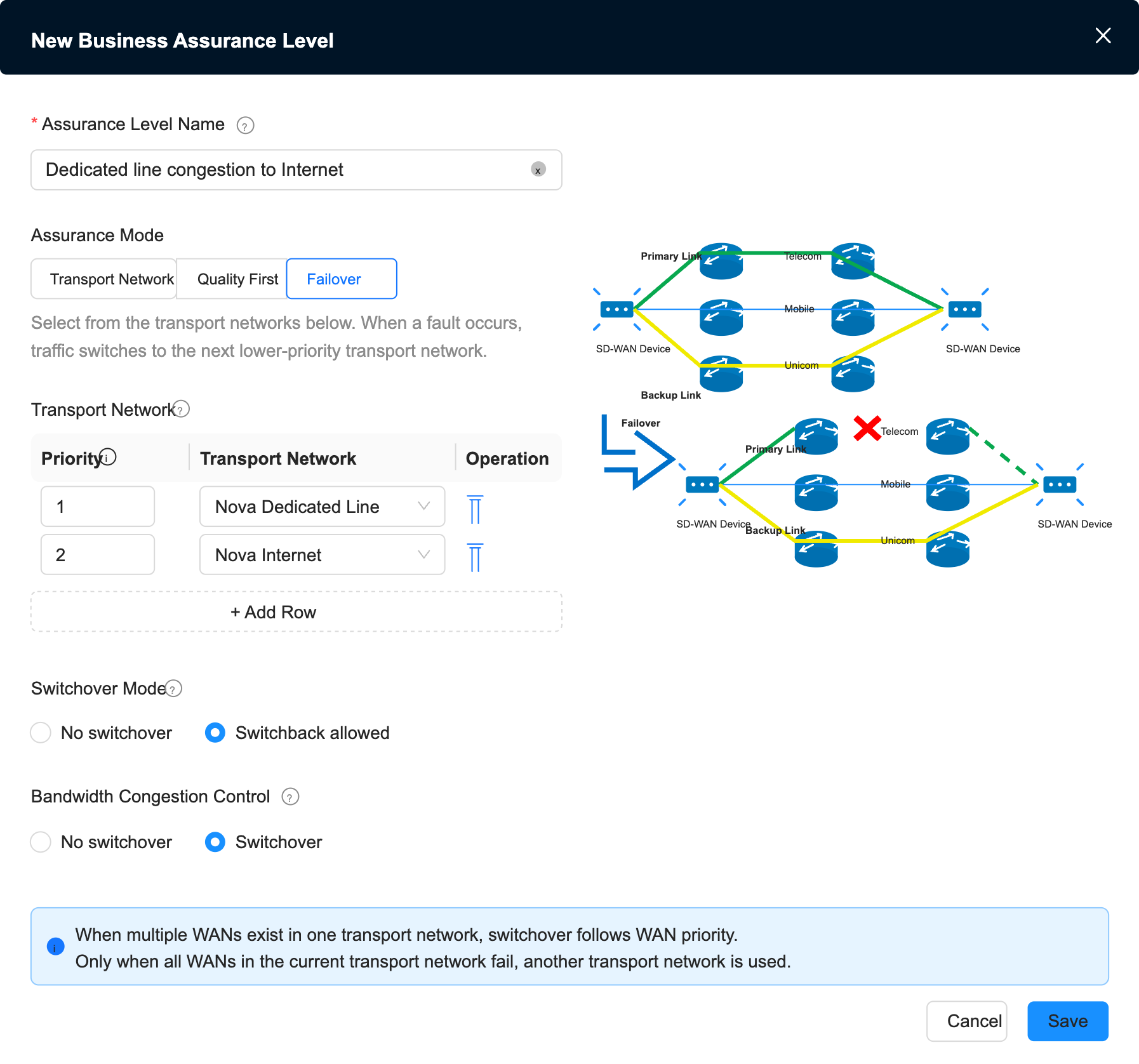
2. Create a new service guarantee level-dedicated line congestion to the Internet
"Tenant" → "Config" → "Network Service" → "Network Objects" → "Business Assurance" → "New" → "New Business Assurance Level"
- Configure failover, the priority of the dedicated line is greater than the Internet, congestion switching, and switchback can be
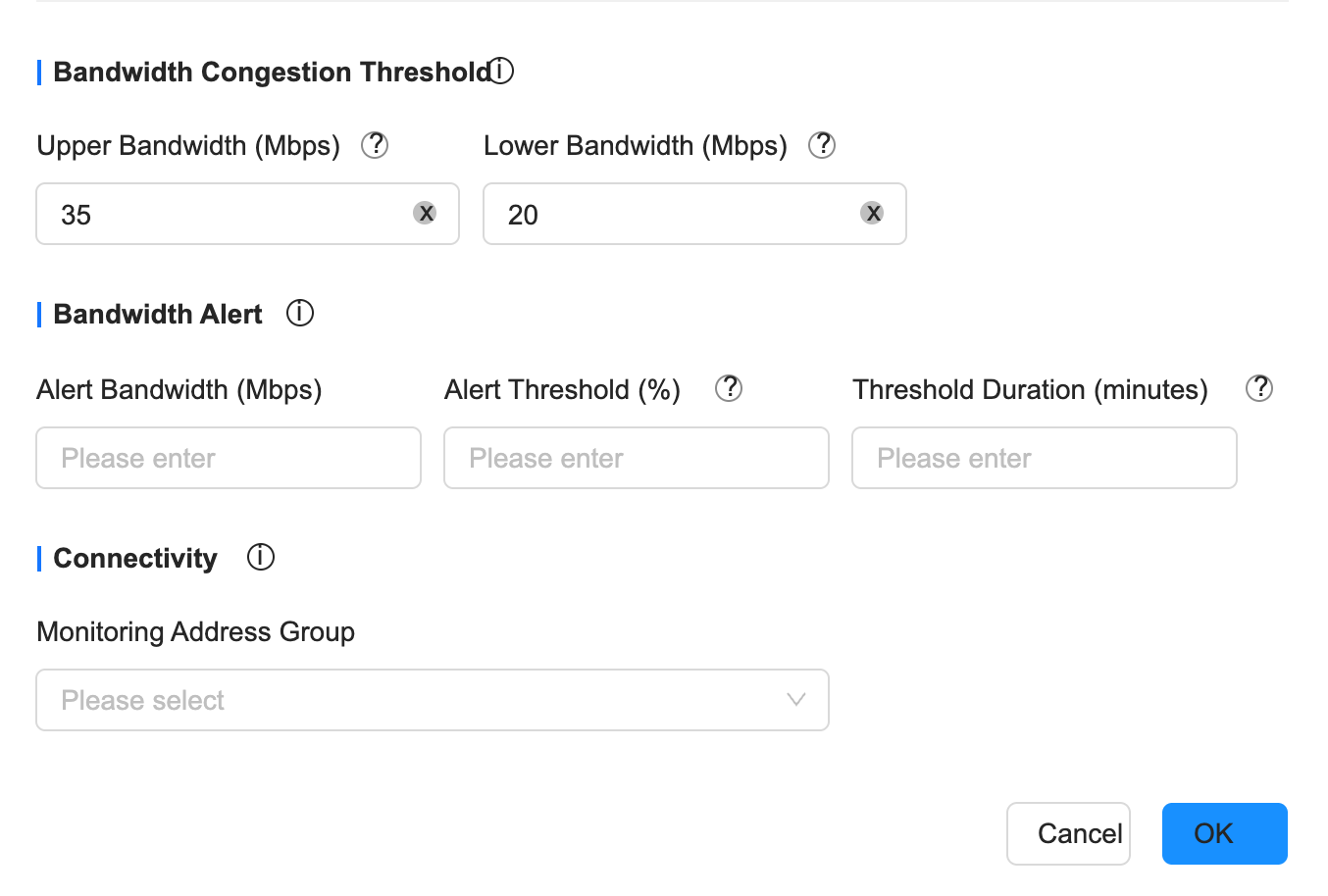
3. Configure bandwidth congestion threshold for dedicated WAN
"Tenant"→"Config"→"Site"→"Edit Site"→"Global Configuration"→"WAN"
- Configure the congestion upper limit 70% to 35M
- Configure the congestion lower limit 40% to 20M
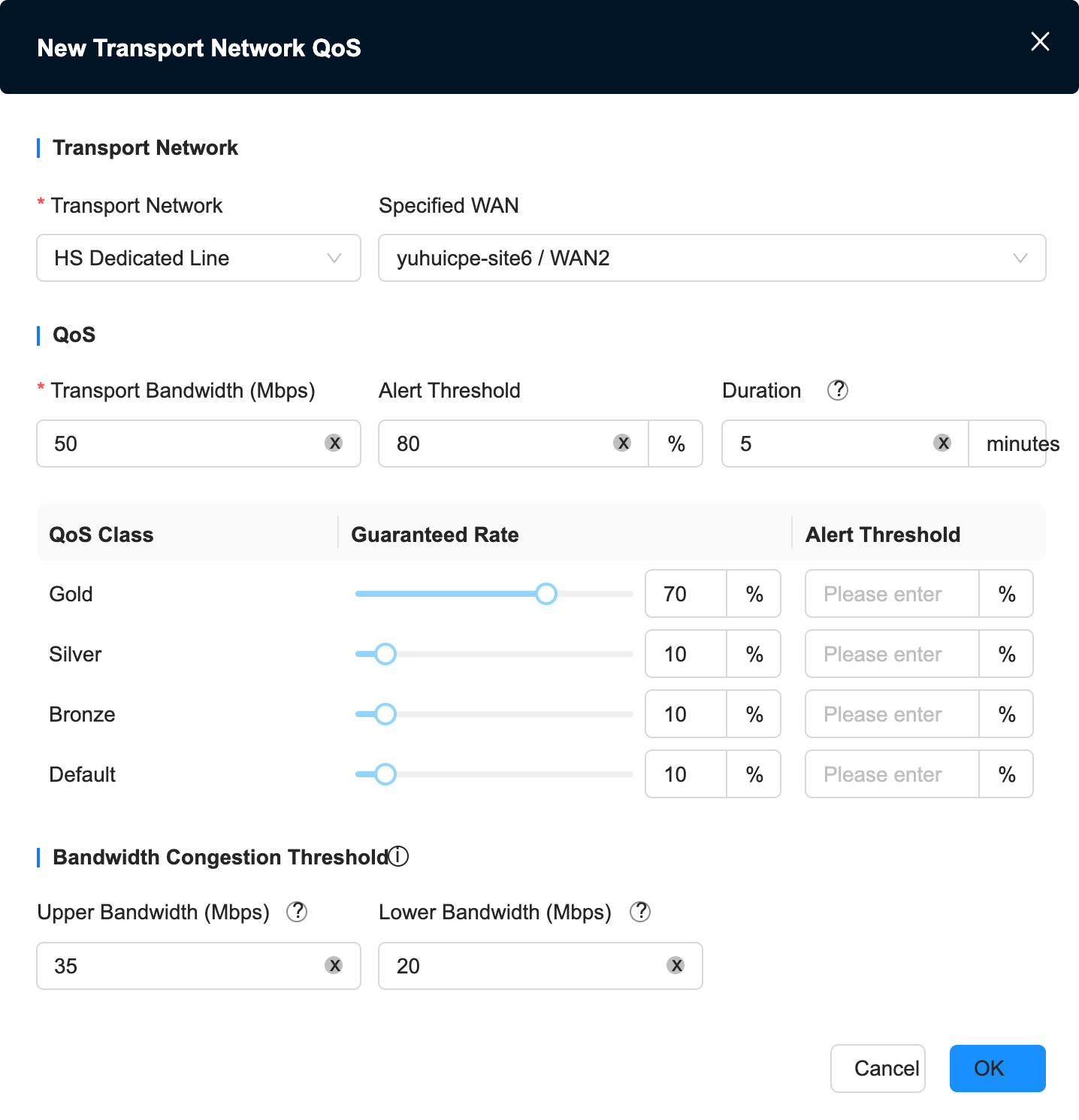
4. Create a new transmission network QoS and configure the bandwidth congestion threshold
"Tenant" → "Config" → "Site" → "Edit Site" → "VRF Configuration" → "Business Policy" → "Transport Network QoS"
Create a new transmission network QoS and select a dedicated line
Configure the congestion upper limit 70% to 35M
Configure the congestion lower limit 40% to 20M
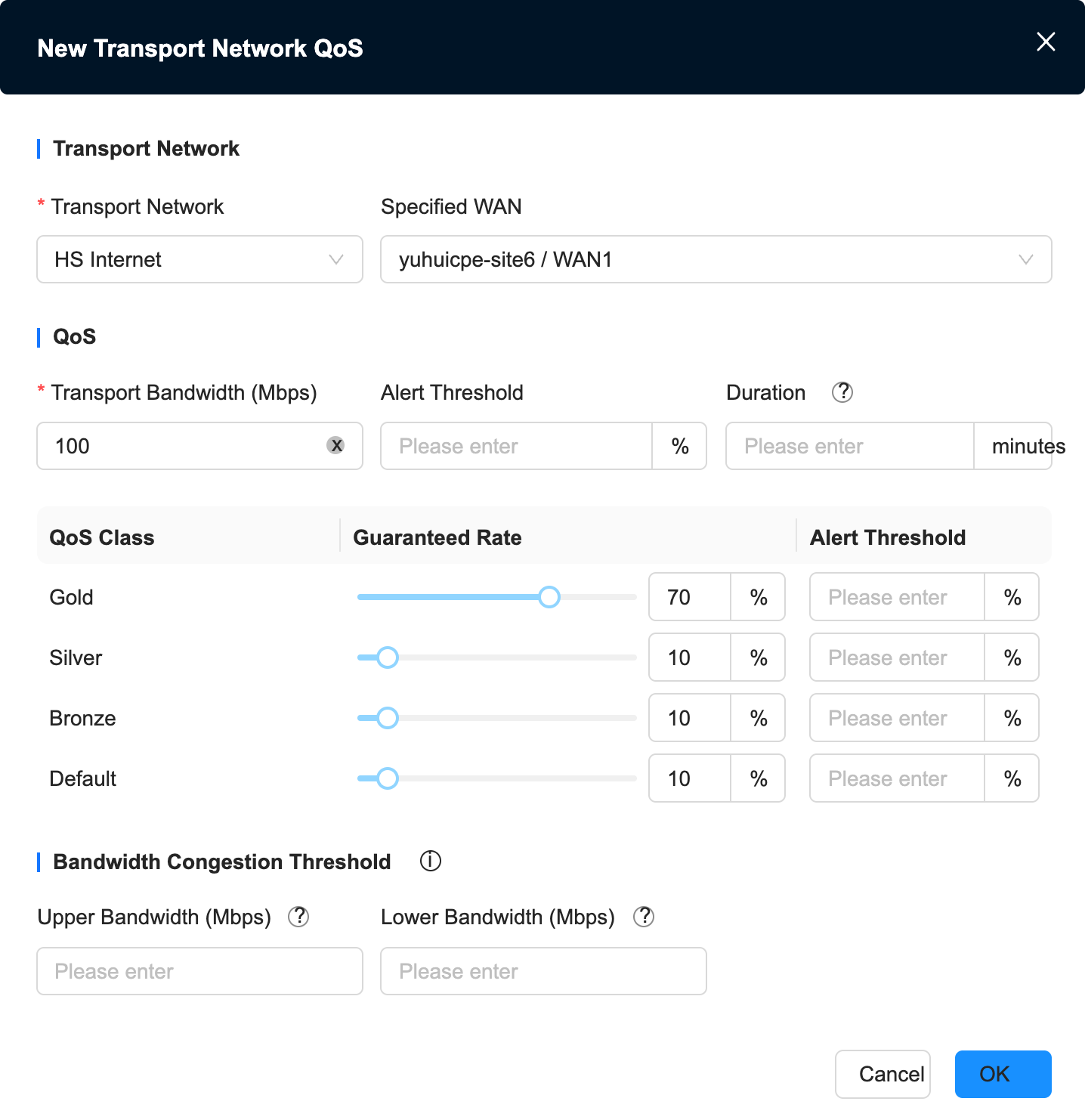
Create a new transmission network QoS and select Internet
No congestion configured
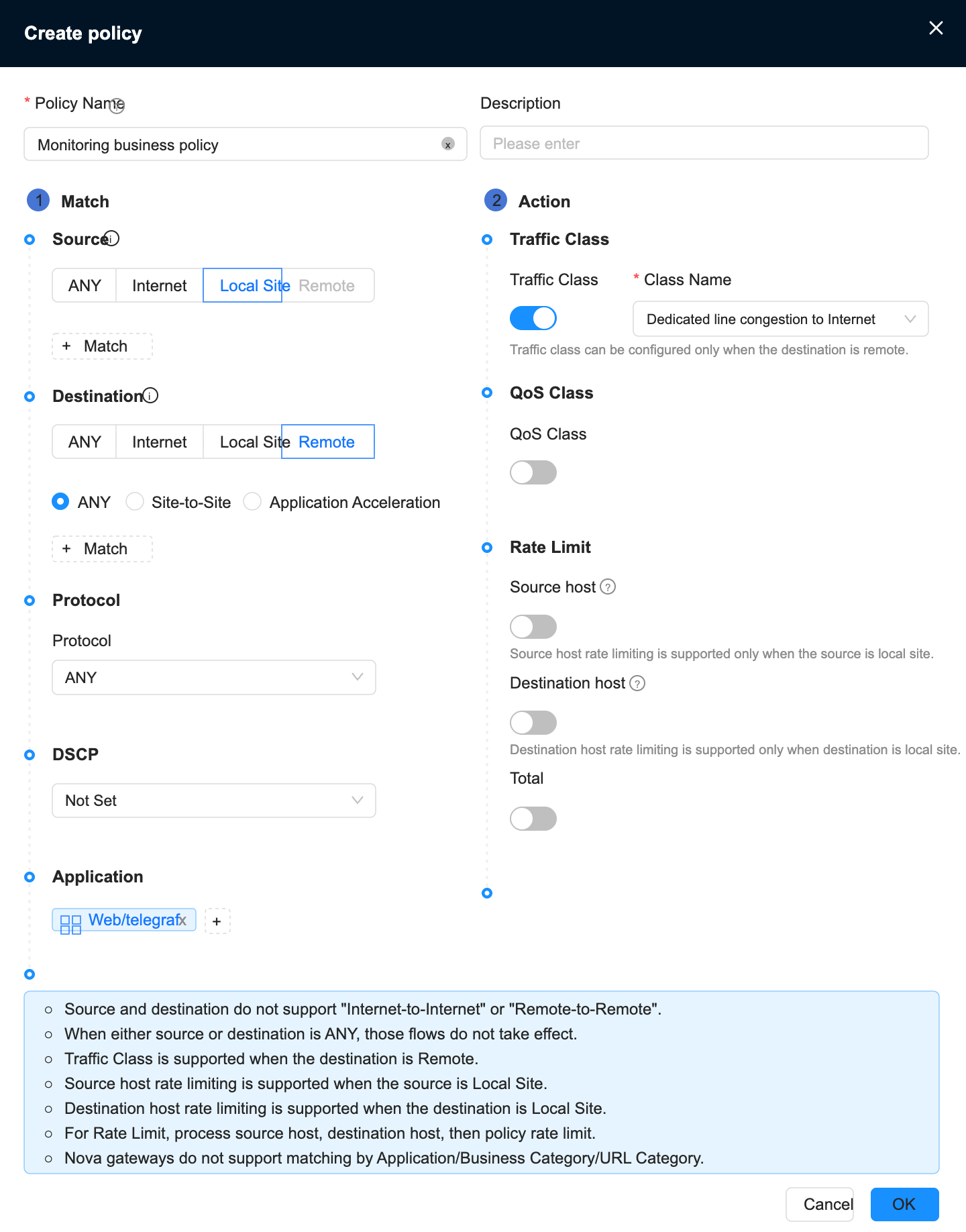
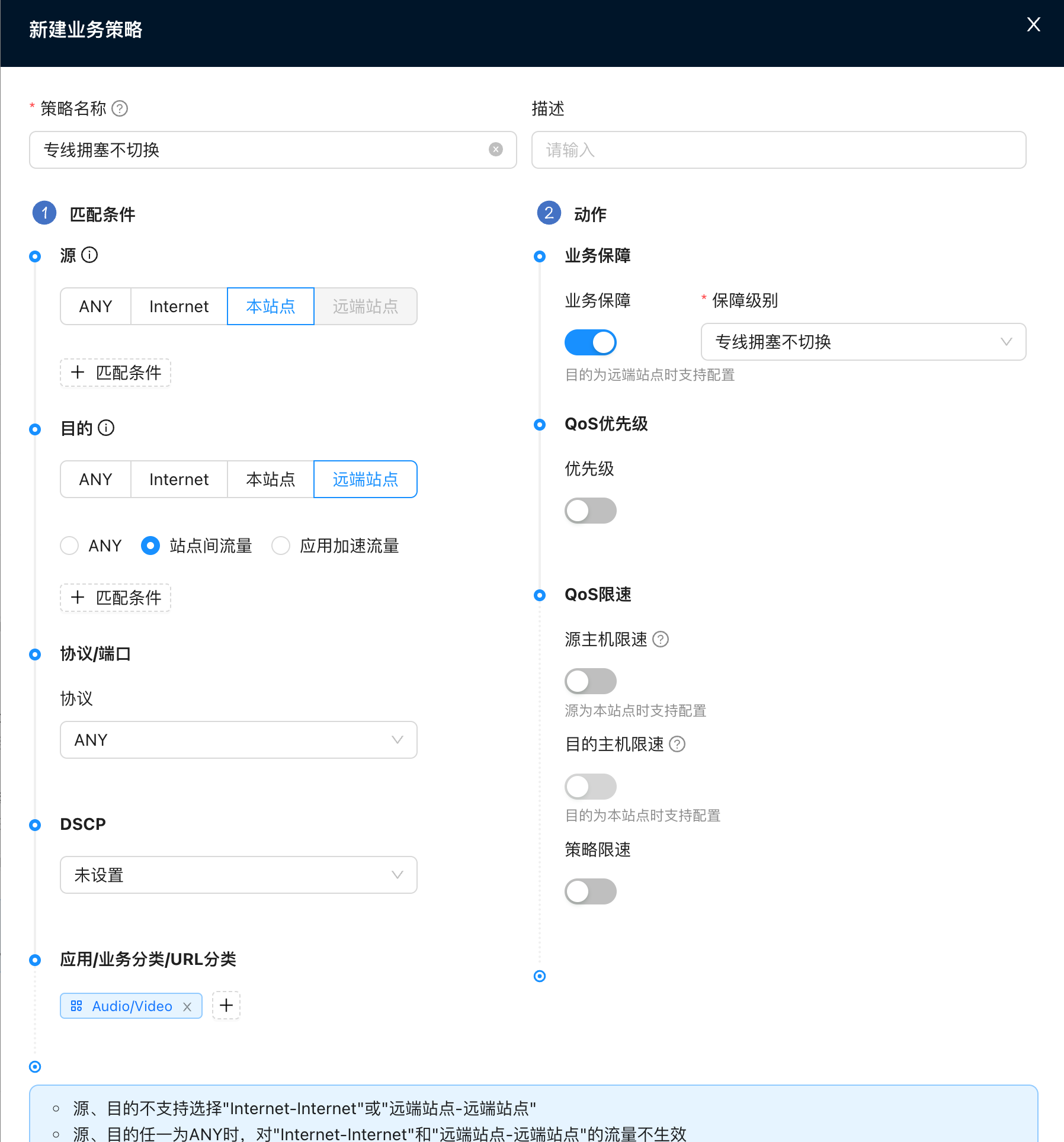
5. Configure business policy - audio and video traffic uses dedicated line congestion and no switching guarantee
"Tenant"→"Config"→"Site"→"Edit Site"→"VRF Configuration"→"Business Policy"
6. Configure business policies - monitor traffic and use dedicated line congestion to ensure Internet protection
"Tenant"→"Config"→"Site"→"Edit Site"→"VRF Configuration"→"Business Policy"