Policies support reference time objects
Function overview
The time object function allows users to create and manage time ranges. Policies can reference time objects and take effect according to the set time range. Through time objects, policies can flexibly control their activation time, improving the accuracy and flexibility of policy application.
Configuration instructions
Create time object
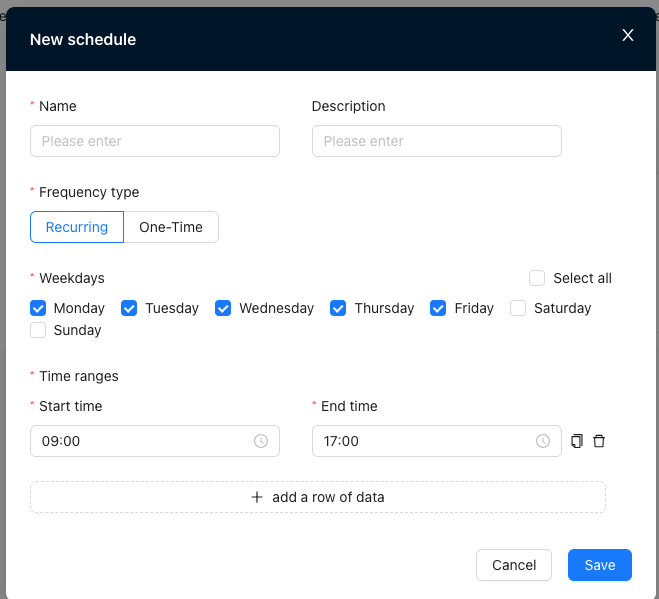
"Tenant"→"Config"→"Network Service"→"Network Object"→"Time"→"New"
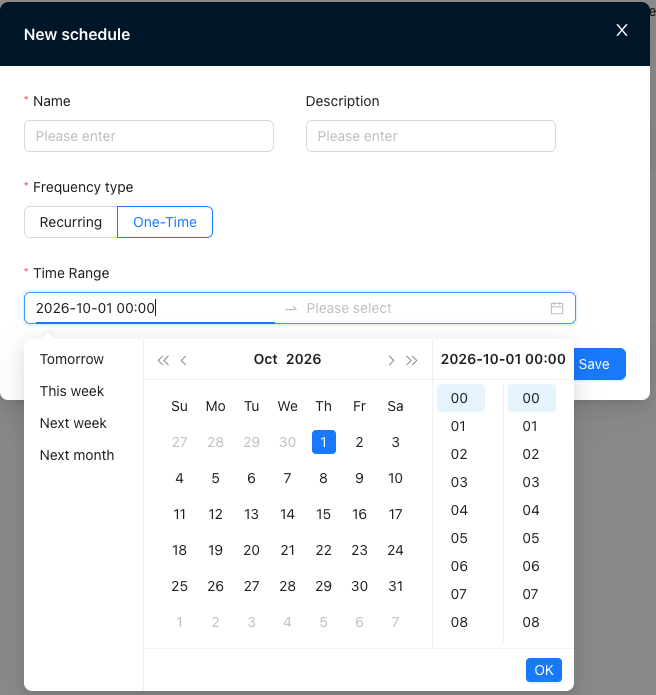
- Single time: It only takes effect within the configured time range and will not take effect again after the time is up.
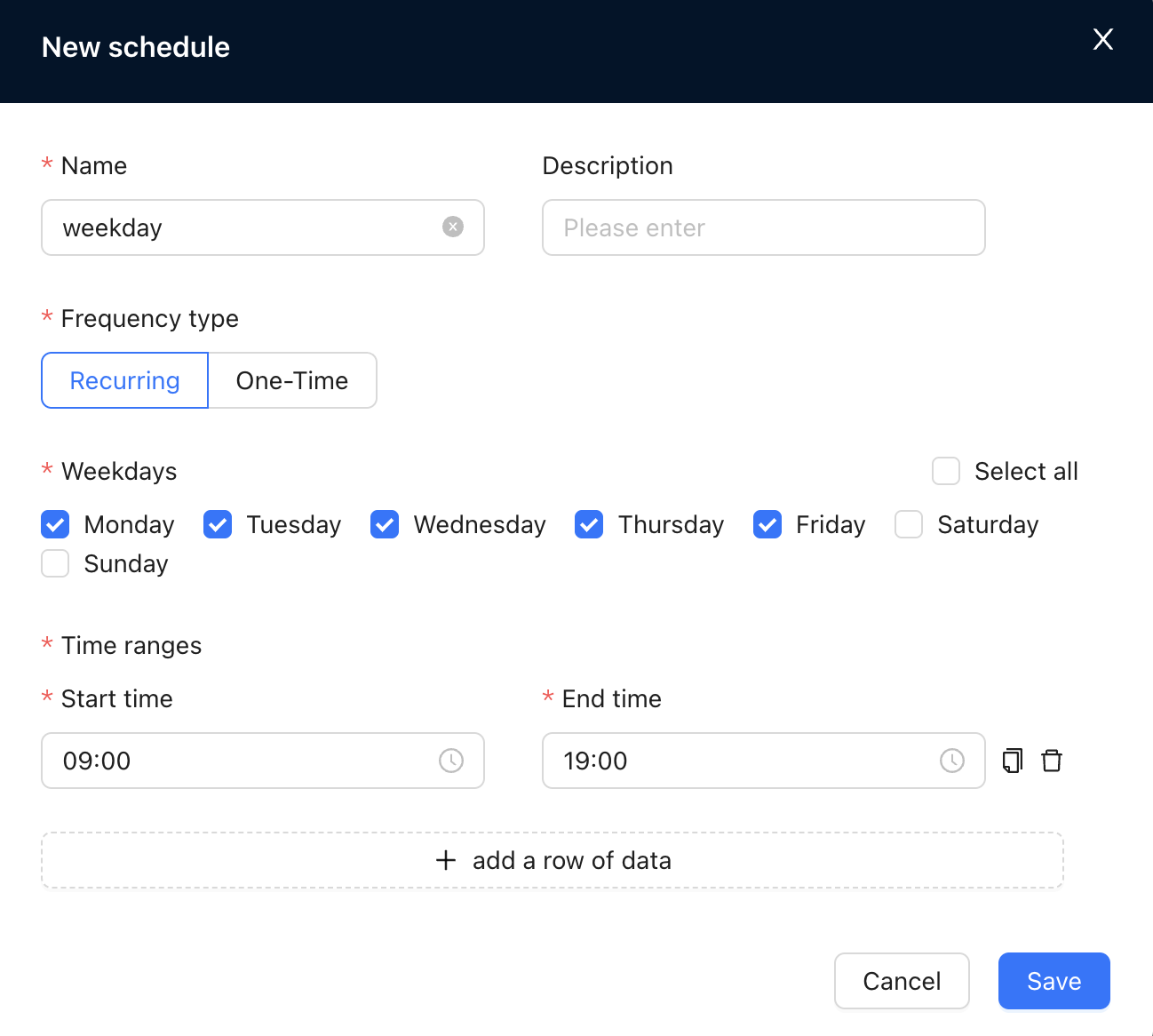
- Cycle: It takes effect repeatedly within a specific time range every week, and multiple time ranges can be added.
Create a business policy reference time object
"Tenant"→"Config"→"Site"→"VRF Configuration"→"Business Policy"→"New"
Create ACL firewall reference time object
"Tenant"→"Config"→"Site"→"VRF Configuration"→"ACL Firewall"→"New"
Create application firewall reference time object
"Tenant"→"Config"→"Site"→"VRF Configuration"→"Application Firewall"→"New"
- A strategy only supports referencing one time object
- The current time falls within the time object range ➝ The policy takes effect, but the current time exceeds the time object range ➝ The policy does not take effect
Scenario example
Scenario 1: Policy references a single time object
Background
A news website publishes major breaking news, traffic surges, and server bandwidth may be full. In order to prevent bandwidth from being excessively occupied, traffic needs to be restricted within 12 hours after hot news is released.
Implementation method
Configure a single time object
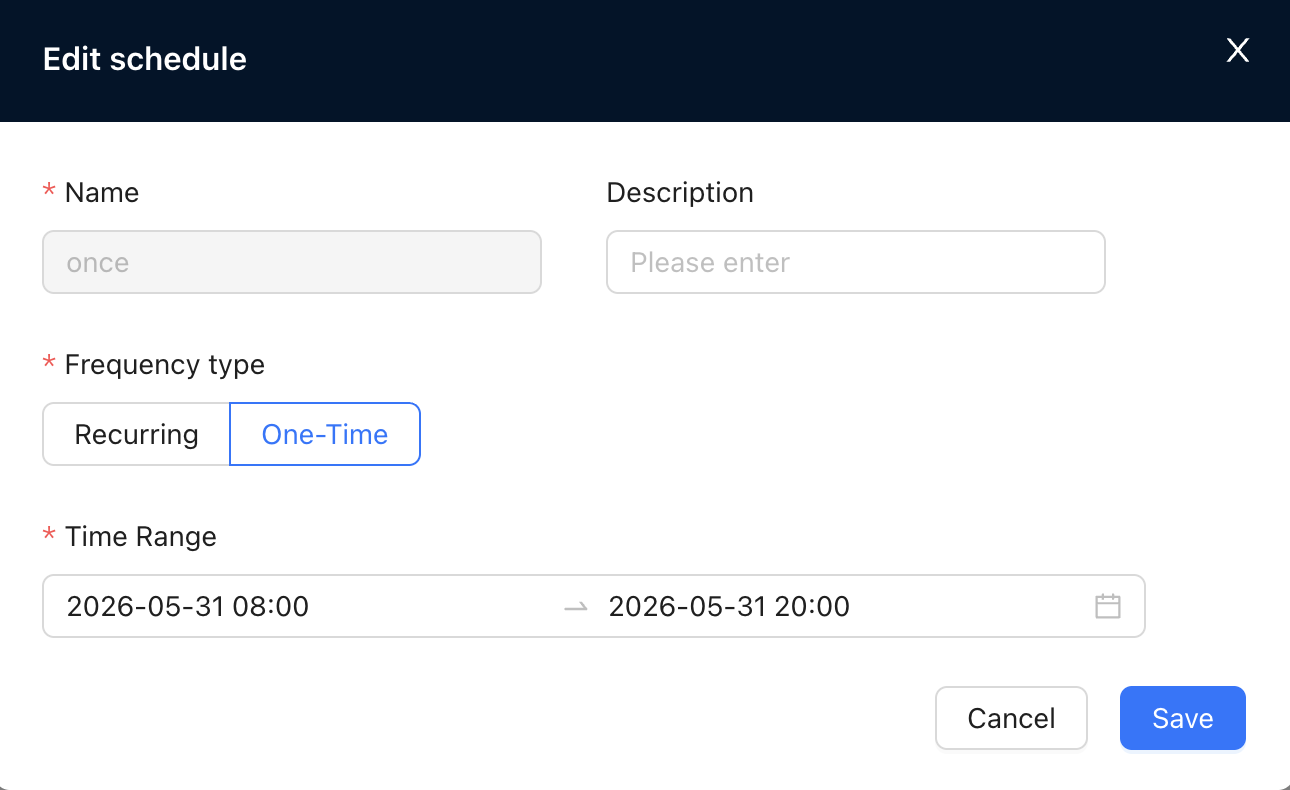
Configure business policy, maximum bandwidth 100M
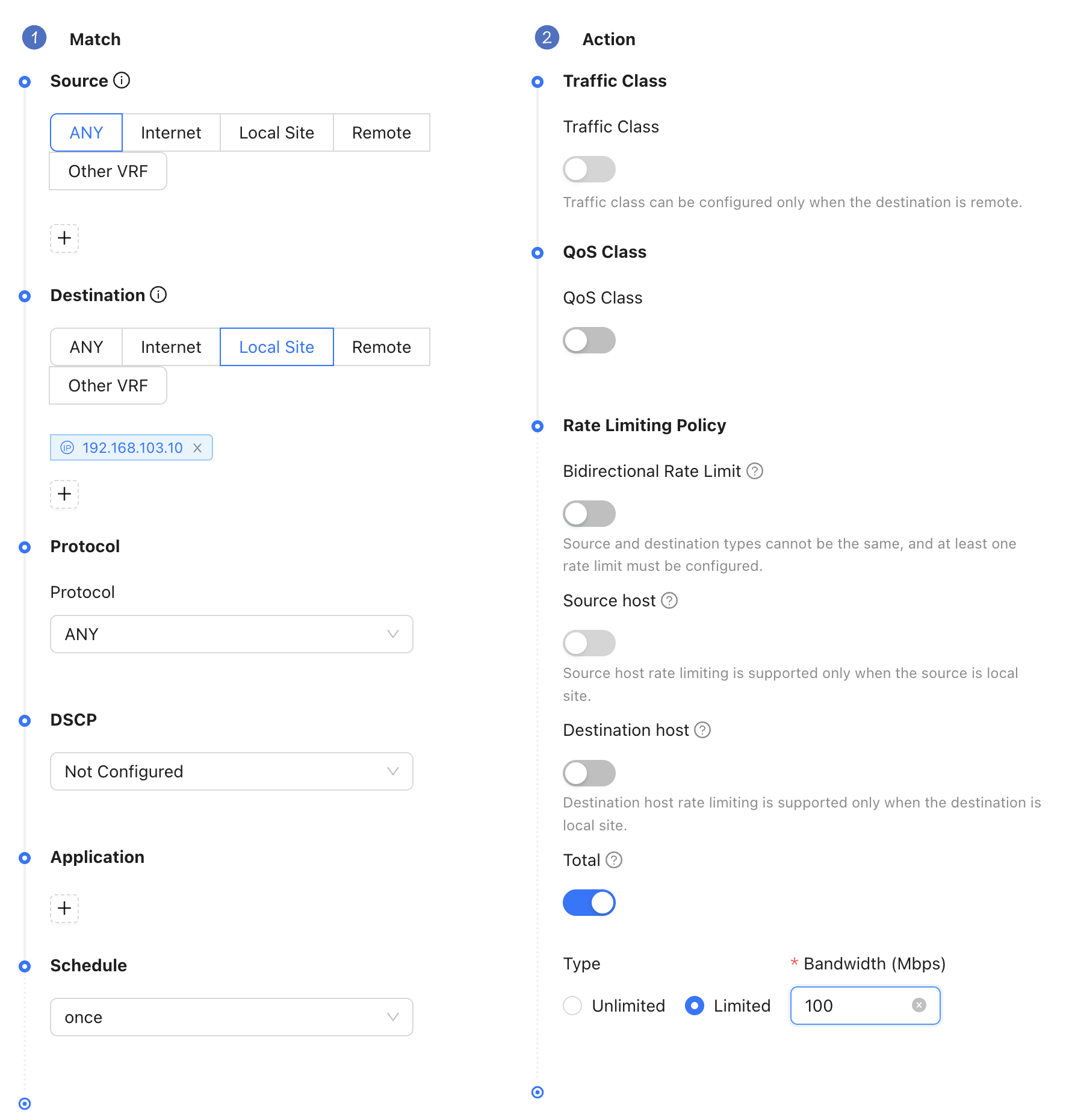
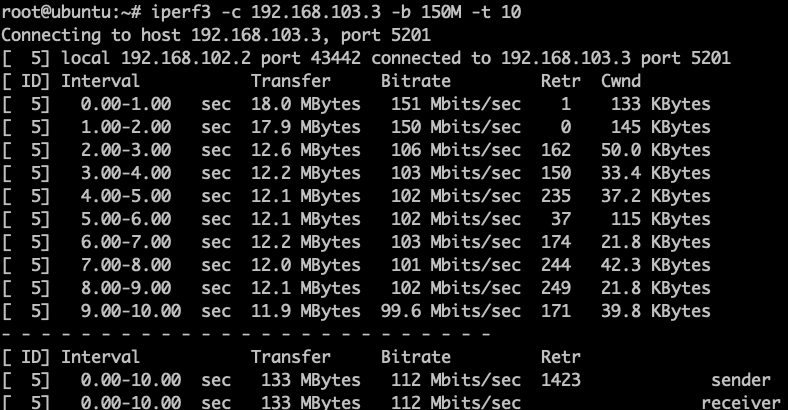
Achieve effect
Within the time range, traffic access to the server is restricted
Within the time range, traffic access to the server is not restricted
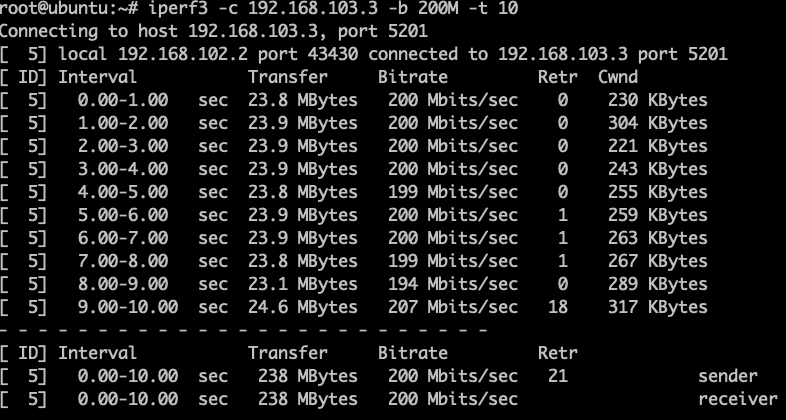
Scenario 2: Policy references cycle time object
Background
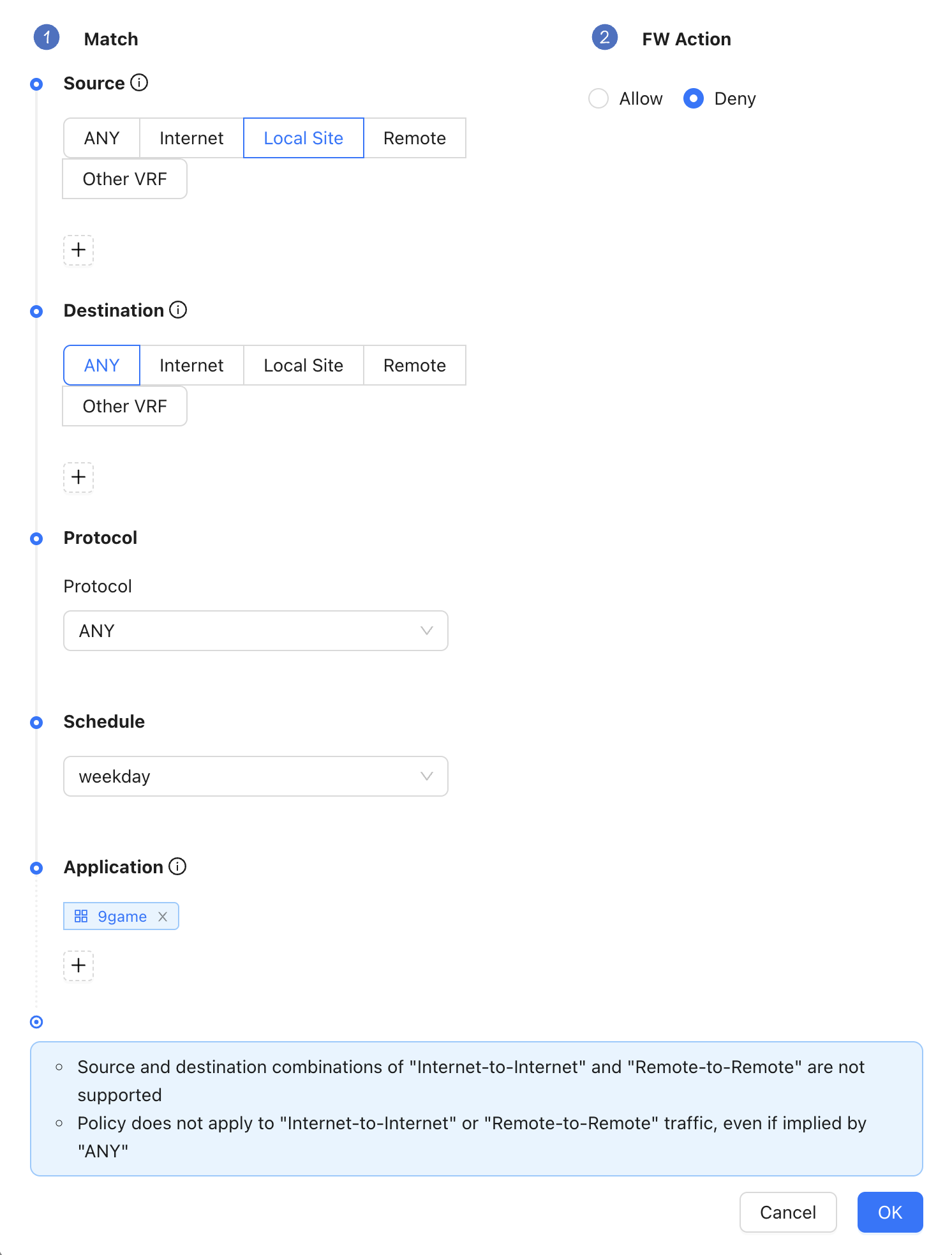
A certain company stipulates that during working days from 09:00 to 18:00, in order to ensure that employees' network use during working hours can focus on business-related tasks and improve office efficiency, employees are prohibited from accessing game-related applications.
Implementation method
Configure cycle time objects
Configure application firewall policies
Achieve effect
During working hours, access to game web pages is restricted.

During non-working hours, access to game web pages is not restricted.